


About This File
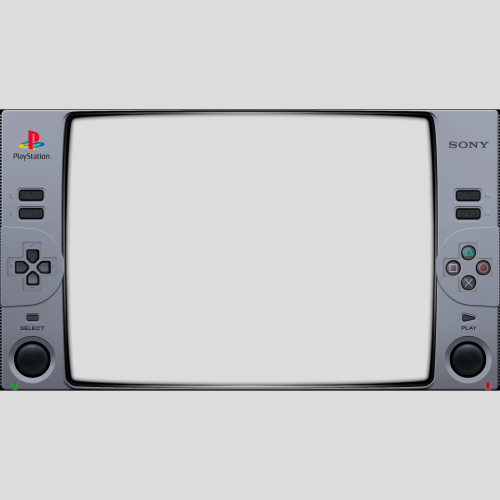
What I have here is a small collection of Duckstation overlays/bezels that I find appealing to look at while playing my PS1 games.
Place all files inside your overlays folder and they should show up in your overlays selection in the "post-processing" section in the Duckstation settings.
***IMPORTANT NOTE*** If your trying to add the files from this download to your Android device, you'll probably need to do it by using your PC connected to your Android device via USB C cable. You'll need to access the
"[storage]/Android/data/com.github.stenzek.duckstation/files/resources/overlays" file path from your PC and place the files in there. That's the only way I know of to bypass the Android protected system folders.
All credit for the "PS1_Overlay" should go to the original creator of the overlay, Fercho. Thanks to him I was able to use his animated overlay he created for the Retroarch and make a static image for this overlay.
This is his original animated overlay for the PS1 - Retroarch: https://forums.launchbox-app.com/files/file/3477-playstation-1-animated-overlay-for-retroarch/
FYI, I personally am using the "PS1_Overlay" with the "ntsc/ntsc-adaptive-lite" and "CRTLottes2" shaders and it looks amazing with those two and fits perfectly.
The "PSonereflections" image I got from Retroarch's overlays and created the .yml file needed by Duckstation to use.
The other two I found on a reddit post by "danytyler" and created the .yml file for both of those as well.
I take no credit for actually making the .png files, I only want to share these overlays for the people using the Duckstation emulator since there are very few pre-made overlays for the platform.
I personally think the "ntsc/ntsc-adaptive-lite" shader looks best with all four overlays because it adds the fuzzy glow old CRT TVs use to produce, but if your going to add a CRT shader that adds scanlines to it, I would go with the "dolphinfx/crt/CRT-Hyllian" for the "PSonereflections" overlay. As for the other three, the "CRT-NewPixie" or "CRTLottes2" adds a curvature to better fit those overlays. These are just my personal suggestions because they are pre-installed into Duckstation when you download it.
Enjoy!
Edited by The_Ironclad_Lad
What's New in Version 1.0.0 See changelog
Released
No changelog available for this version.

