

lern2swim
-
Posts
11 -
Joined
-
Last visited
lern2swim's Achievements

8-Bit Processor (3/7)
2
Reputation
-
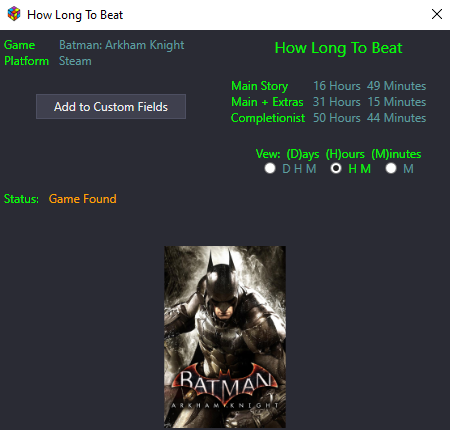 My testing is far from exhaustive, in part because I was running the search on games I'd already done (I did just struggle through and finish a couple days ago), but that seems to have fixed it.
 -
Yeah. That's what I've ended up doing. It's been a bit of a pain with my rather large library and the inability to really determine how big the search chunks can be, but I'm managing.
-
Here you go Logs.7z
-
I'm getting repeated Launchbox crashes while trying to bulk download data. It's like it's tripping on certain games, but not always the same games, and not if I then try to get info for those games solo. Below is the included info for the error: Object reference not set to an instance of an object. App: LaunchBox Version: 13.25 Theme: Default Type: System.NullReferenceException Site: Void MoveNext() Source: HLTB at HLTB.Views.BulkAddCustomFields.AddCustomFields(IGame game) at HLTB.Views.BulkAddCustomFields.StartHere() at System.Threading.Tasks.Task.<>c.<ThrowAsync>b__128_1(Object state) at System.Threading.QueueUserWorkItemCallback.Execute() at System.Threading.ThreadPoolWorkQueue.Dispatch() at System.Threading.PortableThreadPool.WorkerThread.WorkerThreadStart() Recent Log: 10:36:40 PM Exception
-
It may be a "no duh" thing but wanted to comment here in case anyone else has the issue in the future and goes looking for a solution that I wasn't able to pull any info until I turned off my vpn.
-
I've tried asking in both the supermodel discord and in the xemu subreddit (and entered a support ticket on github) and didn't get any helpful responses.
-
Thank you for the thorough explanation. I'll set that up, and it should hold me over until I hopefully figure out what exactly is causing this issue
-
AMD 6950 xt. I did see, while trying to find a solution, that there's a similar problem related to nvidia cards specifically. Sadly, not here though.
-
It has to be switched off before launching the emulator. The hotkeys are alt+win+B
-
I am having trouble with xemu and supermodel both giving me black screens when I have hdr enabled in windows 11 (I leave it on all the time). I can hit the hotkeys to disable it obviously, but I'd prefer to automate it while this issue persists. I assume I can add scripts to LB to take care of turning hdr off as I launch these emulators and then turn it back on when I exit, but script writing, however, is tech knowledge that I don't currently possess. Can someone help me out, be it with a tutorial that would be good for me figuring out how to come up with this myself or more direct scripting I should use?
-
Xemu launching games with audio but black screen
lern2swim replied to LatersHaters2's topic in Emulation
Necrobumping this to ask if you happen to have Windows hdr enabled. I'm trying to figure out why having it enabled is causing this exact thing

