

CaptainGreenhat
-
Posts
71 -
Joined
CaptainGreenhat's Achievements

-

Retro Achievements HUD
CaptainGreenhat commented on TrailerVert's file in Third-party Apps and Plugins
 Only 17 😅
 -
Retro Achievements HUD
CaptainGreenhat commented on TrailerVert's file in Third-party Apps and Plugins
I have a very display dense environment and cant get this to work reliably, its always only ever partially on screen no matter my dpi settings are and the monitor indexing doesn't line up either. and that isn't even the correct display whatsoever. With indexing being wildly wrong I'm going by resolution to pick my display which narrows it down to two 1080 displays with 150% scaling but I get the same results regardless. -
I basically have a full suite of Divoom devices, but unfortunately they don't integrate particularly well with anything. One of the simpler ones is probably my Dittoo Pro, which is essentially a Bluetooth speaker with a 16×16 pixel-art display. I can already send images to it over Bluetooth using various GitHub projects and libraries, so I'm trying to build a simple .NET LaunchBox plugin that reacts to game selection changes and eventually sends the appropriate image to the Dittoo Pro. I've got the basic LaunchBox plugin working: it loads normally and receives SelectionChanged events. The weird part happens when I try to access the selected game. As soon as I reference PluginHelper.StateManager (for example, GetAllSelectedGames()) or try to access the IGame through that route, the plugin stops loading and LaunchBox gives me: "The plugin ... could not be loaded because Windows is preventing access to it for security reasons." The DLL is locally built in Visual Studio. There is no Zone.Identifier alternate data stream, and the DLL's Properties don't even have the usual "Unblock" checkbox. I've also verified that the DLL is actually being rebuilt and getting a new timestamp. What's especially strange is that the exact same plugin loads fine as long as I don't reference PluginHelper.StateManager. Adding that reference is enough to make the plugin fail to load. Has anyone run into this with LaunchBox plugins/.NET, or have any idea what Windows/LaunchBox might actually be objecting to here? EDIT: I got past that hurdle by simply restarting from scratch, but jeezzzze these divoom devices sure are pretty but dumb. Getting any of these to exspose rfcomm over bt is prooving quite problematic. I might return to this if there is interest, I have the entire divoom ecosystem of devices after all, but I am getting very little return for a TON of effort.
-
I wasn't having problems but suddenly it hard locked and now the app itself is bricked and the executable won't even launch through windows gui. I was able to force a launch through windows cli though.
-
LaunchBox for Windows 14.0 Released!
CaptainGreenhat replied to AstroBob's topic in News and Updates
maybe its an nvidia thing, my 7900xtx increases its usage by 2% and thats only with platforms that have 2000+ entries. Are your drivers updated? EDIT: forgot to say that I am also using the same theme. -
LaunchBox for Windows 14.0 Released!
CaptainGreenhat replied to AstroBob's topic in News and Updates
Fantastic update, and I can confirm.. Large libraries are absolutely much faster now, as well as start up. Good job!!!! Additional versions is a great distinction for those of us keeping all the sets (so i don't have to hunt down thing for rom hack patching), and the media changes look awesome too!!!! Thanks, this and no mans sky are two of the few things I have not regretted paying full price for. Definitely getting a ton of soft locks, I can't figure out rhyme or reason as they seem pretty random. Kinda feels like when launchbox looses focus it is dropping out of the cpu que, but it is still using background resources. Observation: Shouldn't video and wikipedia url auto populate in the links list, especially if they are in the main metadata page? -
Also, image size doesn't matter as much as quality if you use third screen since you can select "stretch to screen".
-
For reference, it looks GREAT. Ignore the rest of the mess, just moved a few months ago lol

-
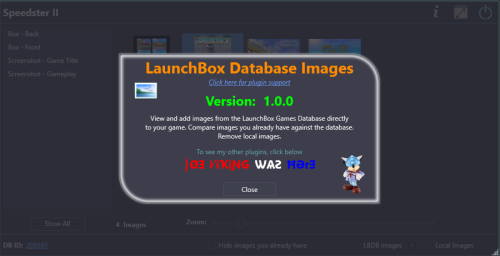 Amazing tool, super handy. Thanks for taking the time to make it and help the community out!
 -
I like this a lot. I have an exploded arcade cabinet, lots of separated screens, these look FANTASTIC on my sub monitor (which i use to display control maps) 🤩.
-
I sorted out the auto changing platform, turns out when I set up the platform I failed to set scrape as properly. DOH! That fixed achievement scanning as well. Leaving the post up for awareness, I swear I already checked this. 🙃
-
I'm weird. I'm a data hoarder/maximalist/completionist. I keep backups of everything, I seriously downloaded all of emu paradise, pleasure dome, and myrient before they all shut down and I keep full unmerged mame, fb, fbn, dphne, tosec, redump, nointro, exo, flashpoint, the older computer, etc anything I can justify as a set and have them all as alternate apps. I do this so I never have to hunt something down when a new rom hack comes out or a site shuts down. Admittedly I need more space so I can grab eggmans arcade dumps but most of those don't work without extreme finesse anyways. I even use a heirachy of which sets use which emulators. My rule of thumb, if it significantly changes gameplay or graphics it gets its own entry. Have to keep rebuilding launchbox though as once I get to about 12k games scrolling crashes launchbox.
-
Thanks. I appreciate the feedback. Unfortunately most of the extra images are old low quality stuff so I definitely want control over picking. I was more or less posting all this to bring awareness. 😁
-
It's not properly scrapping for retroachievements either. Are these new issues to the current version or because it is expecting the platform to be called arcade? All my other nonstandard custom platforms have scraped absolutely fine for me.
-
Looks like the metadata lookup is being quirky in some circumstances as well, for example, it treated 10-yard fight 85, and 10-yard fight as the same game. (same metadata and same media gribbles, even the same data base ID#



