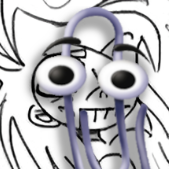
d66dle Posted June 25 Posted June 25 Custom Badge - Old 'Unplayed' + Alt Progress/Achievement Badges View File I made this custom 'Unplayed' badge, because the old one stopped working the way I would like it to after the progress system was added. The current 'Not Started / Unplayed' in the automation tab only allows as low as 1 minute to mark as unplayed. Ideally, I'd like to have 0 minutes as an option, so I can see at a glance what games I've played at least once, even if for less than a minute... So, this is my workaround! Additionally, I added my current progress badge icons, accompanied by the achievement badge icon to match + mame high score icon in the same style. I have customized the progress organization a little different from the default, so refer to the attached screenshots and rename the badge icons as desired, or ignore the extras. Extract and throw them into Images\Media Packs\Overrides\Badges\ to use them on top of your badge pack of choice. CREDITS: to the Generic Icons pack by Reffpixels, which I used/edited/recolored for my personal use. Also, to whoever the heck made these (shown below), as I've since long lost the source of them... 乁( ◔ ౪◔)ㄏ Submitter d66dle Submitted 06/25/2026 Category Custom Badges 1 Quote

Recommended Posts
Join the conversation
You can post now and register later. If you have an account, sign in now to post with your account.