Custom Badges
9 files
-
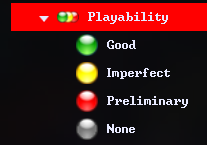
Arcade Status/Playability Badges 🟢 Playlists 🟡 Icons 🔴
By d66dle
A possibly useful media pack containing the following:
- Data Folder - 4 playlists for Arcade Status Good, Imperfect, Preliminary, and None
- Images Folder - 3 Badge override icons to accompany the custom badge plugins
- Images Folder - An "Arcade Playability" category icon
- Images Folder - 4 Arcade Status Icons to accompany the playlists
- Plugins Folder - 3 custom badges that show for their respective good/imperfect/preliminary arcade status
How to Use:
Inside the zip, it is mostly extracting into your Launchbox directory (folders Data and Plugins can be extracted from the zip without tampering)
One folder under Images\Media Packs\Platform Icons\ will be extracted as "Icon_Pack_Name" which I would suggest you rename to your desired icon pack, such as "Legacy Conversion Icon Pack"
Finally, you'll need to create the platform category so it shows with the provided icon. To do this, right click while in Platform Category View to create one. The "Unique Name" should be the same as that of the category icon. "Nested Name" and "Sort Title" can be whatever you like.
And that's all ಠ_ರೃ
6 downloads
(0 reviews)0 comments
Updated
-
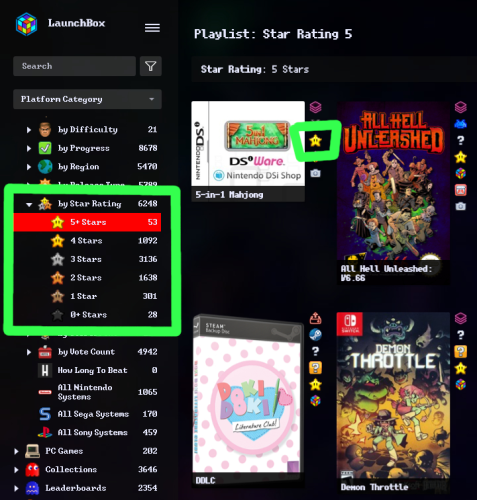
Star Rating Badges ⭐ Playlists ⭐ Icons
By d66dle
Small media pack for Star Ratings. Included is:
- 2 badge plugins + badge icons (star rating 4 and 5)
- 6 playlists + icons (star rating 0-5)
- 1 category icon (star ratings)
The badges help to see at a glance what games are rated more highly.
How To Use:
When you extract the zip, the Data and Plugins folders can go into your root "Launchbox" directory.
Inside the Images folder, you'll see two sub-folders:
I would put the images in the "Badges" folder into "Launchox/Images/Media Packs/Overrides/Badges"
And then the two folders inside "Platform Icons" can both go into "Launchbox/Images/Media Packs/Platform Icons/Legacy Conversion Icon Pack" (or whichever media pack you use for platform icons)
Disclaimer: The images are only recolored by me. I yanked the original star icon form the internet, somewhere...
⭐◟(•‿•)◞⭐
11 downloads
-
Custom Badge - Old 'Unplayed' + Alt Progress/Achievement Badges
By d66dle
I made this custom 'Unplayed' badge, because the old one stopped working the way I would like it to after the progress system was added. The current 'Not Started / Unplayed' in the automation tab only allows as low as 1 minute to mark as unplayed. Ideally, I'd like to have 0 minutes as an option, so I can see at a glance what games I've played at least once, even if for less than a minute... So, this is my workaround!
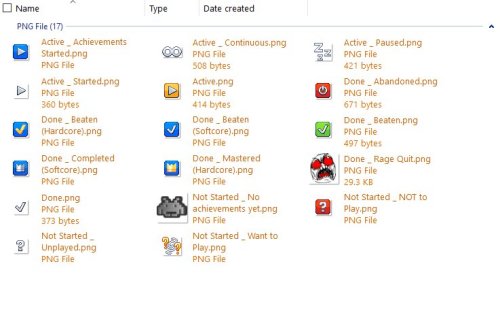
Additionally, I added my current progress badge icons, accompanied by the achievement badge icon to match + mame high score icon in the same style.
I have customized the progress organization a little different from the default, so refer to the attached screenshots and rename the badge icons as desired, or ignore the extras.
Extract and throw them into Images\Media Packs\Overrides\Badges\ to use them on top of your badge pack of choice.
CREDITS: to the Generic Icons pack by Reffpixels, which I used/edited/recolored for my personal use.
Also, to whoever the heck made these (shown below), as I've since long lost the source of them...
乁( ◔ ౪◔)ㄏ
18 downloads
(0 reviews)0 comments
Updated
-

Custom Badge - Music
By d66dle
A simple custom badge I made using LBCustomBadge. This one shows when a game has a music file attached to it. I also included my "Favorite Music" playlist with its platform icon, which is an ongoing list...
Plugin .dll goes into Plugins folder.
the playlist goes into Data\Playlists
I put my custom badge image into Images\Media Packs\Overrides\Badges
and the playlist icon into Images\Media Packs\Platform Icons\Legacy Conversion Icon Pack\Playlists (or whatever pack you're using from Tools > Manage > LB Themes & Media)
this one is not so little ఠ_ఠ
You can use whatever badge icon you like, though; just replace it in Overrides\Badges
7 downloads
(0 reviews)0 comments
Submitted
-
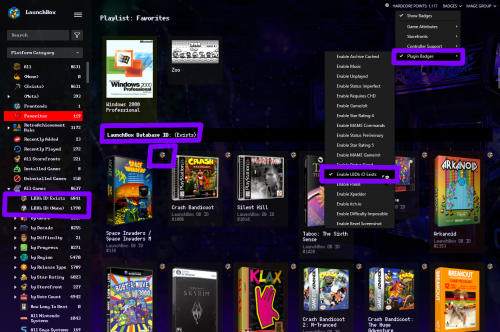
Custom Badge - LBDb ID Exists
By d66dle
A simple custom badge I made using LBCustomBadge. Makes it easier to view at a glance which games are linked to the database without sorting by ID. I've included the badge plugin, badge image, automated playlists, and platform icons for playlist use.
Plugin .dll goes into Plugins folder.
the 2 playlists go into Data\Playlists
I put my custom badge image into Images\Media Packs\Overrides\Badges
and the playlist images in Images\Media Packs\Platform Icons\Legacy Conversion Icon Pack\Playlists (or whatever pack you're using from Tools > Manage > LB Themes & Media)
and that's all... ┏(◐‿◑)┛
11 downloads
- database
- platform icons
- (and 2 more)
-
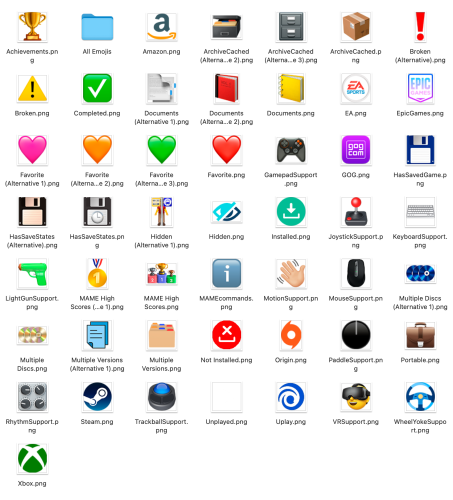
LaunchBox Badges Pack (Emoji Style)
By ci2own
LaunchBox Badges Pack (Emoji Style)
Also included all available emojis in various resolutions.
118 downloads
(0 reviews)0 comments
Submitted
-
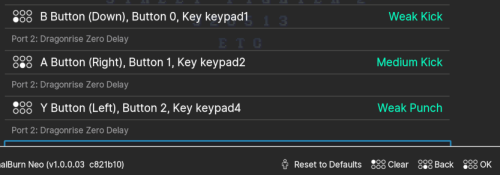
RetroArch Icons for 6 Button Controls
By moocowe
Some simple replacement icons to make it easier to navigate and remap controls in RetroArch with a 6 button layout.
I'm using them with the Ozone theme, but they should work for the XMB theme too due to the folder the icons are stored in.
Copy the required images to the following location:
...\LaunchBox\Emulators\RetroArch\assets\xmb\monochrome\png\
44 downloads
(0 reviews)0 comments
Submitted
-
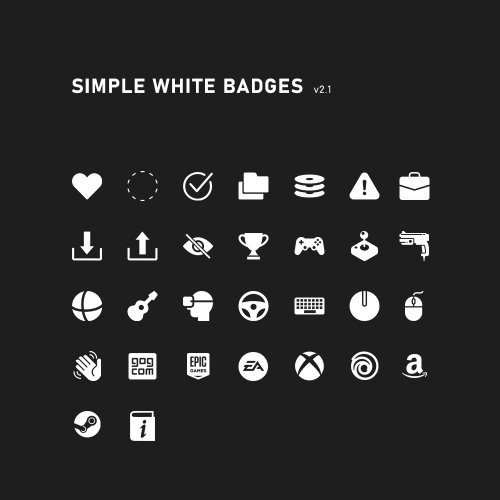
Simple White Badges
By JesseBlue
Just some simple white badges for dark backgrounds. 😉
1,195 downloads
- white
- minimalistic
- (and 1 more)
-

Neon Deluxe Arcade Badges
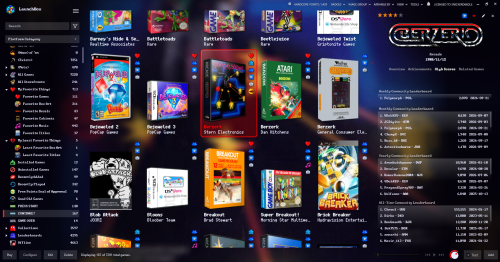
Here's some badges to fit the theme. Overwrite the images in launchbox/images/badges.
Thanks to @narnz for making the follwing badges: EpicGames, GOG, Origin, Steam, Uplay, uplay-app, Xbox
2,777 downloads

(EnFrEs)(Rev1)(Aftermarket)(Unl).thumb.png.4b8d60a21f7e2eec54c49487ba628121.png)


