Jump to content
LaunchBox Community Forums

4 Screenshots

About This File

Inspired by a feature request on the LaunchBox feedback site by @crusadeRGP
https://feedback.launchbox.gg/p/pause-screen-music-player

"Add option to set custom music tracks and/or game music to be auto played when pause screen is activated and muted/stopped when returning to game"


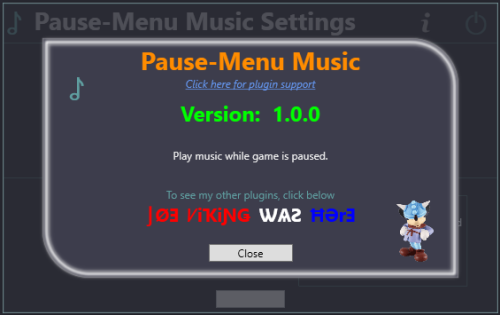
This plugin will allow you to play music while your game is paused.

This can adapted to any Pause Theme.


Requirements:

  • LaunchBox version 13.19 (or newer)
  • Game and/or Platform and/or Background music files
  • Modified Pause Theme


Installing:

  • Extract the contents of the zip file into /LaunchBox/Plugins/
    • e.g. D:\LaunchBox\Plugins\PauseMenuMusic\PauseMenuMusic.dll


Setup (Required for this to work)

  • Navigate to your \LaunchBox\PauseThemes\ folder
  • If you don't use a custom pause theme, 
    • select the Default folder
    • Press Ctrl+C, then Ctrl+V
    • This will create a copy of the Default pause theme folder (Default - Copy)
  • Go into your theme's folder (e.g. D:\LaunchBox\PauseThemes\Default - Copy\)
  • Using any text editor, open Default.xaml
  • Add/insert these 3 lines as shown below
    1. xmlns:playMusic="clr-namespace:PauseMenuMusic;assembly=PauseMenuMusic"
    2. <playMusic:PauseMenuMusicPlugin x:Key="playMyMusic"/>
    3. <MediaElement Source="{Binding SelectedGame, Converter={StaticResource playMyMusic}}"/>
  • Save and close the file
  • Repeat for other xaml files in that folder
  • Go to Tools < Options < Gameplay < Game Pause
    • Make sure the Pause Theme you modified above is selected

image.thumb.png.ae5ce745e5fbc1c2d462d0faf15eaf28.png


Insert line #1 here:

image.thumb.png.3562b7b14d89d1b27f9e194623b25b99.png

Insert line #2 here:

image.thumb.png.c057ccfe1c28f67b0b249dcbe7c91842.png

Insert line #3 here:

image.thumb.png.f7bce465fac7222cd86f5015706a0252.png


Optional:  

Now that you've read, and have a complete understanding of how to modify your theme... included as an additional download is a pre-modified version of the Default Pause Theme (Default - Music).  You can use this instead of doing the above theme modifications if you so wish.

  • After downloading, copy the contents of Default - Music.7z into your \LaunchBox\PauseThemes\ folder
    • e.g. D:\LaunchBox\PauseThemes\Default - Music\Default.xaml
  • Set Default - Music as your Pause Theme


Settings/Options:
Start LaunchBox
Go to Tools < Pause-Menu Music Player

image.thumb.png.6d0defdf7927a898177a819b980c0cae.png

Default settings (shown):
    Look for the games' music file
    Use fallback music files
    The plugin is enabled
    Volume set to 50% (new v1.1.0)


Music types:
Select to play:

  • Game specific music
  • Platform specific music
  • Background music

Fallback order-of-precedence:
With fallback enabled, the plugin will look for music files in the following order, starting with your selected music type:

  • Game > Platform > Background
  • Platform > Background
  • Background: [none]

If fallback is disabled and there is no music file for your selected type, no music will play.

Disable Pause Music:
    When checked, no music will play during Pause.

After making any changes, be sure to click Save Changes before closing the window.


Music Files:

  • Only .mp3 and .wma audio files are supported.
    • The plugin will search for them in that order.
    • If your platform or background folders have music files that are .mp3 and .wma, only the .mp3 file will ever play.
  • Many audio files formats are supported.  Including, but not limited to: .mp3, .wma, .ogg, .webm, .wav  (v1.1.0)

Music folders/files:
As prescribed by LaunchBox, music files should be located respectively in the following folders:
    Game:               \LaunchBox\Music\[platform]\[game.ext]
    Platform:          \LaunchBox\Music\Background\Platforms\[Platform Name]\[any_file.ext]
    Background:    \LaunchBox\Music\Background\[any_file.ext]


Caveats:
Only .mp3 and .wma audio files are supported. (a limitation of the method I chose to play audio files) (v1.1.0 Many audio file formats now supported)

When you pause the game, the music (if found) plays. When resuming the game, the music stops pauses
When you pause the same game-play again later on, the music resumes from where it left off. plays. From the beginning. Again. (v1.1.0)
With the tools and motivation at hand, there isn't a reasonable workaround for this.  (motivation found :D)

If you have multiple audio files for the game, platform or background, only the 1st one found will ever be played.

There's no volume normalizer feature. Analyzing the media's audio levels programmatically to normalize them would add excess processing.  (That, and I don't know how with the tools and motivation at hand.)

Music/song files will not loop.  So don't pause for longer than the song.  (We're here to play games, after all. Right? ;)
(v1.1.0) Music/song files will restart/loop when the track ends during pause.


As always, all thoughts, views, opinions, comments and suggestions are welcome.


What's New in Version 1.1.0   See changelog

Released

Improvement:    Revamped how audio files are played allowing for improved features
Improvement:    Song resumes on subsequent pauses (vs. restarting from the beginning)
Improvement:    Songs will now loop/restart when the track ends during pause
Improvement:    Added support for more audio file formats.
                                 Including but not limited to .ogg, .webm (audio), .wav

New Feature:    Set pause-music volume (Default 50%)

  • Like 2
  • Thanks 1

User Feedback

Recommended Comments

JoeViking245

Posted

Version 1.1.0 Released

Improvement:    Revamped how audio files are played allowing for improved features
Improvement:    Song resumes on subsequent pauses (vs. restarting from the beginning)
Improvement:    Songs will now loop/restart when the track ends during pause
Improvement:    Added support for more audio file formats.
                                 Including but not limited to .ogg, .webm (audio), .wav

New Feature:    Set pause-music volume (Default 50%)

Shredder_guitar

Posted (edited)

I think this is a great tool. I wish to make a formal request in the mechanics of it though. I don't know the proper place to do that, so i will do it here.
1.I would like to store game audio as \Music\[Platform Name]\[game name]\[track]  and then a random track be selected to play when launching the pause menu
2. I would like to be able to set a root music path If not default. This would be useful in storing music files on an external drive, rather than launchbox itself.   NVM, I think I can set the root music folder in LB and that would solve for this. 

Edited by Shredder_guitar
JoeViking245

Posted

2 hours ago, Shredder_guitar said:

I think this is a great tool. I wish to make a formal request in the mechanics of it though. I don't know the proper place to do that, so i will do it here.

Thanks!  Good to hear at least one person thinks so. 😊

Requests are always welcome and can be made here in the Comments section or on the plugins Get Support page.


2 hours ago, Shredder_guitar said:

I would like to store game audio as \Music\[Platform Name]\[game name]\[track]  and then a random track be selected to play when launching the pause menu

Due to the popularity of this plugin, I'm not sure I want to spend time changing up how/where it looks for songs [e.g. looking in a custom folder], changing the song file to be an array and adding a randomizer.

Curious though, how many of your games actually have multiple soundtracks for a single game?  I can see possibly having multiple Background music files.


If you haven't already, you might want to upvote the Feature Request noted up top at the beginning of this plugins Description.  If enough upvotes are made and the LaunchBox team decides it's doable, the paid staff may be more incentivized than me to add more customization options.

Shredder_guitar

Posted (edited)

9 hours ago, JoeViking245 said:

Thanks!  Good to hear at least one person thinks so. 😊

Requests are always welcome and can be made here in the Comments section or on the plugins Get Support page.


Due to the popularity of this plugin, I'm not sure I want to spend time changing up how/where it looks for songs [e.g. looking in a custom folder], changing the song file to be an array and adding a randomizer.

Curious though, how many of your games actually have multiple soundtracks for a single game?  I can see possibly having multiple Background music files.


If you haven't already, you might want to upvote the Feature Request noted up top at the beginning of this plugins Description.  If enough upvotes are made and the LaunchBox team decides it's doable, the paid staff may be more incentivized than me to add more customization options.

Over the years I've aquired quite a bit of music files just finding them on various FTP sites, I would stash these away in the Rlauncher/Media/ Music folder and it would just pick whatever song from the folder... kinda wanting the same type of setup where I can just stash whatever music relative to the game. For example, Here is my Gameboy folder from Rlauncher, each folder has all the tracks for the named game (screenshot below). I haven't ported this stuff over to Launchbox yet due to the current limitation.  I have Other system folders that have much more tracks and folders with the game name in them. 


2026-01-09 20_40_33-Nintendo Game Boy and 3 more tabs - File Explorer.png

Also, this pairs nicely with the new Pause menu I'm working on, I wanted something similar to RPause, but more efficient. 

To be a little fair, I'm not making any money at all. Period.

Edited by Shredder_guitar
JoeViking245

Posted

9 hours ago, Shredder_guitar said:

kinda wanting the same type of setup where I can just stash whatever music relative to the game. [....] I haven't ported this stuff over to Launchbox yet due to the current limitation. 

Along with upvoting the previously mentioned Feature Request, you might want to submit a new Feature Request regarding this folder structure.


Actually, to overcome this "limitation" in LaunchBox, you can create a .m3u file for your game(s) as mentioned here: Music in LaunchBox and Big Box - LaunchBox  Making it, I guess, not really a limitation.  And you can do this using your current folder structure.

However, the plugin [currently] won't be able to use those (.m3u files). That said, if the games' Music Path does point to a .m3u file, it would be easier for me to modify the plugin to account for .m3u files and add an array of songs from that rather than searching in user-specific folders.  If this plugin gains interest from the community, that's something I could look into.


10 hours ago, Shredder_guitar said:

To be a little fair, I'm not making any money at all. Period.

You and me both!   Well... TBH, I have had $23 in 'plugin-donations' over the course of 8 years of creating 40+ plugins. So, like 1 cup of coffee per year to keep me going. lol

JoeViking245

Posted

11 hours ago, Shredder_guitar said:

due to the current limitation

Just made an enlightening discovery. 

If you place your folders/files in the appropriate /Music/[platform_name]/ folder AND have an m3u file [named the same as the games Title or ROM filename] for those song files, they will play in LaunchBox.

e.g. 

  • D:\LaunchBox\Music\Atari 2600\Adventure\adventure.m3u
  • D:\LaunchBox\Music\Atari 2600\Adventure\song1.mp3
  • D:\LaunchBox\Music\Atari 2600\Adventure\song2.mp3
  • D:\LaunchBox\Music\Atari 2600\Adventure\song3.mp3

and adventure.m3u contains

song1.mp3
song2.mp3
song3.mp3

Optionally, you can put the m3u file right under /Atari 2600/ (in this example) and the song files in "the subfolder". Then make the paths in the m3u relative to its location.  e.g. Adventure/song1.mp3

A batch file should be able to create the m3u files pretty easily.


Also, it appears that if you set the games Music Path to point to the m3u file, this plugin will play the songs in that music playlist [during pause].  Note, this is not by design [on my part]. It just mere happenstance. ;) 

There are some caveats though.

  1. LaunchBox can find/load the m3u file. But does so dynamically.  That is, it can find it on-the-fly but doesn't "save" the path.
    • For the plugin to find "the song" (m3u file), the path needs to be "saved"
      1. Edit the game. (LB will automatically add the m3u file to the music path)
      2. Click OK to save and close (the path will now be saved)
  2. When in pause, the songs will play in order. Not randomly.
    • But the song will pause when you un-pause the game, and resume when you pause again
  3. If/when you get to the 2nd (or more) song during pause (this is the big one)
    • The song may keep playing when you resume playing (un-pause)
    • The song may keep playing when you exit the game.

At this point, I don't plan to remediate the caveats.

Shredder_guitar

Posted (edited)

On 1/10/2026 at 11:06 AM, JoeViking245 said:

Optionally, you can put the m3u file right under /Atari 2600/ (in this example) and the song files in "the subfolder". Then make the paths in the m3u relative to its location.  e.g. Adventure/song1.mp3

A batch file should be able to create the m3u files pretty easily.


Also, it appears that if you set the games Music Path to point to the m3u file, this plugin will play the songs in that music playlist [during pause].  Note, this is not by design [on my part]. It just mere happenstance. ;) 

Nice discovery that an .m3u file works, thanks for digging into this a bit. It would be the random track selection that I am wanting when the pause menu first displays. Even if it just played that 1 randomly selected track in a loop that would suffice. Sounds like m3u files might be 'the way', but in it's current state that wouldn't get all the way there.  I think what I'm trying to do (in a grossly oversimplified nutshell) is eliminate any possible need for rlauncher without sacrificing data and still making use of it....a nearly impossible thing, I know. 


Number 2 and 3 on your list is a deal breaker for me. 

Because we have things like AI now, I did have a script created that will rename all of my current single mp3 files to the baserom name (not completely perfect on the name matching, but it's like 98% and that was good enough for me) and update the music path on each game to the full path of the renamed mp3, and also set the 'missingmusic' flag to false. This saves from having to do each one manually in launchbox. Something similar could be done with the m3u file creation and pathing at scale with m3u file creation based on whatever exists in the folder and updating of musicpaths in the system.xml file. 

That said, I don't see a point in proceeding if the track still won't be randomly selected at the end of it. It does allow for me to merge/store files in folders...so it's not nothing.  I would still only want 1 track to be played and looped, but the track is randomly selected at startup...which I think solves for item number 3. 

I'll have some more thinks about stuff that might work, It seems that someone on emumovies has already done some extensive work on selecting a track for each game and making a package based on a system for each game...which is nice and integrates nicely with this. But I prefer to solve the same problem in a different way that allows for more options on the user side.


Edited by Shredder_guitar
JoeViking245

Posted

@Shredder_guitar

New Feature:  Play game song-playlist.  Songs from the playlist are shuffled, then played.
                           Assign a playlist to your games in Edit Game < Media - Game Music Path
                           Playlists can be .m3u, .m3u8 or .xspf

This feature is available only in the beta release.

PauseMenuMusic (v1.2.0-beta).7z

Shredder_guitar

Posted (edited)

Thanks for altering this, I'll give this a try.


*update*
Experience so far....
After a few attempts and restarting launchbox, I was able to get music to play. The first track does load randomly each time and the track does resume from it's original place once the pause menu is brought up again.

Odd results, just as you mentioned previously is during the second track.
On 3 occurrences, after the 2nd track has finished playing...silence/nothing...until I close the pause menu and reopen it, it does not play a 3rd random track by simply leaving the pause menu open.
On my latest attempt the first track would load...play for about 20 seconds, then load the next track...play for another 20 seconds, then load the next track...repeat. This only happened once.

I am testing with Castlevania SOTN soundtrack. 

(note: the track named 'silence' is not ACTUALLY silence.)

2026-01-11 21_35_42-Castlevania - Symphony of the Night (USA).m3u - Notepad.png

Edited by Shredder_guitar
JoeViking245

Posted

12 hours ago, Shredder_guitar said:

(note: the track named 'silence' is not ACTUALLY silence.)

lol

Can you please attach your .m3u file (drag and drop the file onto your response here. Don't copy/paste the contents) and also the log files found in the plugins /Logs/ folder?

Join the conversation

You can post now and register later. If you have an account, sign in now to post with your account.

Guest
Unfortunately, your content contains terms that we do not allow. Please edit your content to remove the highlighted words below.
Add a comment...

×   Pasted as rich text.   Paste as plain text instead

  Only 75 emoji are allowed.

×   Your link has been automatically embedded.   Display as a link instead

×   Your previous content has been restored.   Clear editor

×   You cannot paste images directly. Upload or insert images from URL.

×
×
  • Create New...