


About This File
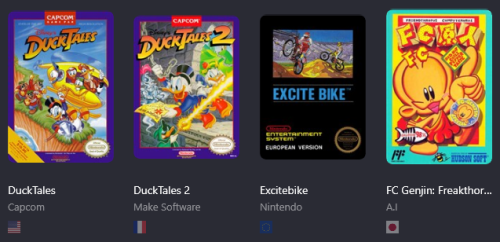
Just simple Region Badges plugins to display next to your game entries
Note that it will only display the Default entry, not All of the versions.
They are based on the DEFAULT REGION SETTINGS, not custom ones !
For the Romhack icon, it's based on the Release Type entry (Just choose Rom Hack instead of Released) and it will show up !
For the Translation icon, it looks for '*Trans*' (Yes, capital T) Text in the Version entry which means,
'UnTranslated' will display the icon
'Translation' / 'Translated' will display the icon
'translation' 'translated' will NOT display the icon
Usage :
Download the zip file and unzip it to your /Launchbox/plugins/ folder.
Restart Launchbox if it was running.
Go to View, Badges and tick Show Badges.
They will show un in the Plugin Badges section, tick the ones you want displayed.