

Fredsthebest
-
Posts
6 -
Joined
-
Last visited
Content Type
Profiles
Forums
Articles
Downloads
Gallery
Blogs
Everything posted by Fredsthebest
-
 Thanks for the suggestions boys! Updated to 1.1.0. Let me know if there are any other updates/things yall think can be done better.
 -
Bug Test/Suggestions would be appreciated! Thanks!
-
Version 1.1.0
256 downloads
Sleek Sleek is a modern dark-mode theme for LaunchBox Desktop, built around a Midnight Glass / dark navy style. It replaces the default Desktop layout with a cleaner horizontal top rail, a redesigned Game Details view, smoother navigation for large libraries, and improved responsive layouts across the main sections. Installation Download and extract the zip. Place the Sleek folder here: LaunchBox\LBThemes\Sleek In LaunchBox, go to: Tools > Options > Visuals > Theme Select Sleek. If Windows blocks the included plugin DLL, right-click the DLL, open Properties, and choose Unblock. Recommended Dialog Theme colors For best results, set LaunchBox’s Dialog Theme colors under: Tools > Options > Visuals > Dialog Theme Accent: #4EA3FF Highlight: #123A6A Background: #071425 Border: #1D3A5F Foreground: #E8EEF7 Contrast: 0.37 Notes This theme is for LaunchBox Desktop, not Big Box. Credits Sleek is based on the Big Details theme, with extensive redesign work. -

Sleek - A Launchbox Desktop Theme
Fredsthebest posted a topic in LaunchBox for Windows Custom Themes
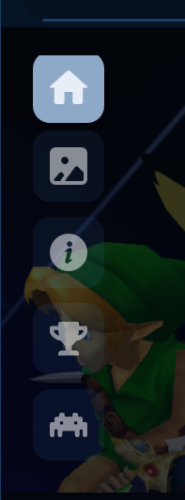
Sleek - A Launchbox Desktop Theme View File Sleek Sleek is a modern dark-mode theme for LaunchBox Desktop, built around a Midnight Glass / dark navy style. It redesigns the default LaunchBox Desktop experience with a cleaner top rail, a polished Game Details view, improved responsive layouts, and a more organized presentation for large game libraries. Features Modern dark navy color palette Cleaner horizontal top rail for browsing platforms, categories, playlists, and filters Persistent vertical navigation for Home, Images, Info, Achievements, and Related Cleaner Home/details layout with play controls, metadata, rating, and RetroAchievements status Improved Info section with quick facts, About text, and a readable Game Details metadata table Improved responsive layout for Info, Images, Achievements, and Related sections Custom bottom bar for displayed games, RetroAchievements status, music controls, and size controls Cleaner top bar with search, filters, menu, and window controls Smooth horizontal scrolling behavior in supported views Installation Download and extract the zip. Place the Sleek folder here: LaunchBox\LBThemes\Sleek Open LaunchBox. Go to: Tools > Options > Visuals > Theme Select Sleek. If Windows blocks the included plugin DLL, right-click the DLL, open Properties, and choose Unblock. Notes This theme is for LaunchBox Desktop, not Big Box. For best results, set LaunchBox’s Dialog Theme colors to match the Sleek palette under: Tools > Options > Visuals > Dialog Theme Recommended colors: Accent: #4EA3FF Highlight: #123A6A Background: #071425 Border: #1D3A5F Foreground: #E8EEF7 Contrast: 0.37 Credits Sleek is based on the Big Details theme, with extensive redesign work. Submitter Fredsthebest Submitted 05/31/2026 Category Custom Themes -
Hey guys, I love this theme, but it is still a bit too light for my eyes. Is there anyway someone can help teach me how to darken the theme? Thank you ❤️
-
Would also like to ask if there has been any news/updates on SGDB?

