

Kedog
-
Posts
80 -
Joined
-
Last visited
Content Type
Profiles
Forums
Articles
Downloads
Gallery
Blogs
Everything posted by Kedog
-
I turned off "Text on All Games" because it often looks weird. The text is often not displayed in its entirety, but only... or the text is interrupted by a paragraph. I hope I was able to express myself clearly as my English is not the best. Nevertheless, thank you very much for the help
-
Hello everyone, is it possible to add a new Information in this View? For example i want the "Version" in this Information Bar. That i can see if its the Deluxe Version or the GOTY Thank You

-
Hello everyone, With LB version 13.8 my videos no longer play correctly. See attached video. When I switch from platform to platform or from game to game, sometimes the video plays and sometimes it doesn't. The Sound is working. I didn't have this problem with Version 13.3! What can I do here? Thank You
-
Hello everyone, When starting a PC Game in LB, does running LB in the background lower the gaming perfomance? or in other words, how much cpu/gpu/ram does LB retires in the background?
-
Thank You very much!
-
I don't really know tbh. fan made horizontal would be cool. Are there any Source?
-
Hallo everyone, At Super Nintendo, i have this problem with the size gap between the Japan and the other Covers. What is the best solution against this gap? Thank You
-
Hello everyone, How can I reduce this distance?
-
Thank you very much. I don't know this option is there 😀 @JoeViking245
-
Hello everyone, Is there a way to display the games in the correct order? Darksiders: Warmastered Edition is the first game and is displayed as the third in the row! It is sorted according to the text, but is therefore often incorrect if there is a game with a further name such as Special Edition or Game of the Year. See my example screenshot. Thank You
-
Hello everyone, i updated from 13.3 to 13.6. Now my PC Covers are not longer in the same row or respectively the "same" size. See Pic 1 In earlier Versions i changed it with the aspect ratio bar. But this time i cant get it like it were before. Also, how can i change the bottom Menu and the Detail Menu to be not transparent? See Pic 2 Thank You
-
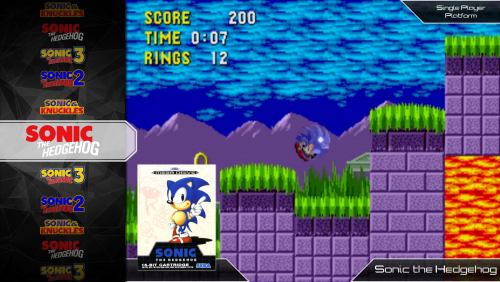 Hi, i love this Theme. I have it for many years now. But now i have a problem. On some Platforms the "recent played/added games" Covers were displayed and on other platforms not. I played games and added new games but they werent displayed. Please help?? I have this view
 -
Hi, Sorry for my English When my videos are playing in big box, the rom name will be displayed in the lower right corner. How can I change that? Thank You
-
Hi, Sorry for my English When my PS1 Gamevideos are playing in Big Box, it shows the rom name in the right bottom corner. How can I change that? Thank You
-
@Retro808 yes this works without problems. But it is a lot of work to change all my roms individually.
-
for example my GBA Roms: LB says Rompath changed for 168 Games. But the games have the old rom path
-
Sure, i selected the games before i go to tools
-
I go to tools then (i dont know exactly in English) changing rom path. Then i select the new path of the roms. Launchbox then says it was succesful changed. But nothing happened.
-
Hi, Sorry for my English. The Option to change the rom path is not working for me. i have copied the roms on an other hard drive. and i want to change the path from my roms in launchbox. I change the Path and it says successful/Complete. But when i look at the game in LB the path isnt changed. What am I doing wrong? Please help. Thank you
-
Hi, This Theme is awesome. I have two problems. Help would be great ? 1. How did you get the Platform Pictures in the Platform Videos in the middle? For me its in the right Corner. On your fourth picture above 2. How can I deactivate the Scanlines for the Platform Videos? Greetings
-
Videos play in BIGBOX but not in LAUNCHBOX
Kedog replied to reverse_sorrow's topic in Troubleshooting
I have the same problem. I figured out that when you change the name of the game in LB, the video don't autoplay. For example in my Commodore Amiga Section: When I name the game "James Pond" the video Autoplay run smooth. When I changed the name to "James Pond: Underwater Agent", the video don't autoplay in LB. In Big Box it works fine. Any Solutions? Thank You Edit: Oh just now, I find out that you have to rename the Video the same like the Game in LB. Like rename it to "James Pond: Underwater Agent". Sorry i dont wanted to disturb ? -
Ok thank you. I think the update changed the aspect ratio and i dont noticed it. I changed it to 0.71 and thats perfekt ?
-
No one an idea?
-
Hi, After the Upgrade to Launchbox Premium, all my PC and DOS Collection have Different Box Sizes. How can I change that ? That isnt really what i wanted. Please Help! Thank You






