

launchretrogirl2562
-
Posts
2,956 -
Joined
-
Last visited
-
Days Won
219
Content Type
Profiles
Forums
Articles
Downloads
Gallery
Blogs
Everything posted by launchretrogirl2562
-
1987 Rescue in Berlin (Amiga)

-
@AlexDC22 : Even though they were accepted. I am still curious why someone would reject a much better version of a clear logo??? Would be helpful to content creators to know why some users would reject an image. Now we have no idea AT ALL. The Devil's crush, I might think they find the size too large...but anyone can easily shrink it in size. Most people in these modern times though are not capped by either diskspace or internetspeed. What I know of people who curate their collection...they want the best of the best and the most detailed clear logo's...size don't matter with that target group 😁
-
1000cc Turbo (Amiga)
-
they're added to the gamesdb!
-
Also ADDED to gamesDB!
-

Trying to add Gakken Compact Vision TV Boy
launchretrogirl2562 replied to trueanimus's topic in Troubleshooting
for test,....just put a ctvboy.ini in your mame root folder (ctvboy.ini) adjust the rompath in that ini to where your MAME SL directory is (do not include ctvboy in the path, use the higher folder) For instance rompath "roms;D:\MAME SL\Roms" Then a simple command like mame ctvboy einvader loads the game. This means u can just add ctvboy in associated platforms. And provide the file without quotes or path
-
added
-
That is a combination of me finding several different versions of the artwork. Cutting it. Getting rid of the background. Choosing best one to upscale. Then letting AI do a couple brush ups. Edit it again in photoshop until it's either good to go, or good enough for someone else to improve upon. I have some skills, but I am by far an expert, more of a novice when u look at seaview or Jonny Severn and others. I only have the one rule...a clear logo is always better than no clear logo😉
-
Will this do Wally? U can add a glow to it yourself if u want.
-
ADDED!
-
@AlexDC22: I've added these latest ones. I assume u still need to make the TV Sports Baseball? https://gamesdb.launchbox-app.com/games/details/158035-tv-sports-baseball
-
Embarrassing schoolboy Mame question... 🫢
launchretrogirl2562 replied to stigzler's topic in Troubleshooting
not to my knowledge, but to be fair. I don't use those settings so best to hope someone who does chimes in. I can look into it later but no guarantees. -
Has anyone else just completely given up on EmuMovies
launchretrogirl2562 replied to trueanimus's topic in Troubleshooting
Just did an update last night on TurboGrafx-16. Half of the artwork came from emumovies without trouble. Haven't had very much trouble, for the times I use it that is. Have never had anything happening like you describe in your second remark though. -
They have been submitted and accepted https://gamesdb.launchbox-app.com/games/details/13419 https://gamesdb.launchbox-app.com/games/details/7901 https://gamesdb.launchbox-app.com/games/details/29607 https://gamesdb.launchbox-app.com/games/details/7904
-
thats why I said to work with 😉. Cause atleast now it's straight and has the same shape.
-
and here is a T2 to work with
-
(used that poster as baseline) If u really need the purple in it, then I will leave my logo to seaview to further improve upon
-
it's not a competition 😄 take your time. It's already appreciated!
-
How to get LB to import TOSEC Commodore TAP files?
launchretrogirl2562 replied to RetroGuy1970's topic in Noobs
@RetroGuy1970 maybe also look for 1G1R romsets. Those are more easily managed. 1 game 1 rom, and all of them are split in separate platforms and don't have duplicates. -
Or this...then u can choose which one
-
Same here...until someone makes a better version then these will have to do for now.
-
LaunchBox Games Database - Comparer Plus
launchretrogirl2562 commented on JoeViking245's file in Third-party Apps and Plugins
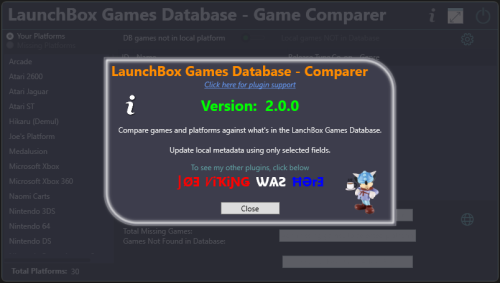 Very useful tool! I've since scanned my Atari 2600, Atari 5200, Atari 7800, TurboGrafx-CD Good to fill in the gaps
- 7 comments
-
- 1
-

-
- launchbox games database
- missing games
- (and 2 more)
-
This is just until someone creates a better version.
-
@AlexDC22 : Added to games DB. Still pending change status...will show up after a short while
-
That would be around 35 carts. And everybody has to start somewhere. Once u get used to these systems, there is overlap with others and it will get easier. I have several mame SL's running now and still adding more.












.png.a2e19650d3758b06059f96c32266d0ec.png)
