
launchretrogirl2562
-
Posts
2,956 -
Joined
-
Last visited
-
Days Won
219
Content Type
Profiles
Forums
Articles
Downloads
Gallery
Blogs
Everything posted by launchretrogirl2562
-

Nintendo Satellaview Custom Box Front and Clear Logos
launchretrogirl2562 commented on retrospace's file in Nintendo Satellaview
(TranslatedEn).thumb.jpg.d9484369b921247c987f5af6d5038d14.thumb.jpg.1410da96f4099fc6cd3631768fe29d51.jpg) Thank u for your work. They are great and I was missing a couple of these. So thanks for completing my platform artwork for this system
Thank u for your work. They are great and I was missing a couple of these. So thanks for completing my platform artwork for this system -

- 1 reply
-
- 1
-

-
😉 just happy to help. and these were so easy I couldn't resist
-
Sony
-
Microsoft
-
Those are the ones I can fill in for you.
-
Problem adding new images to existing entries.
launchretrogirl2562 replied to MarkRMWalker's topic in Website/Forum Support
@AstroBob : I cannot check my earlier adds https://gamesdb.launchbox-app.com/games/details/16172 gives an error loading the page. also opening random other game details page gives an error in loading. So, I don't think everything is fixed. -
mame.exe sorcerer -autoboot_script "autobootscripts\sorcerer_cass.lua" -autoboot_delay 1 -cass1 galx Use the sorcerer_cass.lua and autoboot_common.lua from https://github.com/dsync89/mess-curated-autoboot-scripts
-
Exidy Sorcerer Fan Cart Images (w/ Tape Template PSD)
launchretrogirl2562 commented on JustSomeRetroGamer's file in Exidy Sorcerer
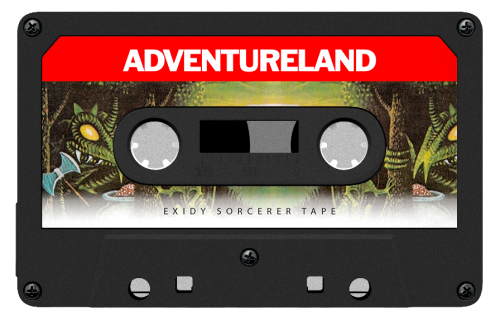 Very nicely done! Thanks for these
 -
Problem adding new images to existing entries.
launchretrogirl2562 replied to MarkRMWalker's topic in Website/Forum Support
@faeran -
The logo I added for magic carpet now shows just the correct image size. https://gamesdb.launchbox-app.com/games/details/16172 But the logo is still the old one. Also changing logo's does a delete as pending change...but it does not show the new image which is uploaded. I've stopped submitting till this gets fixed. Don't want to redo all my work.
-
Menu Configuration Method: Open RetroArch Menu (usually Select + X or F1 on keyboard) Navigate to Settings → Input → Port 1 Controls Look for Analog to Digital Type and change it to: Left Analog - makes left stick act as D-pad Right Analog - makes right stick act as D-pad None - keeps them separate (default)
-
sure. shouldn't be too hard. One with outline, one without
-
Gekirindan
-
U have to see if u want to add the bulls-eye or scope or not. Included it so u can decide yourself.
-
I will have a look at it spycat. See if I can improve upon it.
- 7 replies
-
- 1
-

-
- autoboot scripts
- mame
- (and 3 more)
-
I looked at the logo in gamesDB and it indeed looked like it had a few too many runs in the washing machine and then been dragged behind a truck over rough asphalt for a couple 1000 miles. Not everything needs a complete redraw. Some care and attention though they all need. Glad to have been of service.
-
Will this one do for you?
-
Can someone explain, if I download a playlist here...won't that have gameid's, gamefiles and such from another user? And then when clicking any of those games, even if I have the same game...it won't work? Excuse for asking the obvious but never used them much so I really have no idea.
-
And last request Toki
-
And to make Goofers day complete...one Time Lord

(TranslatedEn).thumb.jpg.d9484369b921247c987f5af6d5038d14.thumb.jpg.1410da96f4099fc6cd3631768fe29d51.jpg)





(1).png.e5b66c9544ad794add03772424ac98b9.png)

.png.b6767629c2786d721ec979e5b0748ed1.png)


