

salofan
-
Posts
27 -
Joined
-
Last visited
Content Type
Profiles
Forums
Articles
Downloads
Gallery
Blogs
Posts posted by salofan
-
-
Jurassic Park III: Dino Defender
Thanks so much!

-
 1
1
-
-
FIFA Soccer (PS Vita) Thanks!
-
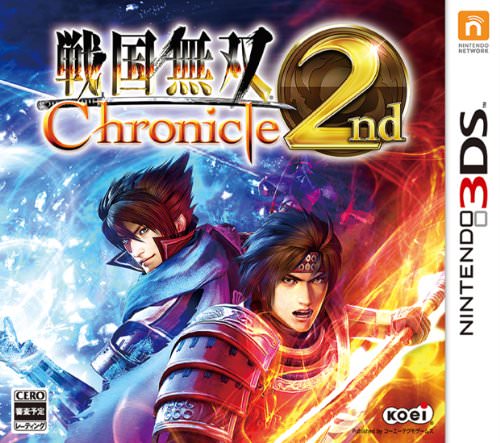
Sengoku Musou Chronicle 2nd (Samurai Warriors Chronicles 2)
-
1
-
-
Magical Pachinko Cotton: Pachinko Juuki Simulation
Thanks!
-
1
-
-
I ran into this issue recently - you need to install and play the game at least once for LB to pick it up in the import. It may take a bit of time for it show up in the import, as well, but it should show up.
-
7 hours ago, faeran said:
In Steam's eye, free to play games need to be played at least once in order for them to be considered part of your games. I just ran a test with Sonic Rumble, and it appeared in the API after I played it once, and was able to import it into LaunchBox.
Can confirm both games were successfully imported into LB once I started them up for the first time. Thanks!
-
It actually looks like this is an issue with one of my SSDs where I keep my Steam games. So bigger issue for me, but not Launchbox. So disregard.
-
1
-
-
Unfortunately, as of this morning, LB will not start at all. Getting this weird error on startup:
QuoteThe specified network resource or device is no longer available. : 'D:\SteamLibrary\steamapps\appmanifest_1003590.acf'.
App: LaunchBox
Version: 13.25-beta-3
Theme: NOT SET
Type: System.IO.IOException
Site: Int32 Read(System.Span`1[System.Byte])
Source: System.Private.CoreLibat System.IO.Strategies.OSFileStreamStrategy.Read(Span`1 buffer)
at System.IO.Strategies.BufferedFileStreamStrategy.ReadSpan(Span`1 destination, ArraySegment`1 arraySegment)
at System.IO.Strategies.BufferedFileStreamStrategy.Read(Byte[] buffer, Int32 offset, Int32 count)
at System.IO.StreamReader.ReadBuffer()
at System.IO.StreamReader.ReadLine()
at System.IO.File.ReadAllLines(String path, Encoding encoding)
at Unbroken.LaunchBox.Windows.Integrations.Steam.GetInstalledAppIds()
at RequesterTreeDic.RequestStaticCompressorStruct(RequesterTreeDic)
at Unbroken.LaunchBox.Windows.Data.DataManager.ValidateCustomizableEnumeratorStack()
at PoolProcessorRequester.RequestStaticCompressorStruct(Object, PoolProcessorRequester)
at Unbroken.LaunchBox.Windows.Data.DataManager.DecodeViewerCalc(Boolean isvalue, Boolean isord)
at AttributeEnumerator.RequestStaticCompressorStruct(Object, Boolean isvalue, Boolean isord, AttributeEnumerator)
at Unbroken.LaunchBox.Windows.Data.DataManager..ctor(Boolean bare, Boolean settingsOnly)
at Unbroken.LaunchBox.Windows.Desktop.App..ctor()
at Unbroken.LaunchBox.Windows.Desktop.Program.Main(String[] args)Recent Log:
11:53:23 AM Exception
Was working fine until this morning. Not sure if this is a beta issue related to Steam or something else - I've never had LB log an error message like this on startup before.
-
Love the new features - especially the next/previous button in the edit window.
Second skizzosjt that the Steam Trailers are still not working 100 percent. They do not download automatically through the Steam import, and I get an error message. Though I can manually go into the games after they are imported and download the trailers one at a time. It also appears some Steam screenshots and Steam Posters are not downloading all of the time.
I have also noticed that free to play games from Steam are not being found through the Steam import. This appears to be a new issue - maybe introduced with the other Steam issues? These are games that you "add to library" through Steam without a purchase. Where Winds Meet and Sonic Rumble are two FTP games in my library that LB cannot find through the Steam import wizard. Anyone else having this issue? I'd delete some older FTP games from library and try to re-import, but I'd rather not lose the games if I can't put them back.
Anyway, great new features, and am glad the Steam issues are being fixed. Thanks again for the great work.
-
1
-
-
Any word on this getting fixed in the next beta? Have some game pass games I'd sure like to be able to add to my LB.
-
Don't know if you ever figured this out but I really like the look of this modified Omni theme. Would love to play around with it if you're willing to share.
-
For what it's worth, this problem did seem to resolve when I opened BigBox through Steam Big Picture on my TV. For some reason, opening BigBox directly on my TV still doesn't work right, it does through Big Picture. Maybe something to do with the monitor selection? I believe Big Picture works by forcing your TV to be your primary monitor while it's active.
-
Bumping to see if anyone has run into this - problem still persists.
-
Having weird issues with videos in BigBox. Am on the current 13.22 beta, but was noticing this issue beforehand, as well. I'm using Windows Media Player for the video player per the current guidance. For a bit of context - my computer has a LG monitor and a Sony X77L television directly hooked up to it. I have a RTX 3070 for my graphics card. BigBox is set to open on the Sony TV.
All videos played on my TV have a corrupted, black-screen effect for the first second or two. The sound plays, but the video image is glitching at the beginning. I've attached a short recording of what it looks like:
This effect happens on all MP4 videos: the Colorful platform sets, emumovies video clips, etc.
Weirdly, this effect only happens on the TV - if I move BigBox over to my monitor, everything is normal, with no annoying black / artifacting effects.
And - webm files don't seem to have this issue and play fine. When I convert an MP4 to a webm, it plays fine on the TV through WMP.
Whenever I play videos independently on WMP legacy player on the TV, sans BigBox, the same black screen effect happens for a second or two. On the monitor - all fine.
Further, using VLC as the media player on the TV works just fine, regardless of the video format. Same with the modern media player that is included with Windows 11. The issues only seem to arise when playing MP4 videos - on my TV - using Windows Media Player legacy.
It looks like this is an issue with WMP, not BigBox, or it's an issue with some sort of weird interplay between WMP legacy and my Sony TV. Maybe something to do with my graphics card? I'm not sure why videos are working fine on one screen but not the other. Am I missing some codec that covers this scenario? I've installed the mega version of the K-lite codec pack. Nvidia drivers are up to date. Attempts to find solutions on the internet have not turned up anything.
Switching to VLC in BigBox for the video player solves this issue on my TV, but that introduces the stability problems warned about after a few minutes, and BB inevitably freezes up.
Has anyone else had this issue? Unfortunately, this is rendering BigBox pretty much unusable for me, as it's set up to be used on my television. I've been trying to track down the issue here for the better part of a week. Any help would be greatly appreciated.
-
1
-
-
Thanks! Was able to replicate this to an extent - switching to Images View fixes the error popup and LB works normally. But switching back to List View shorts everything out again - the popups return, and the game details do not show up. So maybe a problem with the list view specifically. I'm still having the same issues upon relaunch, but I probably haven't restarted as much as you. (Also, running Windows 11, if that's helpful.)
Overlooked to include the entire error message as you pointed out - entire error listed below:
Spoiler(Inner Exception)
The DisplayIndex for the DataGridColumn with Header 'System.Windows.Controls.Border' is out of range. DisplayIndex must be greater than or equal to 0 and less than Columns.Count. (Parameter 'displayIndex')
Actual value was 35.App: LaunchBox
Version: 13.22-beta-1
Theme: Omni
Type: System.ArgumentOutOfRangeException
Site: Void ValidateDisplayIndex(System.Windows.Controls.DataGridColumn, Int32, Boolean)
Source: PresentationFrameworkat System.Windows.Controls.DataGridColumnCollection.ValidateDisplayIndex(DataGridColumn column, Int32 displayIndex, Boolean isAdding)
at System.Windows.Controls.DataGridColumn.OnCoerceDisplayIndex(DependencyObject d, Object baseValue)
at System.Windows.DependencyObject.ProcessCoerceValue(DependencyProperty dp, PropertyMetadata metadata, EntryIndex& entryIndex, Int32& targetIndex, EffectiveValueEntry& newEntry, EffectiveValueEntry& oldEntry, Object& oldValue, Object baseValue, Object controlValue, CoerceValueCallback coerceValueCallback, Boolean coerceWithDeferredReference, Boolean coerceWithCurrentValue, Boolean skipBaseValueChecks)
at System.Windows.DependencyObject.UpdateEffectiveValue(EntryIndex entryIndex, DependencyProperty dp, PropertyMetadata metadata, EffectiveValueEntry oldEntry, EffectiveValueEntry& newEntry, Boolean coerceWithDeferredReference, Boolean coerceWithCurrentValue, OperationType operationType)
at System.Windows.DependencyObject.SetValueCommon(DependencyProperty dp, Object value, PropertyMetadata metadata, Boolean coerceWithDeferredReference, Boolean coerceWithCurrentValue, OperationType operationType, Boolean isInternal)
at Unbroken.LaunchBox.Windows.Desktop.ViewModels.ListContentViewModel.SortTraversalException()
at ObjectCode.StartTraversalGlobal(Object, ObjectCode)
at Unbroken.LaunchBox.Windows.Desktop.ViewModels.ListContentViewModel.OnDataGridLoaded(Object sender, RoutedEventArgs e)
at InvokeStub_ListContentViewModel.OnDataGridLoaded(Object, Span`1)
at System.Reflection.MethodBaseInvoker.InvokeWithFewArgs(Object obj, BindingFlags invokeAttr, Binder binder, Object[] parameters, CultureInfo culture)
(Outer Exception)Exception has been thrown by the target of an invocation.
App: LaunchBox
Version: 13.22-beta-1
Theme: Omni
Type: System.Reflection.TargetInvocationException
Site: System.Object InvokeWithFewArgs(System.Object, System.Reflection.BindingFlags, System.Reflection.Binder, System.Object[], System.Globalization.CultureInfo)
Source: System.Private.CoreLibat System.Reflection.MethodBaseInvoker.InvokeWithFewArgs(Object obj, BindingFlags invokeAttr, Binder binder, Object[] parameters, CultureInfo culture)
at System.Reflection.RuntimeMethodInfo.Invoke(Object obj, BindingFlags invokeAttr, Binder binder, Object[] parameters, CultureInfo culture)
at System.Reflection.MethodBase.Invoke(Object obj, Object[] parameters)
at Caliburn.Micro.ActionMessage.<>c.<.cctor>b__33_0(ActionExecutionContext context)
at Caliburn.Micro.ActionMessage.Invoke(Object eventArgs)
at Microsoft.Xaml.Behaviors.TriggerBase.InvokeActions(Object parameter)
at System.Windows.EventRoute.InvokeHandlersImpl(Object source, RoutedEventArgs args, Boolean reRaised)
at System.Windows.UIElement.RaiseEventImpl(DependencyObject sender, RoutedEventArgs args)
at System.Windows.BroadcastEventHelper.BroadcastEvent(DependencyObject root, RoutedEvent routedEvent)
at System.Windows.BroadcastEventHelper.BroadcastLoadedEvent(Object root)
at System.Windows.Media.MediaContext.FireLoadedPendingCallbacks()
at System.Windows.Media.MediaContext.FireInvokeOnRenderCallbacks()
at System.Windows.Media.MediaContext.RenderMessageHandlerCore(Object resizedCompositionTarget)
at System.Windows.Media.MediaContext.RenderMessageHandler(Object resizedCompositionTarget)
at System.Windows.Threading.ExceptionWrapper.InternalRealCall(Delegate callback, Object args, Int32 numArgs)
at System.Windows.Threading.ExceptionWrapper.TryCatchWhen(Object source, Delegate callback, Object args, Int32 numArgs, Delegate catchHandler)Recent Log:
7:09:37 PM Exception
-
1
-
-
New beta seems to have completely borked LB for me. Getting several error popups right as LB starts up with the new beta.
(Inner Exception)
The DisplayIndex for the DataGridColumn with Header 'System.Windows.Controls.Border' is out of range. DisplayIndex must be greater than or equal to 0 and less than Columns.Count. (Parameter 'displayIndex')
Actual value was 35.And:
(Outer Exception)
Exception has been thrown by the target of an invocation.
Once I close all the error popups, LB starts - but it's broken no matter what theme I choose. Game details view is completely blank on the Omni theme. BigDetails: I cannot get the images view to work. Default: images view does not work, and no images / videos appear in the GameDetails view. Happy to provide more detail if necessary.
-
More Colorful Collections
View File
142 playlist videos inspired by @Pichirili's Colorful Collection Videos, themselves based off the Colorful theme by @viking. The screenshots attached show off only a small sample of the collection.
These were made for my personal collection on and off over the past few months. As such, the quality is somewhat variable, depending on the quality of the assets I could find online. Some look great, others ... well, they get the job done. Likewise, file sizes and video lengths are all over the place. For some of the bigger files, you may want to use Handbrake or a similar program to get the size down (or just cut down the length of the video). I use these in conjunction with the Coverbox theme.
I do plan on going back and upgrading some of Pichirlli's previous videos with some higher quality assets, as time allows, and will probably add a few more new videos. But largely I've hit all the franchises I want to feature.
Full list of covered series:
- .hack, Ace Attorney, Ace Combat, Advance Wars, Alan Wake, Alan Kidd, Aliens, Ape Escape, Armored Core, Astro Bot, Atelier
- Baldur's Gate, Banjo-Kazooie, Battle Arena Toshinden, Battlefield, BattleTech, Battletoads, Bayonetta, Bionic Commando, BioShock, Blaster Master, BlazBlue, Bonk, Borderlands, Bubble Bobble, Bubsy, Burnout
- Capcom vs. SNK, Carmen Sandiego, Chibi-Robo, Command & Conquer, Commander Keen, Contra, Control, Cotton, Counter-Strike, Crazy Taxi, Cyberpunk 2077
- Dark Souls, Darkstalkers, Dead Space, Deus Ex, Diablo, Digimon, Dr. Mario, Duke Nukem, Dynasty Warriors
- EarthBound, Elden Ring, Elder Scrolls, Etrian Odyssey, Excitebike
- Fable, Far Cry
- Galaga, Ghost Recon, Guitar Hero
- Harry Potter, Horizon, House of the Dead
- Jak and Daxter, James Bond, Just Cause
- Katamari, Kid Icarus, Killzone, King's Quest, Klonoa, Kunio-kun
- Last of Us, Legend of Zelda, Lemmings, LittleBigPlanet, Lord of the Rings, Luigi's Mansion
- Madden NFL, Mario & Luigi, Mario Sports, Marvel vs. Capcom, Mass Effect, Max Payne, Medal of Honor, Megami Tensei, Minecraft, Mr. Driller, Myst
- Nier, Ninja Gaiden
- Oddworld, Ogre Battle, Oregon Trail, OutRun
- Panzer Dragoon, Paper Mario, Persona, Pikmin, Pitfall, Pong, Portal, Predator, Professor Layton, Punch-Out, Puyo Puyo
- Quake
- Raiden, Rainbow Six, Red Dead, Resident Evil, Ridge Racer, Rock Band, RollerCoaster Tycoon
- SaGa, Shantae, The Sims, Space Invaders, Splinter Cell, Star Ocean, Star Trek, Strider, Super Monkey Ball, Super Mario (5 variants), Super Smash Bros.
- Terminator, Tony Hawk, Touhou Project, Trails, Twisted Metal
- Ultima, Uncharted, Virtua Fighter
- Wild Arms, Wing Commander, Wipeout, The Witcher, Wizardry, Wolfenstein
- X-COM, Yu-Gi-Oh!
Enjoy! Hopefully this can help fill out your theme of choice as it did mine.
-
Submitter
-
Submitted01/18/2025
-
Category



Clear Logo Requests
in Game Media
Posted
Hozonban Lode Runner (PC-98). Thank you!