

salofan
-
Posts
36 -
Joined
-
Last visited
Recent Profile Visitors
2,888 profile views




salofan's Achievements

8-Bit Processor (3/7)
27
Reputation
-
Beta 5 is working great for both LB and BB for me as well. Especially love the new arrange by scrollbar in LB - have been hoping for a feature like that for years. Cheers!
-
Will play around more with LB and BB today, but first impression is that beta-3 is running much better and snappier without any of the issues I ran into in beta-2. Much appreciated!
-
Can confirm this helps slightly on my end as well but LB still moving extremely slowly and I'm still getting that "Not enough quota is available to process this command" error.
-
Update: was able to change to the default theme. Running a tiny bit better but still seeing the same issues: image grid not populating with thumbnails (or taking a long time to pop up), game details take forever to load - up to 30 seconds. Even browsing the options menu is sluggish.
-
Unfortunately, have to add that I'm also seeing major, major slowdown with the new beta, to the point where LB is barely usable. Image grid takes forever to pop in, game details take a long time to show up after clicking on a game. LB on the whole seems to struggling to work at all. Ryzen 9 9950XD/RTX 5059, W11. 64GB of RAM. Using a modified version of the Omni theme. Have not been even able to get into the menu to switch to the default theme or to test out any of the new features; LB hangs and freezes when I try to open the options menu. Getting this error: Not enough quota is available to process this command. App: LaunchBox Version: 13.28-beta-2 Theme: Omni Type: System.ComponentModel.Win32Exception Site: Void UpdateWindowSettings(Boolean, System.Nullable`1[System.Windows.Media.Composition.DUCE+ChannelSet]) Source: PresentationCore at System.Windows.Interop.HwndTarget.UpdateWindowSettings(Boolean enableRenderTarget, Nullable`1 channelSet) at System.Windows.Interop.HwndTarget.UpdateWindowPos(IntPtr lParam) at System.Windows.Interop.HwndTarget.HandleMessage(WindowMessage msg, IntPtr wparam, IntPtr lparam) at System.Windows.Interop.HwndSource.HwndTargetFilterMessage(IntPtr hwnd, Int32 msg, IntPtr wParam, IntPtr lParam, Boolean& handled) at MS.Win32.HwndSubclass.DispatcherCallbackOperation(Object o) at System.Windows.Threading.ExceptionWrapper.InternalRealCall(Delegate callback, Object args, Int32 numArgs) at System.Windows.Threading.ExceptionWrapper.TryCatchWhen(Object source, Delegate callback, Object args, Int32 numArgs, Delegate catchHandler) Recent Log: 10:32:53 AM Exception Looks like I'm rolling back to Beta 1.
-
Pyst

-
PPSSPP does work fine (for CHD format) - logged in, achievements are showing up for the game. Achievements don't show up in Retroarch (throws a hash generation error) and not in LB.
-
Chiming in two years later, but was anyone able to get this working? PSP games in CHD format also don't show up with achievements for me, even after another scan. ISO games do show achievements.
-
Hozonban Lode Runner (PC-98). Thank you!
-
Jurassic Park III: Dino Defender Thanks so much!
-
FIFA Soccer (PS Vita) Thanks!
-
Sengoku Musou Chronicle 2nd (Samurai Warriors Chronicles 2)
-
Magical Pachinko Cotton: Pachinko Juuki Simulation Thanks!
-
I ran into this issue recently - you need to install and play the game at least once for LB to pick it up in the import. It may take a bit of time for it show up in the import, as well, but it should show up.
-
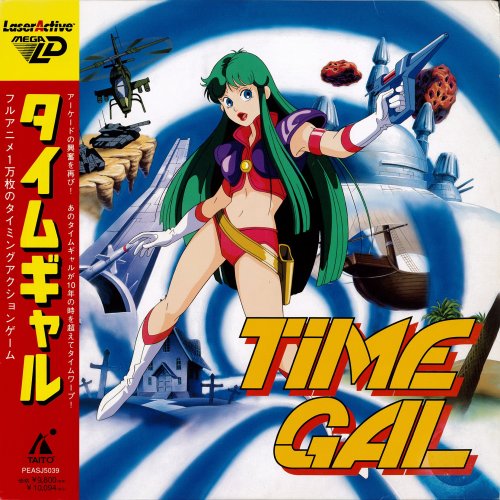 Fantastic set! Been wanting to add the LaserActive to LB but was holding off until we got some good metadata to go with it. Hopefully it gets added to the GamesDB soon.




