

FBG
-
Posts
1 -
Joined
-
Last visited
FBG's Achievements

1-Bit Wonder (1/7)
0
Reputation
-
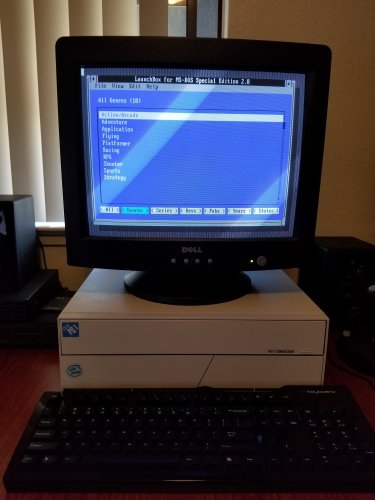 Hi, A really great program! Thanks. Would you have any inclination to release the source for Launchbox for MS-DOS v2? It's a great tool and I'd love to be able to make some mods, or just look at how some of the routines work, just for pure personal use? Thank you. edit: Sorry - just seen that the previous post was asking for the same! Thanks. edit: late 2025: Just for fun and for my personal use only (so something I will NEVER distribute), I've replicated 'Launchbox for MS-DOS v2' from scratch. I've posted an overview here only for information and for ideas for the offical v3 - again I WON'T distribute the app as it was clearly not my idea. This is only here as ideas for V3. Additional functions I've added into the program: Additional filter 'Buttons' on the main screen, including a Status, Source, Favourites, Readme, Comments, Completed, Rating. For each game you can assign a TXT/ME/DOC Readme file, which will open with CTRL-R. Two fields for the game keys - main keys and additional keys (these are just free-type text fields) You can add your own comments against a game - these then displayed next to the game when the Comments filter is clicked A flag for if you have completed the game. A rating field (1 to 5 starts) Expandable Run script / Config script fields, to see and therefore easily edit the full execution script on the screen. On the details screen, you can press F2 to load a selectable list of pre existing Genre, Series, Developer, Publisher (this screen is also where the Comments, Completed and Rating sit) On the main screen a shortcut (eg Mouse 2) to view the game keys (this behaviour can be changed in the options screen). Context Help boxes. Help: How to screen, Change log An options screen with the following options: Change double click behaviour (Run game, Edit game, View Keys) Change right-click behaviour (Run game, Edit game, View Keys, Back) File backup preferences (Auto on exit, manual backup, no backup) No of backup histories (0 to disable rolling backups, to 7) Search method (Go to first instance or Filter) Default game folder Ask to save changes (Yes/No) Display context help boxes (Yes/No) Allow press Escape to Exit (No= select exit via menu only, or on run) Undelete deleted games (only in current session) Escape key clears filter and goes back a level through the filters, until you are back at the unfiltered main screen. It would be great if some of these could feature in the next official Launchbox for MS-DOS, which is a fabulous product.
