
viking
-
Posts
965 -
Joined
-
Last visited
-
Days Won
30
Content Type
Profiles
Forums
Articles
Downloads
Gallery
Blogs
Everything posted by viking
-
@alexis524 Yes ! it will be perfect ! I would have fanart brings together in one archive, placed directly in Theme> Image> FanArt. This will be the easiest. From EmulationStation original theme ... or not =)
-
@alexis524 Yep, that's it. =) OK, first test on GameView. Not upload yet, but here is a screenshot to show you where I go. I have several problems: I do not know how to leave the platform logo of the list. And put it on the top left. I do not have the stars in the "RATING". Still the good code from "documentation.pdf" The name of platform. I cant have a fixed text height with right alignment and automatic return to line. (for long name like SNES) Where change color / font to the game list? How force TextBlock to show text in CAPITAL ? Otherwise it forward (slowly)

-
 OK, cool. For used a theme, please look this video :
 -
Strange. What version of LaunchBox you use? Works great on v.6.9 beta.24 To enable BETA downloading in LaunchBox, go to "Options > General > Update> Enable : Update to Beta"
-
Thx all ! For blured background, I dont know. I dont think I can code a blur effect for fanart. I think it will need to create a blurry fanart set. For 16:9 and 4:3. ...
-
Thx ! I try that way asap =) EDIT : OK. I try this : <Viewbox StretchDirection="DownOnly" Stretch="Uniform" Grid.Row="2"> <TextBlock Text="{Binding Path=SelectedPlatform.ReleaseDate, StringFormat=yyyy}" Foreground="#505050" FontFamily="Segoe UI" FontSize="40" TextAlignment="Center" Opacity="0.9"/> </Viewbox> If I do not specify the text size, it is very small. From my side, the display is always good in 1080p. So, impossible to check if it works. I upload a maj for test. (V1.01)
-
Yes exactly. This is what I use for the height of the ROW. But how to make the text size fluid, depending to the height of the ROW ??
-
I'm not a code killer... more a big noob. Sorry =/ I would have to find a way to not fix the typo size by pixel, but in % of the row.
-
Hum. Strange. Maybe the margin. What is your screen resolution ? For now, I only test on a 1920x1024px. EDIT : 1920x1080px.
-
Glad to see that people interested ! Yep, I can do several variation. Like: Platform : with or without hardware picture. With or without Scanline effect on background. Game : Original style or platform style. ...etc Question: Can I rename .XAML theme file ? or it may crash? (PlatformWheelImageDetailsThumbsFiltersView, ...)
-
Same as actual platform style ? Or original EmulationStation game detail page ? Like this :
-
StationEmulation Theme View File #01. Description: A tribute to famous EmulationStation, master on Raspberry Pi system. #02. Features: new - FanArt blurring effect is buildin. No need to manually blur the images. (Only on Platform View without scanline) Hardware image = Banner Image folder (.png) Date = information taken into platform details setting. Vignetting effect is buildin. No image/video manipulation needed. #03. Showcase: Platform View variant : Games View : #04. Request : Require LaunchBox and BigBox v7.0 (and supperior) #05. How To Install : Download the latest version of the theme. Unzipped the "StationEmulation" folder into your : .../LaunchBox / Themes. Dont rename the "StationEmulation" folder. Open BigBox, go to [Option> View] and select [StationEmulation] as theme. Go back into main interface Done ! #06. How to Setup : IMAGES TRANSITION = setup "Main image filter" on "Horizontal Slide". HOW TO - CHANGING THE VIEW STYLE (platform & games pages) In BigBox Option > Keyboard Mapper > Change View = assign a key. Go back to main view and press this key. ADJUSTMENT Please, look at the pictures above. #07. Option & change : Thx to @Nyny77 : On the platform view, to replace the DATE by the NUMBER OF GAMES : Find the good platform view file (like "PlatformWheel1FiltersView.xaml") In file, find these line : <!--"DATE" IN SMALL LINE--> <Viewbox StretchDirection="DownOnly" Stretch="Uniform" Grid.Row="2"> <TextBlock Text="{Binding Path=SelectedPlatform.ReleaseDate, StringFormat=yyyy}" Foreground="#393a3b" FontFamily="Segoe UI Semilight" FontSize="40" TextAlignment="Center" Opacity="0.9"/> </Viewbox> Delete these lines and replace them with these : <!-- PLATFORM TOTAL GAMES --> <TextBlock Grid.Row="2" Text="GAMES AVAILABLE: " Foreground="#393a3b" FontFamily="Segoe UI Semilight" FontSize="40" TextAlignment="Left" Margin="750,0,0,0"/> <TextBlock Grid.Row="2" Text="{Binding Path=SelectedPlatform.TotalGameCount}" Foreground="#393a3b" FontFamily="Segoe UI Semilight" FontSize="40" TextAlignment="Left" Margin="1100,0,0,0"/> #08. Specially designed custom media : In addition, I shared a whole series of media specially designed for this theme. Of course, you can use any media your want. I invite you to download them and follow the installation instructions on each of the pages listed below: #09. Changelog : v.1.3.0 add - Buildin blur effect on fanart. Only on PlatformView without scanline effet. add - Search bar by letter. Only on GamesView. (Problems remain on the TextList and BoxView views. Sorry) v.1.2.0 add - 5 platform page variant + 5 games pages variant. v.1.1.0 add - 4 platform page variant + game list page. v.1.0.1 fix - minor bug v.1.0.0 Initial BETA release. Submitter viking Submitted 09/14/2016 Category Big Box Custom Themes
-
Version 1.3.0
9,591 downloads
#01. Description: A tribute to famous EmulationStation, master on Raspberry Pi system. #02. Features: new - FanArt blurring effect is buildin. No need to manually blur the images. (Only on Platform View without scanline) Hardware image = Banner Image folder (.png) Date = information taken into platform details setting. Vignetting effect is buildin. No image/video manipulation needed. #03. Showcase: Platform View variant : Games View : #04. Request : Require LaunchBox and BigBox v7.0 (and supperior) #05. How To Install : Download the latest version of the theme. Unzipped the "StationEmulation" folder into your : .../LaunchBox / Themes. Dont rename the "StationEmulation" folder. Open BigBox, go to [Option> View] and select [StationEmulation] as theme. Go back into main interface Done ! #06. How to Setup : IMAGES TRANSITION = setup "Main image filter" on "Horizontal Slide". HOW TO - CHANGING THE VIEW STYLE (platform & games pages) In BigBox Option > Keyboard Mapper > Change View = assign a key. Go back to main view and press this key. ADJUSTMENT Please, look at the pictures above. #07. Option & change : Thx to @Nyny77 : On the platform view, to replace the DATE by the NUMBER OF GAMES : Find the good platform view file (like "PlatformWheel1FiltersView.xaml") In file, find these line : <!--"DATE" IN SMALL LINE--> <Viewbox StretchDirection="DownOnly" Stretch="Uniform" Grid.Row="2"> <TextBlock Text="{Binding Path=SelectedPlatform.ReleaseDate, StringFormat=yyyy}" Foreground="#393a3b" FontFamily="Segoe UI Semilight" FontSize="40" TextAlignment="Center" Opacity="0.9"/> </Viewbox> Delete these lines and replace them with these : <!-- PLATFORM TOTAL GAMES --> <TextBlock Grid.Row="2" Text="GAMES AVAILABLE: " Foreground="#393a3b" FontFamily="Segoe UI Semilight" FontSize="40" TextAlignment="Left" Margin="750,0,0,0"/> <TextBlock Grid.Row="2" Text="{Binding Path=SelectedPlatform.TotalGameCount}" Foreground="#393a3b" FontFamily="Segoe UI Semilight" FontSize="40" TextAlignment="Left" Margin="1100,0,0,0"/> #08. Specially designed custom media : In addition, I shared a whole series of media specially designed for this theme. Of course, you can use any media your want. I invite you to download them and follow the installation instructions on each of the pages listed below: #09. Changelog : v.1.3.0 add - Buildin blur effect on fanart. Only on PlatformView without scanline effet. add - Search bar by letter. Only on GamesView. (Problems remain on the TextList and BoxView views. Sorry) v.1.2.0 add - 5 platform page variant + 5 games pages variant. v.1.1.0 add - 4 platform page variant + game list page. v.1.0.1 fix - minor bug v.1.0.0 Initial BETA release. -
Cool ! Thx @Detran ! Here is my version :
-
UPDATE !! Up to 174 game platform logo. + 4 Third-party app logo. + Alternative by @Detran (Thx to you !) heck ... I redo the same PNG/PSD format error. No time to reupload, so : Sorry =/
-
Yes ! Why not ! I Can make some subfolder in main zip file.
-
Yes. My Bad. Rename in .psd format. Open in photoshop. Save in .PNG. Sorry. I reupload asap !
-
Big update with v.1.1. Up to 155 platform logo !! And it is not finished ! (But I take a break)
-
@DOS76 look the previous post ;-)
-
Done I work in a (huge) update set. With almost all the systems listed in LaunchBox. Leave me a little time, but stayed tuned!
-
@kmoney These are the two logos. Not very inspired by "game for PC". Sorry =/ I'll wait to do more to update the main archive.
-
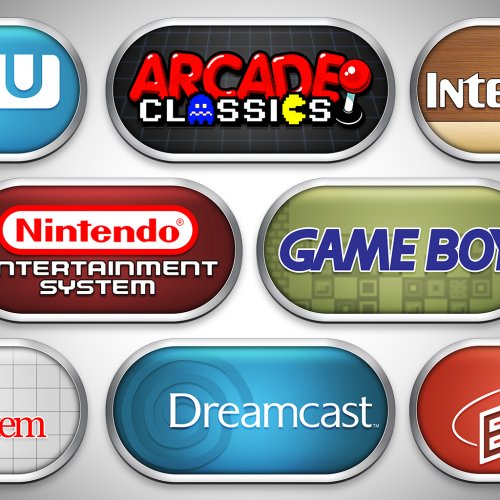 Feel free to ask for missing platform in the main forum topic.
 -
Thx ! It's perfect !
-
OK. The simplest is that you post here the desired logo image (if possible). Because I dont know them all look like. If I take your example of "LaserDisc Classics", I have no idea what to look for ! Even in low quality. Applies for everyone and any request for new ClearLogo ! Thx
-
"LaserDisc"? Juste the media ?? I had focused on hardware, but why not. "PC Games" : for me, it's the "Windows.png". But I can make it with "PC Games". I have a big week of work that awaits me. Feel free to add to the platform list. I will do everything in 10 days! (more and less)