


About This File
# Pixel Arcade Display
Who said it was impossible?!
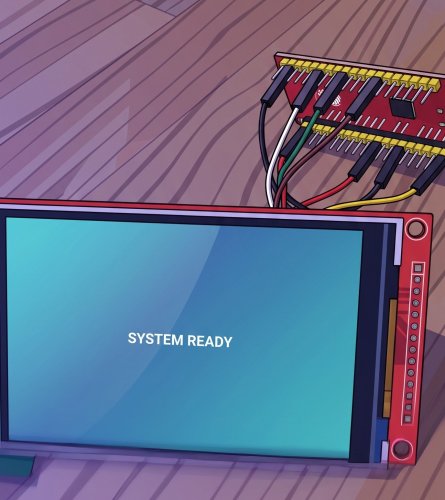
Shows the Clear Logo and Platform you select in LaunchBox on a small
ILI9488 screen driven by an ESP32.
Updates instantly.
The plugin hands the logo's file path to a tiny local proxy, which reads it off disk and streams it to the ESP32.
LaunchBox plugin ──> arcade-imgproxy.exe ──> ESP32 + ILI9488 screen
(sends logo path) (reads file, RGB565) (displays it)
1. Wiring (ILI9488 → ESP32 NodeMCU-32S)
Display | ESP32 - W I R I N G
-----------------------------
VCC | 3.3V
GND | GND
CS | GPIO21
RESET | GPIO4
DC | GPIO27
MOSI | GPIO23
CLK | GPIO18
LED/BL | GPIO32 and
---
2. PC side (LaunchBox)
Everything lives in one folder: `LaunchBox\Plugins\PixelArcade\`
Put PixelArcade folder from LaunchBox Plugin in the Plugins folder of LaunchBox:
- `PixelArcade.dll` (the plugin)
- `arcade-imgproxy.exe` (the image proxy)
- `config.ini` (shared settings)
- `default.png` (shown when nothing is selected — drop in any 480x320 image)
- `install-service.bat` / `uninstall-service.bat` (optional auto-start)
**Edit `config.ini`** if needed. Defaults work when the proxy runs on the
same PC as LaunchBox.
Run `arcade-imgproxy.exe` — or right-click `install-service.bat` →
**Run as administrator** to auto-start it hidden at every boot.
Restart LaunchBox so it loads the plugin.
---
3. ESP32 side (ESPHome)
Put `pixel-arcade.yaml` and `arcade_image.h` in the same ESPHome folder.
Edit the **`substitutions`** block at the top of `pixel-arcade.yaml`:
- `wifi_ssid`, `wifi_password` — your WiFi
- `device_ip`, `gateway_ip` — the static IP you want + your router IP
- `proxy_host` — the **IP:port of the PC** running the proxy
(e.g. `192.168.1.60:8090`)
---
Done
Select a game in LaunchBox → its logo appears. Deselect / exit → default image.
Sources included (`arcade-imgproxy.go`, `PixelArcadePlugin.cs`). Do whatever
you want with it.
What's New in Version 1.0.3 See changelog
Released
Made it even faster, and now it turns the screen light off when it loads the logo so no more blocky loading.