


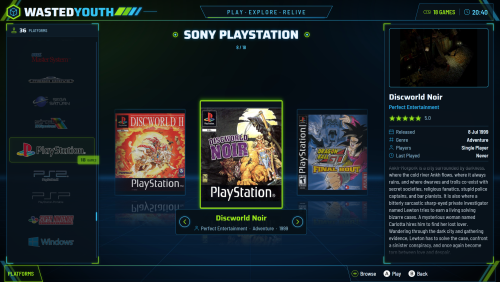


About This File
A few years back I built my own arcade cabinet and called it Wasted Youth, a nod to all the hours (and coins) I spent in arcades growing up. This theme was made for that cabinet, so it has the same colours.
The colours are neon green and cyan on a dark background. Everything is styled to match: the platform and game screens, Discover, game details, the system and options menus, the popups, four different screensavers, plus matching loading, game-over and pause screens and a sound pack.
I made it for my own cab, but it works just as well on any Big Box setup. I hope you enjoy it.
INSTALL
-------
1. Close Big Box and LaunchBox.
2. Unblock the Zip file.
3. Then copy the LaunchBox folder from the zip onto your LaunchBox folder (merge / overwrite).
4. In Big Box Options:
- Themes ............ WastedYouth
- Sounds ............ Sound pack: Wasted Youth (sounds then work from start-up)
- Game Startup ...... Startup theme: WastedYouth (startup screens switched on)
- Game Pause ........ Pause theme: WastedYouth
What's New in Version 1.1 See changelog
Released
- This is the BIG one. (see screenshot) I created a Arcade Classics (MAME) Letter Pack for Hyperspin a long time ago and want to be able to have BigBox use them in the same way. Jump to letter: shows just the letter you're on, as a picture, with arrows either side. Pictures are in Images\Theme\Alphanumeric and can be swapped for your own. I might still tweak this in the future but for now it's working great.
- Platforms screen: removed the "Games: 0" / letter pop-up that covered the box art while scrolling fast (just thought it was pointless).
- Platforms screen: the game name plate sits a little lower so it no longer touches the box art.
- Platforms screen: the "Choose from Platforms" box no longer jumps when Big Box first opens.
- Platforms screen: new "Jump To" controller hint while browsing games.
- Platforms screen: only one video plays at a time on platforms that have their own video.
- Filter / sort popup rebuilt for the latest Big Box.
- Faster box row: hidden glows are no longer drawn on every cover.
- Star rating images redrawn with smooth edges (spare - the theme draws its stars as text by default but I might change over to images).
