




About This File
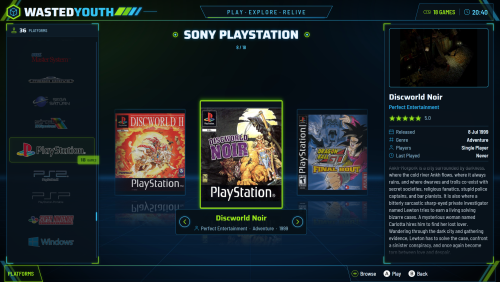
A few years back I built my own arcade cabinet and called it Wasted Youth, a nod to all the hours (and coins) I spent in arcades growing up. This theme was made for that cabinet, so it has the same colours.
The colours are neon green and cyan on a dark background. Everything is styled to match: the platform and game screens, Discover, game details, the system and options menus, the popups, four different screensavers, plus matching loading, game-over and pause screens and a sound pack.
I made it for my own cab, but it works just as well on any Big Box setup. I hope you enjoy it.
INSTALL
-------
1. Close Big Box and LaunchBox.
2. Unblock the Zip file.
3. Then copy the LaunchBox folder from the zip onto your LaunchBox folder (merge / overwrite).
4. In Big Box Options:
- Themes ............ WastedYouth
- Sounds ............ Sound pack: Wasted Youth (sounds then work from start-up)
- Game Startup ...... Startup theme: WastedYouth (startup screens switched on)
- Game Pause ........ Pause theme: WastedYouth
What's New in Version 1.0 See changelog
Released
No changelog available for this version.
