

PadeMoNiuM Prods
-
Posts
323 -
Joined
-
Last visited
-
Days Won
2
Content Type
Profiles
Forums
Articles
Downloads
Gallery
Blogs
Everything posted by PadeMoNiuM Prods
-
One last message before I step back
PadeMoNiuM Prods replied to PadeMoNiuM Prods's topic in Game Media
vidéo.mp4 I’m posting one last themed playlist tonight! Pick one! A Street Fighter Collection V3 theme, a Survival Horror theme, a Fatal Fury theme, a Capcom Play System 2 theme — it’s been a very long time since there was anything new on that one! or the Mass Effect Collection theme… There can be only one, as the poet Christopher Lambert once said. -
One last message before I step back
PadeMoNiuM Prods replied to PadeMoNiuM Prods's topic in Game Media
Oh, thanks guys, that’s really nice of you! Just to clarify: I never said I was leaving. There’s a difference. I said I was taking a step back. I’ll still be around, watching with a curious eye, but I won’t be actively participating for the moment. When a community becomes verbally aggressive, sometimes downright surreal, and it feels like you need a safety helmet just to post an image, then yeah… it’s probably time to take a breath. To help you understand where I’m coming from, here are a few examples of the kind of replies I’ve received. These are just a few of the “softer” comments I received. This is not about being unable to accept criticism. Constructive criticism is fine. But here, we’re talking about a climate where some people are not even responding to the actual content being shared anymore. They are just trying to belittle, discredit, or attack the person behind the work. Recently, on Reddit, I came to share a pack of around 50 templates from different communities. Some were made by me, others by completely different creators, and of course I would have credited everyone properly. It was meant to be a treasure box for the community: 3D boxes for all kinds of systems, mockups, templates, the whole package. Something useful, free, and collected over years. And instead of talking about what I was actually sharing, people either answered completely beside the point by saying it was AI, when it was not, or they directly insulted me and attacked me personally, with no real connection to what I was sharing.👀 First comment: Using llm (we need to stop calling it ai, because it's not) is not creating. Basically, the guy is using a fire extinguisher for a candle. He wants to make a big definitive statement, but he forgets that modern creation already uses tools everywhere: Photoshop, After Effects, Blender, 3D engines, asset libraries, plugins, presets… Nobody creates in a cave with a piece of flint and a banana leaf. Second comment: I see AI I downvote simple as that This guy clearly did not understand anything, but he was happy to downvote. We were not even talking about AI here. He just downvoted a free resource pack that took me years to collect, and the worst part is that people upvoted his comment nine times.-___- Third comment, probably the most hurtful one, and completely unrelated to the subject. It was just there to bring me down and make a personal attack:(wtf) If they look anything like the Zelda picture you showed here a few weeks ago then they will still all suck, no matter how many posts you make about justifying what you do 🤷♂️ This was in reference to the artwork in question.= At this point, we are not even talking about the templates or the shared resources anymore. The person brings up an old Zelda image, says that “everything will suck,” and adds that no matter how many posts I make to justify my work, it will not change anything. That is not constructive criticism. It is not a technical remark. It is not a discussion about the content I was sharing. It is simply a personal attack disguised as an opinion. The real question for me is ( illuminati mod 😂) why would people devalue their own frontend, their own community, and disrespect people who are sharing free resources? Because at the end of the day, who benefits from pushing away people who are trying to help the community?🤷♀️👀
-
Hey everyone, I wanted to make one last post here, not with a new video this time, but with a link to the work I’ve already shared over time. There is already a lot available: themes, videos, ideas, templates, collections, concepts, and different pieces of work I’ve posted since I’ve been part of this community. I think it gives a good idea of what I tried to build, share, and bring to the scene.I won’t be sharing everything, and I think that’s fair. A lot of this work represents years of creation, testing, editing, rebuilding, improving, and trying to push cinematic themes and frontends a little further. https://forums.launchbox-app.com/profile/244237-pademonium-prods/content/?type=downloads_file Over time, I’ve already shared a lot, probably more than many people realize. I’m genuinely happy if some of it helped, inspired, or motivated people to create something of their own.But honestly, I’m tired. Not tired of creating. Not tired of LaunchBox, Big Box, retro games, or this culture. I still love all of that deeply. I’m tired of the atmosphere around sharing. When every post can turn into a debate, an accusation, a suspicion, or a trial about what is or isn’t allowed to exist creatively, the joy slowly disappears. And when the joy disappears, sharing publicly no longer feels right.So for now, I’ll be stepping back from Reddit, and I’ll also slow down a lot on the forum. I’ll leave what is already there. There is already a lot available, and I think it gives a good idea of what I tried to build and bring to the community. I’ll see how the forum evolves over time. I sincerely hope it moves in a more positive direction, because I still care about this community and what it can be when the spirit is right. Maybe I’ll come back and share more one day.But for now, I feel like the mindset has changed too much. The atmosphere has become too heavy, too suspicious, and too far from what made me want to create and share in the first place. And when sharing starts taking more energy than it gives back, sometimes you have to step away.From now on, I’ll focus more on my own spaces, my own audience, and the people who actually understand the spirit behind the work.Because at the end of the day, this was never about ego. It was always about memory, passion, atmosphere, preservation, and trying to bring back something many of us grew up with: the feeling of discovering a game, a cover, a console, an interface, a collection, and being transported again. So I’ll keep creating. I’ll keep improving Nostalgic Bedroom. I’ll keep making cinematic themes, collections, interfaces, and experiences for the people who understand the intention behind the project. Just not everywhere anymore.No hard feelings. I just need to protect my energy, my time, and my motivation for the right things.At the end of the day, I’ll leave you with a sentence from the old retro sage RetroxO, who once told me something that I think says everything: “I don’t have the time for negative people. Every minute I spend giving them attention is a minute I’m not spending being happy or creating new and better things for my project or my community. And honestly, that’s exactly where I am now.Sometimes, you just have to stop firing bazookas at flies. It doesn’t help anyone. Better to save that energy for building something beautiful. Take care of yourselves, and thank you to everyone who supported, encouraged, downloaded, commented, or simply understood the spirit behind what I tried to share here. See you around.😉 Pad / Pademonium Cinematics For anyone who wants to follow my work outside of Reddit and the forum, here are the main places where you can find me. For artworks, icons, visual concepts, covers, and all kinds of graphic experiments, DeviantArt is probably the best place to follow me: DeviantArt: https://www.deviantart.com/pademonium For cinematic themes, game themes, trailers, previews, and video-based work, you can find me on my YouTube channel: YouTube: https://www.youtube.com/@PademoniumCinematics I also create a lot of wallpapers and visual resources, but I don’t share that link publicly with everyone. There are many resources there, so I prefer to share it privately with people who have been around for a while or who genuinely support the work. If a brand-new empty profile comes out of nowhere asking for access to a rich resource folder, I’ll probably say no. Nothing personal, just common sense. For the rest, Patreon will become more active again. It was more or less closed on purpose for a while, but if you want to follow the evolution of Nostalgic Bedroom, cinematic themes, collections, updates, and future releases, Patreon will probably be one of the best places to do it: Patreon: https://www.patreon.com/c/padcinematic_prod And of course, the Nostalgic Bedroom website will continue to grow over time with updates, previews, information, and more structured content around the project. Nostalgic Bedroom website: https://nostalgic-bedroom.com/ ( currently under maintenance for a few days.) So yes, even if I’m stepping back from sharing everywhere, the work continues. I’m just choosing more carefully where I put my time, my energy, and my best creations.
-
 We’re not that many creating themes, but I’ve noticed a few new creators starting to appear. And honestly, that’s great. I really hope they stick around, because some of them are already very talented. Of course, there are also people who have been here for a long time. For example, @CTRL-ALT-DEFEAT has an absolutely insane collection of themes. I think he may have even created more than I have. And when it comes to arcade, the specialist is Sucra. His style is more classic, but it works extremely well, and people love it. Less regular, but just as talented, there is also Klopero. When he gets involved, he brings a lot to the table and creates things you can only really find here, especially Japanese versions of game themes. A lot of experience there too. It’s impossible to mention everyone, of course. I had tried to centralize some of this here: Thank you so much for your encouragement. See you very soon!
 -
Version 1.0.0
12 downloads
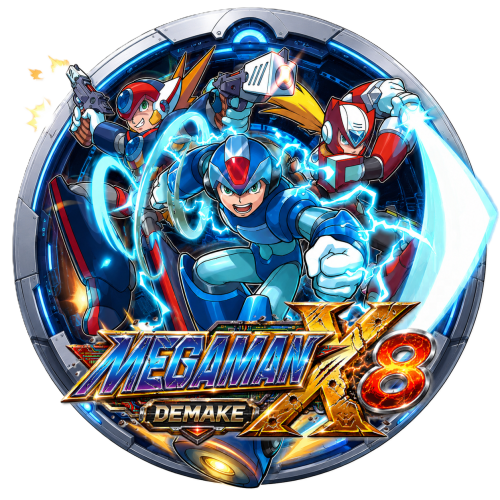
One last little share before I go back to my nostalgic bedroom. Mega Man X8 16-bit is a fan project that took around two and a half years of work, and honestly, I think it deserves a little spotlight. It’s a full 16-bit reimagining of Mega Man X8, inspired by the feeling of the first three Mega Man X games on SNES. The project is now playable from start to finish with X, which is already a pretty amazing achievement for a fan-made game. So I made a small visual tribute for it: a custom round icon, a 16-bit-style ClearLogo, and an HD ClearLogo. The two logos were AI-assisted, with some prompting and visual direction to get that broken, deconstructed, battle-damaged look. So no, it didn’t just magically come out of the hat. There was a bit of work and art direction behind it. The icon is homemade, mostly based on manual cutout and compositing work, in the style I usually use for my collections: characters breaking out of the frame, with that little 3D “coming toward you” effect. I just wanted to give this fan project a bit more visibility, because when someone spends that much time creating something out of passion, it deserves some love. Enjoy. Megaman X8 Demake version.zip -
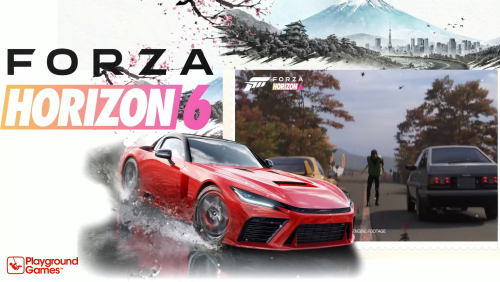
I also wanted to mention something else: I said on Reddit that I would share my Forza Nostalgic Bedroom Collection. Just to be clear, this one is a little different from a classic gameplay theme pack. It was designed to be multi-front-end and multi-support, because it’s entirely based on cinematic themes rather than gameplay footage. So yes, sorry guys, no gameplay here. These are the themes I created and integrated into Nostalgic Bedroom, with an audio-reactive approach to make the whole thing feel more immersive and alive. The collection is complete, with custom icons and cinematic themes that can easily be adapted to Hyperspin or other frontends. Tell me what you think. If people are interested, I’ll share it.
-
Just to illustrate the difference between a classic gameplay-focused approach and a more cinematic one, I worked on a variation around Luigi’s Mansion 2 in 2024 Survivor’s version puts more emphasis on gameplay inside a window, which works very well for a direct presentation of the game. On my side, I wanted to push the atmosphere a bit further: Luigi is no longer just present on screen, he reacts, he talks, and almost becomes a little living character inside the theme thanks to lip sync and staging. Luigi_s Mansion 2 HD-01.mp4 I had never shared this version here before because I didn’t want to offend or disrespect Survivor’s work in any way. I’m showing it now only as an example, to illustrate how different creative approaches can completely change the feeling of a theme. This is not about saying one version is better or worse. It’s really about two different philosophies. One shows the game. The other tries to bring the player into the game’s universe. And from now on, for my future shares, I’ll also try to include a more classic gameplay-focused version alongside my cinematic versions. That way, everyone can choose the approach they prefer: the more direct gameplay version, or the more immersive and staged version. No jealousy here everyone gets their flashlight. 😄
-
I really want to clarify one thing: my message is absolutely not a criticism of more traditional or gameplay-focused themes. There are creators who do that very well, with real skill in placement, readability, and integration within the interface. It is simply a different approach. On my side, I’m trying to create more of a cinematic atmosphere, with rhythm, impact moments, transitions, and staging. It is not necessarily better, and it is not necessarily for everyone, but it is part of my creative identity.And I actually think it is interesting that several styles can exist within the community. Some people prefer a more direct gameplay preview, while others prefer a more atmospheric experience. Both approaches have their place. My goal is not to replace one approach with another, but simply to bring something different.
-
Thanks guys for your feedback, I really appreciate it. I understand what you mean about shorter videos and more direct gameplay. I agree that this kind of approach can be useful, especially if the goal is simply to show how the game plays. But for me, a cinematic theme has a different purpose. It is not only there to demonstrate the gameplay. It is there to catch the viewer’s eye, create atmosphere, make the interface look more attractive, and make people want to enter the game’s world. Gameplay videos already exist everywhere, and of course they have their place. I don’t want to diminish that approach at all. But personally, if I spend time creating a cinematic theme, building animations around it, designing an intro, working on rhythm, transitions and atmosphere, I don’t really see the point of ending up with something that only shows basic gameplay. At that point, it almost makes more sense to simply use a short gameplay preview. It can be clean, efficient and direct. But if the goal is to create a cinematic theme, then I feel it should fully embrace that direction. It should bring staging, mood, identity and a stronger sense of presence inside the interface. About the fullscreen moments, I also want to explain that they are not random. When I use fullscreen sequences, it is usually at very specific moments. They are chosen to emphasize an action, an impact, a camera angle, or a key moment in the trailer. They are part of the rhythm of the theme. If I remove all those moments, the video may feel more “interface-friendly”, but it also loses a lot of its energy, pacing and cinematic impact. These shots are selected because they create tension, movement and atmosphere. They help the theme breathe, accelerate, slow down, and highlight the game in a more dramatic way. For me, the fullscreen moments are not there to break the interface. They are there to create impact. They are like close-ups in a movie: used at the right time, they make the scene stronger. The Need for Speed Unbound theme I posted after that actually shows exactly what I mean. Try to imagine that theme without the editing, without the visual effects, without the rhythm, without the fullscreen impact moments, and with only raw gameplay footage instead. It would completely lose a big part of its appeal.The game would still be there, of course, but the atmosphere would not be the same at all. The energy, the style, the visual identity, the sense of movement… all of that would disappear. It would become much more neutral, much flatter, and honestly a lot less exciting to watch.And that is really the point I am trying to explain. Removing all the cinematic work around the theme is not just “simplifying” it. It also removes a big part of the creative work itself. The editing, the effects, the timing, the selected shots, the transitions — that is where a lot of the atmosphere comes from. Of course, I can make a more gameplay-focused version by removing those cinematic moments and using more direct gameplay instead. I have no problem testing that. But I honestly think the difference will be very obvious. It will probably feel cleaner and more classic, but also much flatter in terms of atmosphere. So yes, I’ll do the test with Forza Horizon 6. I’ll prepare a more neutral version, with the theme animation, the car, and then classic gameplay footage, without dynamic editing, without fullscreen moments, and without any particular cinematic staging.That way, you’ll be able to really compare both approaches.The idea is not to say that one approach is better than the other. Everyone has their own taste, their own use, and that’s also what makes it interesting. This way, people will be able to choose what they prefer.But I also think the comparison will show exactly why I made these cinematic choices in the first place. When you remove the rhythm, the selected shots, the transitions and the moments of impact, you also remove a big part of what gives the theme its soul. That said, if this is really what some people prefer, I can do it. Technically, it is not difficult at all. In fact, it would probably take me one or two hours less work. But in that case, we are not really in the same creative approach anymore. It becomes more like a gameplay video placed inside a theme, while my approach is to create a real cinematic atmosphere around the game.So yes, I hear your feedback, and I’ll keep it in mind. I may make two versions in the future: a simpler gameplay version, without dynamic editing or fullscreen moments, and a cinematic version in my usual style. But I also don’t want to erase what makes my work feel like mine. If I remove all the staging, rhythm and atmosphere, then I simply end up doing the same thing as many others. And my goal is precisely to bring something different to the interface. I think the test will speak for itself.
-
Version 1.0.0
112 downloads
Responsive audio this time : All in rythm v2! Forza Horizon 6.mp4 Forza Horizon 5.mp4 Forza Horizon 4-01.mp4 Forza Horizon 3.mp4 -
Version 1.0.0
31 downloads
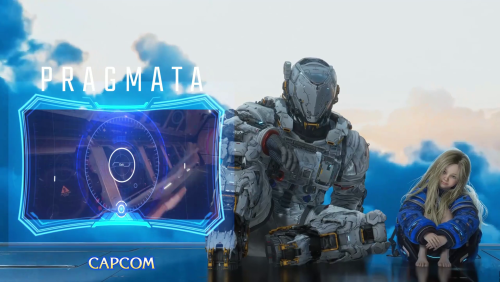
Pragmata.mp4-
- 2
-

-

-
- pragmata
- game theme
- (and 1 more)
-
Version 1.0.0
23 downloads
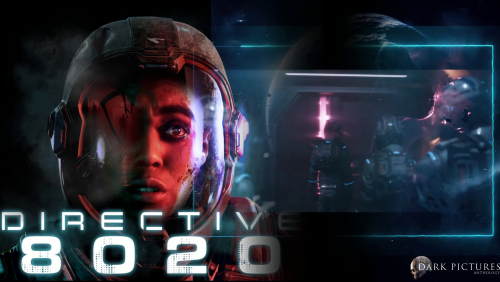
The new Dark Picture . Directive 8020.mp4- 1 review
-
- 2
-
-
- directive 8020
- game theme
- (and 1 more)
-
 Yes, that’s the Nvidia recording icon that appears when you capture footage.I animate through Wallpaper Engine, then I record the animation and usually do the editing afterward. Most of the time, I erase or clean up that annoying little icon in post-production… but this time, I forgot.That tiny Nvidia pictogram basically invited itself into the scene like an extra nobody asked for. The kind of detail you only notice after the export, of course otherwise it wouldn’t be funny. I’ll make a correction! Good catch, eyes of the tiger!
- 2 comments
-
- 1
-
-
- game theme pc
- pademonium
- (and 1 more)
-
Version 1.0.0
40 downloads
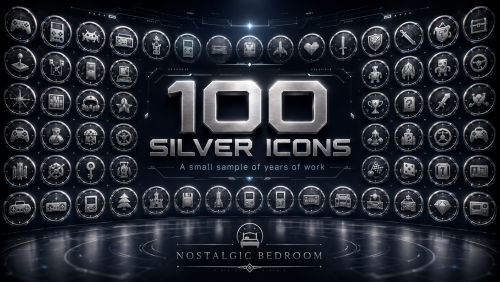
Here’s a small batch of around 150 icons from my different collections. I created them gradually over the years, little by little, depending on the projects, the needs, and the moods I wanted to build. What I’m sharing here represents only about 4 to 5% of my full collection, but it already gives a good idea of the amount of work accumulated around my frontends and Nostalgic Bedroom. You’ll find several types of icons here: Silver versions, classic versions, Movies icons, more detailed organic versions a bit like premium versions as well as smaller formats designed for different uses. I’ve really made these icons in all kinds of styles and variations, because depending on the views, collections, or interfaces, you don’t always need the same style or the same level of detail. I’m sharing this here to show part of the work, but also to remind people that a project like this isn’t built with two images and three clicks. Behind it, there are lots of tests, variations, retouching, visual consistency to maintain, and years of production. So here are 150 icons for the curious, for collectors, and maybe also to silence a few bad tongues along the way. And once again: this is only a sample Silver icons are already very common in the arcade world, especially around the TechnoParrot community, but also in some pinball-related communities. Many of you have probably come across them before without necessarily knowing where this style originally came from. As a little anecdote, the silver ring used for the TechnoParrot icons originally comes from Pooterman. He created the base ring design, which has since become quite recognizable across parts of the arcade and pinball communities. Organics / Classic Silver / Movies OR other project -pinball /variant Texture I’ve also included a few screenshots so you can see how these icons look once integrated into a frontend. I know some people may wonder if they are easy to use or if they fit well inside different themes. In practice, they adapt very well. I’ve used them for years in themes like City Hunter, and they also work great in Neon Arcade. Most of the time, they blend naturally with almost any setup. Inside LaunchBox, they create a real collection effect. You often keep the official artwork, which I always try to preserve as much as possible, so the game or collection is immediately recognizable. But on top of that, you also get the logo, the icon frame, and a more polished visual identity. That’s the whole point: keeping the familiar artwork people recognize, while giving it a stronger, cleaner and more collectible presentation. Note : Also, I want to mention something important: out of the 150 icons shared here, only two or three may come from Pooterman’s work. I’ve been using and collecting icons for years, and sometimes Pooterman had already created excellent versions for certain games or collections. In those rare cases, I didn’t see the point in recreating them just to make almost the same thing again, especially since we often use the same official artwork as a base. Pooterman has been creating icons for even longer than me, and his collection is really impressive. I already contacted him to let him know, and I will include a direct link to his DeviantArt here: Pooterman’s DeviantArt: https://www.deviantart.com/pooterman Please take a look at his collection too. He has done a lot for this kind of visual work, and he deserves the credit. And here is my DeviantArt as well, where I also share a lot of icons: My DeviantArt: https://www.deviantart.com/pademonium -
Version 1.0.0
41 downloads
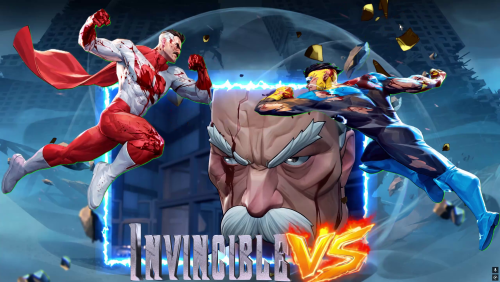
Invincible.mp4 https://forums.launchbox-app.com/profile/244237-pademonium-prods/content/?type=downloads_file- 2 comments
-
- 1
-

-
- game theme pc
- pademonium
- (and 1 more)
-
https://nostalgic-bedroom.com/
 (Tip For enter )
- Show previous comments 11 more
-

Hey, so sad to hear you stepping back,😥 guess the "old wise NPC " you mentioned didn't do "its magic"...
That why I also post here for my private/DM thank you, for giving me this small opportunity to remember those feelings from when as a kid trying to solve those pesky game puzzles... 😉
The "Nostalgic Bedroom" is and feels like art not only by engaging the user with stunning visuals but also by tickling those feelings from back then... 😏
I totally understand the “I don’t have the time for negative people..." you said back in your post because I myself was facing a lot of bad "energy" back then as a kid but, hey lets face it, things evolve, change, and we all evolve and grow with them. Think of the "negative people" as a "positive" push forward and never look back to those.
Your work is amazing, and always will be... yours... and amazing.
So THANK YOU again, and perhaps/wish we meet again somewhere along the journey. 🙂 -
I was waiting for your reply because I offered you 5 downloads, but I didn’t see your answer!^^
But I think I understand that you want the Zelda Ultima. That’s actually perfect timing, because I’ve been meaning to re-upload the english version for RetroExo anyway, so we’ll kill two birds with one stone!
You’ll just need your own LaunchBox license and your own ROMs, but setting up the paths should be child’s play for you.Y
ou absolutely have to see it live a ultima to get an idea of what NB is . because NB is the ultima multiplied by 60.
-
Oh! That's perfect to hear!!! 🤩 I actually got a little worried that you changed your mind...
Yes, I answer back :QuoteQuoteIf you want, I can send you the Zelda Ultima link privately by DM.
Yes, please send anything you like I'd be more than happy to take a look.
Just please don't expect me to report back quickly, you know RL stuff happening all the time.😄But I did not get anything after that, so... 😁
Please fill free to share what ever you like to share It's up to you, not me to choose.
That said If you believe/want to share "Zelda Ultima" then yes, I actually the last days I started playing the original NES version of "The Legend Of Zelda" so yes that's perfect timing! 😄
So, waiting now for your reply.
Thank you again, I feel truly honored to have met you and your work and to have spoken with you in DMs.! 😃.
-
How do you delete those damn folders?
PadeMoNiuM Prods replied to PadeMoNiuM Prods's topic in Big Box Custom Themes
Yes, feel free to share your solution; I'll summarize all the different solutions proposed at the top of the post. thank ! -
How do you delete those damn folders?
PadeMoNiuM Prods replied to PadeMoNiuM Prods's topic in Big Box Custom Themes
@TsikOnce again, I also think the solution is brilliant, but for me, the risk is still enormous compared to the hidden file method where you don't touch or move anything. Thanks for sharing! I don't recall seeing empty arcade folders on consoles either.👀🤷♂️ That's the case today, here's my NES image folder This is what happens when a system is active and regularly used; the resolution is too small to display all the folders... A perfectionist's nightmare, lol.😂
-
How do you delete those damn folders?
PadeMoNiuM Prods replied to PadeMoNiuM Prods's topic in Big Box Custom Themes
Your idea is very good in principle, clearly. I totally understand the logic, and on paper it does sound cleaner. The problem is that, with LaunchBox, I see it a bit like a time bomb. 👀😂Those folders may be empty today, but nothing says they won’t be used later by an import, a media scan, an update, or some internal BigBox/LaunchBox function. If LaunchBox / BigBox automatically recreates them because they match expected media categories, then you’ll basically be fighting against the software. And if you replace them with symbolic links, protected folders, or some system-level workaround, it may work… until the day an update, a theme export, a media scan, or an import decides to write something inside them. And at that point, you’re basically bringing out the bazooka to kill a fly.^^ So I’d rather avoid deleting, blocking, or redirecting a folder structure that the software seems to expect. It’s not really about disk space, because an empty folder barely takes any. It’s mostly about readability.Setting those folders as hidden feels like the safest compromise to me: the structure stays intact, LaunchBox can keep working normally, and visually those folders no longer clutter the media directories. It’s less radical, but much safer in the long run. -
I understand, and that makes sense. To be honest, I wasn’t even aware that these discussions and voting guidelines were already posted there. That might be part of the issue not everyone has visibility on it.Maybe it could be highlighted a bit more, or shared more widely (for example on social media or in a more visible place reddit etc), so more contributors can actually see it and follow the same direction. I’m just sharing my perspective here. I don’t have visibility on everything that’s being done behind the scenes, and I’m not questioning the work that’s already been put in. I’m just trying to contribute and help things move forward in a smoother and faster way.
-
I understand your point about consistency, and I actually agree that we need clear and unified rules. That’s exactly the issue here: right now, things are not clearly defined, so people interpret them differently.But constantly reverting submissions and reposting the same content over and over again, especially when others disagree, just creates confusion and slows everything down. In the long run, it does not really help the database. It mostly creates noise and frustration. Personally, if it were up to me, I would honestly use AI to help clean up and sort all of this much faster. (AI critics are going to fall off their chairs😂.)Of course, I would still review the results afterward, make a proper report, and check for possible mistakes, but it would save a huge amount of time. That is one possible solution. We also have to move with the times. Another solution would be to create a poll on the forum and ask the community what they think. A kind of referendum. That would be a fair way to establish clear rules that everyone agrees on.Beyond that, I think we could go even further by creating a contribution system with real incentives. The more people contribute, the more they unlock, whether that means access to exclusive or premium content from dedicated creators, more visibility, or even the occasional license reward for top contributors. Right now, the community feels very individualistic. There are a lot of talented people doing great work, but mostly on their own. That feels like a missed opportunity. If people worked more collectively, things would move faster, more ideas would emerge, and it would naturally encourage more people to create and get involved. In the end, what we need is clear rules instead of personal interpretations, fewer reuploads and more consistency, better tools to speed up sorting and cleanup, community votes on unclear cases, and real incentives for contributors. it might just be wishful thinking, and I know it may never happen, but at least I’ve shared my ideas. Who knows, maybe a few seeds will grow.😁
-
I’ve actually noticed the same thing on my side, not just with SNES but across other platforms as well. At first I thought it was just a few isolated cases, but after a while you realize it’s pretty consistent.That said, I think it’s important to keep in mind that this is a massive amount of work for the moderators and contributors. Organizing all these assets isn’t easy at all, especially when you start dealing with high-quality recreations that are almost indistinguishable from the originals.And I think that’s really where the issue comes from. Some of these “fanart” carts or covers are so close to the real thing that it becomes tricky to classify them properly. Technically they’re not original scans, but visually they’re sometimes just as good or even cleaner. Maybe what’s missing is a clearer threshold or guideline. Like, if a recreation reaches a certain level of accuracy and quality, it could be considered equivalent to an official asset and placed in the standard categories (like “Carts - Front”), instead of being pushed into fanart.It’s definitely not a perfect system right now, but I don’t think it’s intentional either — more like the side effect of how complex and subjective this kind of classification can be.
-
Yes, you can control it, but not really in a dynamic per-theme or per-system way from within Big Box itself. Basically, Big Box can pull from two different video sources: snap videos and theme videos. Since those are stored in separate folders, one workaround is simply to remove or move the snap videos if you only want the theme videos to appear. In that case, Big Box will only use the videos from the Theme Videos folder. You can also change the video priority in LaunchBox itself, in the video options, and choose whether snaps or theme videos should take priority. The catch is that this setting is global, so it affects everything rather than one specific system or theme. If needed, you can also go more granular on an individual basis through Edit Media. In the video section, you can choose which video is used for a specific game and adjust the order there. So in short, yes, there are a few ways to manage it: globally through the video priority setting, manually by organizing the snap/theme video folders, or individually through Edit Media.
-
@KRI$85I came across an article by Faeran. I thought it might be useful to you. It made me think back to our little conversation. Take care. https://feedback.launchbox.gg/en/help/articles/4883944-music-in-launchbox-and-big-box




