

ancient_mu_mu
-
Posts
12 -
Joined
-
Last visited
Content Type
Profiles
Forums
Articles
Downloads
Gallery
Blogs
Everything posted by ancient_mu_mu
-
Zaccaria Pinball 110 Tables - Settings for Launchbox
ancient_mu_mu replied to marcosgaming's topic in Troubleshooting
If anybody stumbles across this thread and wonders if the text-file-as-roms works now with non-Steam copies of Zaccaria Pinball, I can confirm it does. These are the settings I used.
-
Stumbled across this post whilst trying to get the standalone creatiVision emulator to work, and I eventually figured it out for myself, so I'm posting instructions here in case it might help someone else. Haven't played around with it much yet, but it seems to have better sound than the version of MAME I'm using (0.273). It can be downloaded from here: https://sourceforge.net/projects/creativisionemulator/files/?source=navbar Below is a screenshot of my emulator settings in Launchbox And as per the read-me file: "For normal games, on loading, you will observe a demonstration mode of the game. Pressing F3 (RESET to the creatiVision) will place you in game select mode. Use the fire buttons (CTRL/SHIFT) to select the game mode number you require, then press any alphabetic key on the lower row. Enjoy your game!"
-
Help Us Expand the LaunchBox Games Database!
ancient_mu_mu replied to AstroBob's topic in News and Updates
Any new platforms on the horizon? I'd like to add another vote for implementing a J2ME platform. Thanks! -
That will be great, thanks. I spent a couple of hours curating a set of Acorn Electron games today, but I still haven't even gotten around to adding the emulator and games to Launchbox yet! 😆
-
We’ve Moved — Big Backend Upgrade for the Games Database!
ancient_mu_mu replied to faeran's topic in News and Updates
Awesome work, thanks! -
We’ve Moved — Big Backend Upgrade for the Games Database!
ancient_mu_mu replied to faeran's topic in News and Updates
Thanks for your reply. It's still not finding recently added games, and now something else seems to have broken. When I search for a game in Launchbox from the gamesdb, if it's for a platform I have created but I'm scraping it as something else, such as MGT Sam Coupe instead of Sam Coupe, or Nintendo WiiWare instead of Nintendo Wii, then Launchbox crashes with this error message:
-
We’ve Moved — Big Backend Upgrade for the Games Database!
ancient_mu_mu replied to faeran's topic in News and Updates
It also seems to be affecting the community star ratings. Additions I've made are showing on the Games Platform DB online, but aren't downloading the updated rating to my Launchbox install when I select Update Community Star Ratings. -
We’ve Moved — Big Backend Upgrade for the Games Database!
ancient_mu_mu replied to faeran's topic in News and Updates
I've experienced the same. I added Worms Forever (a rom hack of the Game Boy title, Worms) to the Launchbox gamesdb on 24th July, yet when I search for the game details from within my own Launchbox install, nothing comes up. -
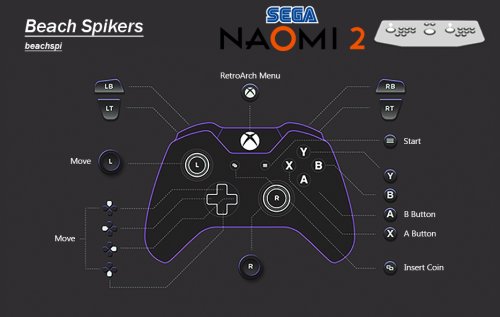 I really appreciate all your hard work on these configurations you've given the community 😀
 -
Issue with newly created playlist icons - bug?
ancient_mu_mu replied to ancient_mu_mu's topic in Troubleshooting
😄 No worries! -
Issue with newly created playlist icons - bug?
ancient_mu_mu replied to ancient_mu_mu's topic in Troubleshooting
Okay. Fixed my own problem Now it seems I have to put them in the newly added Media Packs>Platform Icons>Legacy Conversion Icon Pack>Playlists> folder. Does this mean I can delete the original Images>Platform Icons>Playlist folder now? -
A few months ago I created a number of Publisher / Developer playlists, and created icons for some of them, placing them in the Images/Platform Icons/Playlists folder. They all worked beautifully, no problems. However, today I've gone back and tried to create some more using exactly the same process, for the playlists I hadn't previously created icons for, and placed them in exactly the same folder but I can't get any of the newly created icons to display. I've tried refreshing Images, restarting Launchbox and my PC, but still they won't display. All the previously created ones still display perfectly, but none of the new ones. I've checked the filenames match the name of the playlist, e.g. the Psygnosis playlist has an icon named Psygnosis.png, the Ocean Software playlist has an icon named Ocean Software.png etc. All the new icons are in the same Images/Platform Icons/Playlists folder as before. Is this a bug or has something changed? I think previously I was able to press F5 - Refresh Selected Images whilst selecting the playlist and the newly created icon would magically appear, but now when I click on a playlist the F5 key does nothing, and when I go to the dropdown menu, the option View>Media>Refresh Selected Images F5 is greyed out. Any suggestions? Thanks




