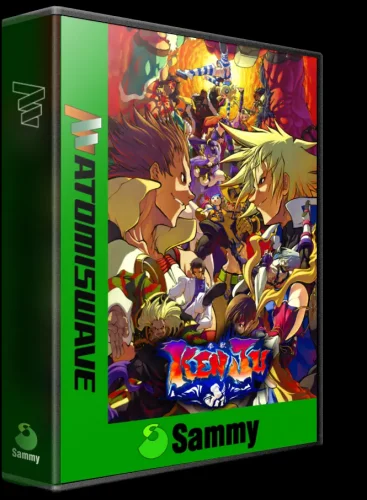
raffaelsilva
-
Posts
25 -
Joined
-
Last visited
Content Type
Profiles
Forums
Articles
Downloads
Gallery
Blogs
Everything posted by raffaelsilva
-
The actual software. After you run the .exe one API on 127.0.0.1:8000 this open control center. Please try and let me know if any help.
-
Gameon100 can test the new version the software for me? Is complete web now.
-
If anyone wants to use this tool, I can help create the templates, answer any questions, feel free to ask, and share it. Below, I show one creation, but in another GIF, I create several in just a few seconds. Enjoy!

-
Sure, I created this system for that purpose. We can include any profile (a profile is a PNG template with a JSON file). Inside it, there's a design tool, a web tool where, with a PNG template, we can generate a JSON file for use in this project. My plan is, in collaboration with other users here, to have multiple profiles for all platforms and meet different demands without any use of image editing software. For start I create 3 templates, but works in some more. > **Editing profiles:** `profiles/` is yours to modify. Change `profile.json` to > adjust geometry, swap `template.png` for a custom box art, or add `logo_game.png` > to `assets/` as a system-wide fallback marquee. New built-in profiles released in > future versions are added automatically without overwriting your edits. > **Adding a new profile:** create a subdirectory inside `profiles/` with a > `profile.json` and `template.png`. It is immediately available on the next run > without restarting or recompiling. > **Using profiles stored elsewhere:** pass `--profiles-dir /path/to/your/profiles/` > to point box3d at any directory on your system. This is the recommended workflow > for Windows executable users who want profiles outside the default location
-
for psd file you upload before, or but all templates always be good
-
thanks for you file, for next day I can use my computer just remote. Is possible you export the same files for PNG? in this way I can prepare the PROFILES. Thanks
-
yes, please. Follow Video with windows version. Gravando 2026-03-23 195703.mp4
-
Can be used for any template. CD. DVD. Cartrige. Inside this has a webtool for adjust the cover in templates. This is done. In near future my plan is running only from webtool in any SO.
-
Hi, personally I don't use Photoshop for a few reasons. I created a project for a very specific purpose: to standardize the covers I use in my frontend. It's a Git project that I really enjoyed making, especially since IA makes things much easier nowadays, particularly the documentation. The project is already fully functional, allowing the creation of profiles with template standards for boxes in D or any other repetitive batch work. I will finalize the project soon with a compiler for Windows and a Linux binary as well. But currently it is already completely functional and well documented on Git. Follow video for check the current status. https://github.com/RtaSistemas/box3d Screencast_20260323_133218.webm
-
My updated tool accept new models template. Do you have this template?
-
The tool can create, like this
-
any angle this is only a parameter
-
3dboxes Capcom ARCADE | 3DBOX - CPS1, CPS2 & CPS3 - Custom Box Fronts 1.0.0
raffaelsilva commented on raffaelsilva's file in Arcade
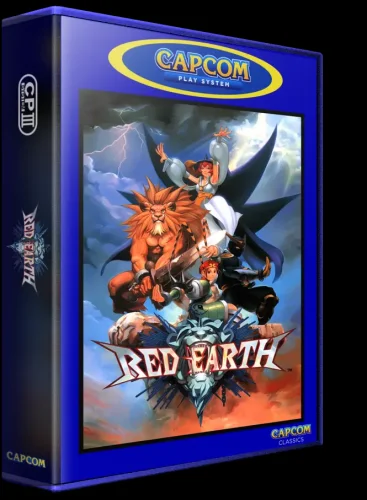 Can you explain better. Whats your plan? But is possible.
 -
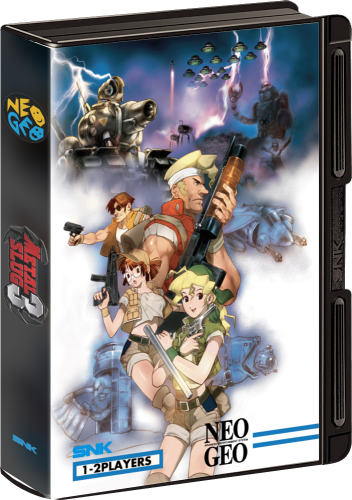
Version 1.0.0
26 downloads
As required for Gameon100. Follow new 3DBOX MVS style. Game list is bellow games list.txt -
.thumb.webp.a24530cc5a264b1372e7b37d7371da43.webp)
Version 1.0.0
23 downloads
My re-image of 3dbox for Turbograf16: Alien Crush (USA) Aero Blasters (USA) Air Zonk (USA) Ballistix (USA) Battle Royale (USA) Bomberman '93 (USA) Blazing Lazers (USA) Bloody Wolf (USA) Bomberman (USA) Bonk III - Bonk's Big Adventure (USA) Bonk's Adventure (USA) Bonk's Revenge (USA) Boxyboy (USA) Bravoman (USA) Champions Forever Boxing (USA) Cadash (USA) Chew Man Fu (USA) China Warrior (USA) Cyber Core (USA) Cratermaze (USA) Darkwing Duck (USA) Davis Cup Tennis (USA) Deep Blue (USA) Dead Moon (USA) Devil's Crush - Naxat Pinball (USA) Double Dungeons - W (USA) Dragon Spirit (USA) Dragon's Curse (USA) Drop.Off (USA) Dungeon Explorer (USA) Falcon (USA) Fantasy Zone (USA) Final Lap Twin (USA) Galaga '90 (USA) Ghost Manor (USA) Gunboat (USA) Hit the Ice - VHL the Official Video Hockey League (USA) Impossamole (USA) J.J. & Jeff (USA) Jack Nicklaus' Turbo Golf (USA) Jackie Chan's Action Kung Fu (USA) Keith Courage in Alpha Zones (USA) King of Casino (USA) Klax (USA) Legendary Axe II, The (USA) Legend of Hero Tonma (USA) Legendary Axe, The (USA) Magical Chase (USA) Military Madness (USA) Moto Roader (USA) Neutopia (USA) Neutopia II (USA) New Adventure Island (USA) Night Creatures (USA) Ninja Spirit (USA) Order of the Griffon (USA) Ordyne (USA) Pac-Land (USA) Panza Kick Boxing (USA) Parasol Stars - The Story of Bubble Bobble III (USA) Power Golf (USA) Psychosis (USA) R-Type (USA) Raiden (USA) Samurai-Ghost (USA) Shockman (USA) SideArms - Hyper Dyne (USA) Silent Debuggers (USA) Sinistron (USA) Soldier Blade (USA) Somer Assault (USA) Sonic Spike - World Championship Beach Volleyball (USA) Space Harrier (USA) Splatterhouse (USA) Super Star Soldier (USA) Super Volleyball (USA) TV Sports Football (USA) TV Sports Basketball (USA) Taito Chase H.Q. (USA) TV Sports Hockey (USA) Takin' It to the Hoop (USA) TaleSpin (USA) Tiger Road (USA) Time Cruise (USA) Timeball (USA) Tricky Kick (USA) Turrican (USA) Veigues - Tactical Gladiator (USA) Victory Run (USA) Vigilante (USA) World Class Baseball (USA) World Court Tennis (USA) World Sports Competition (USA) Yo, Bro (USA) -
3dboxes Capcom ARCADE | 3DBOX - CPS1, CPS2 & CPS3 - Custom Box Fronts 1.0.0
raffaelsilva commented on raffaelsilva's file in Arcade
I create a tool via python and shell script I used this templates bellow, and prepare de images in the std.webp -
Hey everyone, Time to come clean about something. Over the past few weeks I've been dropping box art images in various threads — Red Earth, a few other titles — without really explaining what I was doing. Some of them had weird issues: the spine would bleed slightly outside the box edge, logos weren't sitting right, the colors felt off. A few of you pointed things out and I was vague about where the images were coming from. Sorry about that. Those were all test outputs. I was building a tool, and this community's sharp eyes were genuinely helping me catch things I stopped seeing after staring at the same pixels for too long. So thank you for that, even if you didn't know you were helping. The tool is called box3d, and it's almost ready. Here's what it actually is. What it does box3d takes a flat piece of arcade or game cover art and automatically wraps it into a 3D box image — the kind you'd use in a frontend like ES-DE, LaunchBox, or just for display purposes. It handles the front face, the spine, logos, shading, everything. You drop your covers in a folder, run one command, and come back to a folder full of finished boxes. No Photoshop. No manual layer work per game. The whole point is that once you've set it up for a system, you just feed it covers and it does the rest. The three box shapes (profiles) This is probably the most important thing to explain. Different arcade and retro systems had very different physical shapes. A Neo Geo MVS cartridge looks nothing like a generic arcade PCB box, which looks nothing like a DVD case. So the tool has a profile system — each profile is a different box shape, with its own 3D template and geometry. Right now there are three: mvs — Neo Geo MVS cartridge This is the one most of you have seen in my test posts. The MVS shell has that very distinctive look — the black plastic top tab, the side connector rails with the SNK text, the slightly tapered front face. It's immediately recognizable to anyone who's handled real MVS carts. The geometry on this one was the trickiest to dial in because the front face isn't a clean rectangle in the template — it has a slight lean to it that had to be matched exactly in the perspective mapping. The Red Earth test was running on this profile. Template dimensions: 703 × 1000 px arcade — Generic arcade PCB box A thicker, squarer box — the kind you'd use for general arcade board art, PCB collections, or any game that doesn't have a natural home in the MVS or DVD shape. The spine on this one is slightly wider than the MVS, which gives you more room for logos and marquee art. The shading on the edges is subtler, which works well with bold flyer art that already has a lot going on. This is probably the most versatile profile — I've been using it for anything that doesn't belong to a specific system. Template dimensions: 665 × 907 px dvd — DVD/media case A slimmer profile, closer to a standard DVD jewel case shape. The spine is noticeably narrower than the other two (about 30% thinner than the arcade profile), so the logo sizing is adjusted down automatically. Useful if you want a more "collection shelf" look rather than hardware-accurate arcade style. Also works surprisingly well for console game art. Template dimensions: 633 × 907 px How the spine works — the part I'm most proud of Every box needs a spine, and painting one manually for each game in a collection of hundreds is not realistic. So box3d generates the spine automatically from the cover art itself. It takes the left edge of your cover (about 20% of the width), blurs it heavily, darkens it, and uses that as the spine background. The result is a spine that always feels visually connected to the front — same color temperature, same mood — without you having to touch anything. Dark blue cover gives you a dark blue spine. Warm orange cover gives you a warm spine. It just works. On top of that generated background, it places up to three logos on the spine: Top logo — a fixed image you put in data/inputs/logos/top/. One file, used on every box for that run. Perfect for a system badge, publisher mark, whatever you want anchoring the top of the spine. Game marquee — the game's own logo art, automatically matched by filename to the cover. If you have redearth.webp as your cover, it looks for redearth.png (or any image format) in the marquees folder. Bottom logo — same idea as the top, but for the rodapé. Studio seal, "Classics" badge, platform label — your call. All three are completely optional. If the file isn't there, that slot is just empty. No errors, no placeholders. Link the project on git: https://github.com/RtaSistemas/box3d
-
.thumb.webp.2a075c30060df575baa5ed00dc713515.webp)
Version 1.0.0
8 downloads
This is my re-imagining of the library created by ABeezy's. I'm standardizing it into a 3DBOX model and format. All files are in .webp format. -
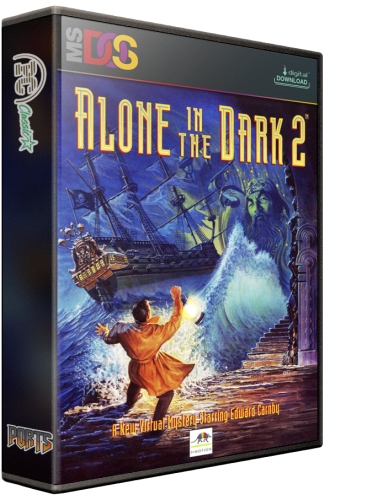
Version 1.0.0
17 downloads
This is my re-imagining of the library created by kobaturtle; I'm standardizing it into a 3DBOX model and format. All files are in .webp format. -
.thumb.webp.780a73de57373fd6416391e0e74184f1.webp)
Version 1.0.0
9 downloads
This is my re-imagining of the library created by ABeezy13; I'm standardizing it into a 3DBOX model and format. All files are in .webp format. -
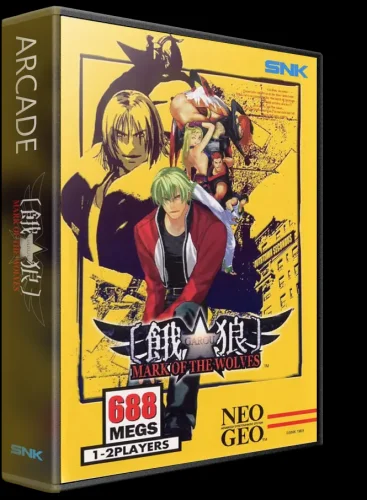
Version 1.0.1
32 downloads
This project use 2D file from Create a Box3D. Use webp format, PNG follow next. -
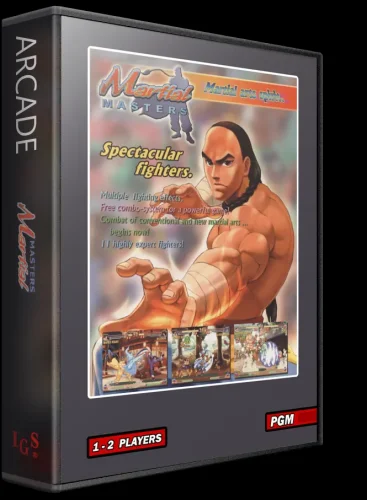
Version 1.0.0
15 downloads
3D Version in webp & png. Original 2D version by spycat-
- 1
-

-
- cover
- 3d box art
- (and 1 more)
-
Version 1.0.2
58 downloads
I know there are a few 3DBoxes for Arcade and especial for the Capcom play systems, but i wanted to do my own. I have more projects lined up that i want to complete, so i look forward to getting those out to you guys soon.- 8 comments
-
- 3
-
-

-

-
- coverbox
- 3d box art
- (and 2 more)



.thumb.webp.a24530cc5a264b1372e7b37d7371da43.webp)


.thumb.webp.2a075c30060df575baa5ed00dc713515.webp)
.thumb.webp.780a73de57373fd6416391e0e74184f1.webp)