Controller Input Graphics
4 files
-
LEDBlinkyControls.xml: per-game button lighting and spoken actions for 14,500+ games
By latin625
A ready-made LEDBlinkyControls.xml with a control entry for every game on my cabinet, built across most of my LaunchBox platforms. Each game lights only the buttons it uses, in a colour for each button. LEDBlinky speaks what each button does, such as “Jump” or “Claw Attack”, instead of just its position. PS1 games follow the PlayStation pad layout. Lightgun games keep the panel lights off. The file has about 14,500 control groups.
It will work best if you have:
A 2-player panel (Mini-PAC or X-Arcade) with the default MAME-style keys. Player 1 uses Ctrl, Alt, Space, Shift, Z, X, C and V. Player 2 uses A, S, Q, W, I, K, J and L. ROM files named like mine. Entries match the file name, uppercased with spaces turned into underscores, for example AKUJI_THE_HEARTLESS_(USA). Games with different file names won’t match and will fall back to your defaults. LEDBlinky already installed and set up with your own LED wiring. This file holds only the per-game controls, colours and spoken names. It does not include your LED port setup. How to use it:
Close LEDBlinky and BigBox. Back up your original C:\LEDBlinky\LEDBlinkyControls.xml to somewhere safe. Replace it with this file. Restart LEDBlinky and BigBox, and test a few games. Use at your own risk. This replaces your existing controls file, and I can’t test it on every setup. Always back up your original before replacing it. If anything looks wrong, put your backup back.
ENJOY!
Latin625 LEDBlinkyControls_ninevolts_Nov_2026_edtion.zip
14 downloads
(0 reviews)0 comments
Updated
-
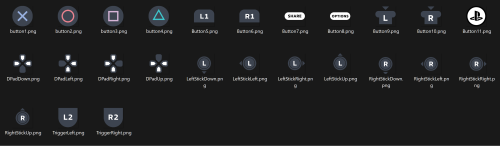
Steam Big Picture PS4 Icons
By Abwezi
For those like me who use a PS4 controller and like to launch BigBox through Steams Big Picture mode and want the extra cohesion between the two front ends. Extract the "Steam PS4" folder to the LaunchBox\Images\Media Packs\Controller Inputs directory
6 downloads
(0 reviews)0 comments
Updated
-
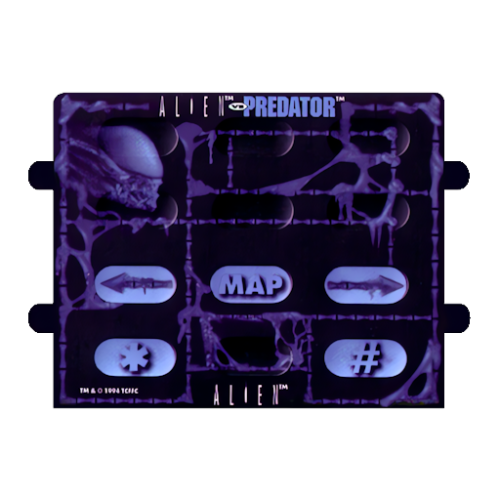
Atari Jaguar + CD Controller Overlays for BigPEmu
Hello, I made some clean, harmonized, Ai upscaled, transparent Atari Jaguar Controller Overlays for BigPemu. This collection covers all the officially released overlays for retail games and a few homemade ones found at Controller Overlays - ConsoleMods Wiki.
28 downloads
(0 reviews)0 comments
Updated
-
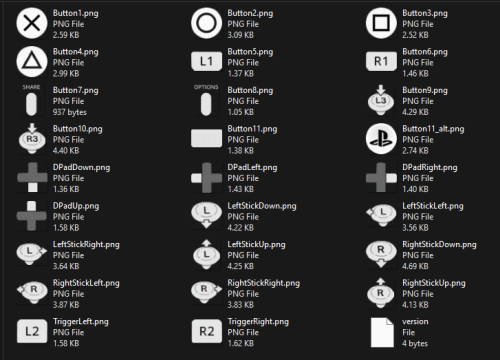
DS4Windows - Xbox 360 Profile - White
By stigzler
This supports a PS4 controller running through DS4Windows emulating an Xbox360 controller. The button numbers are different from those that would be produced by a native Xbox (360/One) controller, thus the pack.
Both the PS button and the Trackpad press register as Button 11 (or the XBox Guide button) - thus the inclusion of the PS Button as an alt (I use the trackpad as a hotkey/combo button, given that holding down the PS button will disconnect the controller - thus the trackpad as default).
75 downloads
(0 reviews)0 comments
Updated