


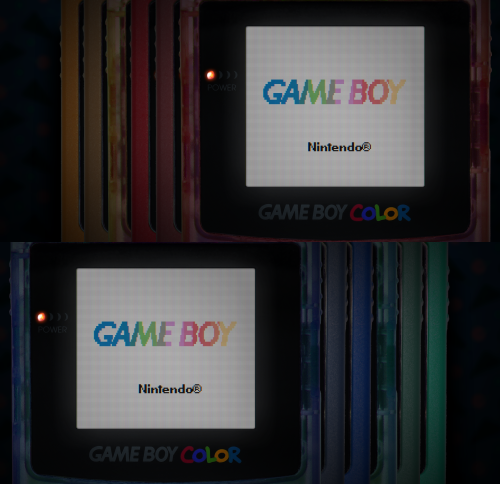


About This File
I have edited some alternate colors to go along with Mr. RetroLust's platform bezels for Retroarch (specifically the GBC ones), which you can find here:
I liked the idea of having different colored GBC bezels per game, so I added a bunch of basic colors not present in the original variants. This includes new flat and transparent colors, de-saturated versions, and a simple black one... totaling to 27 new overlays. Because why not.
You can use the save game override option in Retroarch to save the bezel per game, and/or you can pick one to use by default for your GBC core, using the save core override option.
The files are in the folder structure: overlays/_MR.RETROLUST, so you can simply drop overlays into your Retroarch directory.
GIMP .xcf file is also included separately for convenience.
┏(^0^)┛
CREDITS: Mr. RetroLust for the original overlays!

