

Milleland
-
Posts
15 -
Joined
-
Last visited
Milleland's Achievements

8-Bit Processor (3/7)
2
Reputation
-
XeniaManager Blackscreen and Emu running in Back
Milleland replied to Milleland's topic in Troubleshooting
I Think i found a solution. If i configure the Override default Home screen setting, with these settings it works. THe Loading Screen only shows 2 seconds. If I change the time from 2 to a higher value, the following sequence occurs: first the startup screen appears; after the extended time i changed, the shutdown screen pops up with the text "GAME OVER," and then the emulator appears. I think i leave it like this presset, and Thanks a lot for the Help!!
-
XeniaManager Blackscreen and Emu running in Back
Milleland replied to Milleland's topic in Troubleshooting
Sorry for the late reply. I was out for work. Thanks for the Reply. Yes i have Xenia Settings in Fullscreen. But when i launch it thru LB O BB, I push alt and Tab, the emulator always in in WIndowMode not Fullscreen. And when i release the Alt The emulator comes to the front. I tried to add in the PArameter Command Line to add --fullscreen=true, but nothing. It continues in the Background in FUllscreen. THanks for the help.... -
Hi everyone, I need some help with a focus issue in LaunchBox. I have my Xbox 360 library configured using the Xenia Manager .lnk method. The games launch, but I’m running into an issue with window priority. When I start a game through LaunchBox, the startup sequence goes like this: The LaunchBox Startup Screen appears. It switches to the emulator window showing the shader compilation/loading bar. The LaunchBox Startup Screen pops back up, fades to black, and leaves me with a blank screen. The game continues running in the background—I can hear the audio playing, but the video remains hidden. If I press Alt + Tab, I can see all active windows: the emulator, the LaunchBox Startup Screen, Xenia Manager, and LaunchBox. If I disable the LaunchBox Startup Screen, everything runs fine. However, I’d like to keep the Startup Screen active while ensuring Xenia automatically takes foreground focus once loaded. Has anyone encountered this or knows a workaround or setting to force Xenia to stay on top? Thanks in advance!
-
Namco System 246/256 on the pcsx2x6 arcade fork
Milleland replied to Sbaby's topic in Troubleshooting
Hey it worked like charm.. I copied your settings and it works, thanks a lot!!! -
Namco System 246/256 on the pcsx2x6 arcade fork
Milleland replied to Sbaby's topic in Troubleshooting
FInally i get all the games running with mine Xbox360 controller, but the Lightgun games no 😞 I tried with the Rawinput active, but nothing. I cannot set the relative aim. And if i deactivate the raw input and select MOUSE, then i can set the relative aim, but the mouse is acting like crazy and returning all the time to the center screen when i move it 😞 Help please.... Thanks in advance
-
Hi everyone, I hope someone can help me with an issue I've run into after updating LaunchBox to version 14. Some systems that were working perfectly before have stopped launching zipped games properly unless I enable "Extract ROM archives before running" in the Associated Platforms tab under RetroArch settings. For example, this is happening with: Amstrad CPC (using the Caprice32 core) MSX / MSX2 / MSX2+ (using the blueMSX libretro core) The strange thing is that if I run the .zip files directly inside RetroArch outside of LaunchBox, they launch fine without extraction. Before the LaunchBox v14 update, everything worked like a charm without needing to tick that option. Has anyone else experienced this, or is there a known bug with archive handling in v14? Or could I be missing something in my configuration? Thanks in advance for your help!
-
Hi group, is there any plugin, tool, or setup that can automatically record short clips (e.g., X seconds) from an entire playlist or from selected games? I’m thinking of something that would: Start a game (or item in a list) Record X seconds of video using OBS Save the clip Close the game Move on to the next game and repeat the process Basically, an automated way to create a batch of short video snapshots from a playlist of games. Thanks!
-
Hey, thanks a lot for the info :-) I didn't know it. i'm still learning this killer front-end!!!!
-
Hi Thanks. FInally i had time to do it and it worked like charm!!! Thanks a lot for your help!!
-
Hi. Anyone can help me, please? I have the Bigbox Theme Unify Refried, and i have, for example, 3 Versions of Dragon's LAir Combined in Launchbox. How can i chose the version i would like to play in Big box? Thanks in Advance.
-
Hey, it worked, thanks a lot!!!!
-
Hi. Thanks for the reply. Then this alternate parameter line override all. Great, then i'll do it for all mine games. I have some in Spanish, others with mt32, etc.... But, is there any possibility to ADD only, for example, the idgame, but not override the global parameter? I don't think so, if there's not an option in each game. But thanks a lot for the help!!!
-
Hi group, I'm noob with the LB and BB. I have some SummVM Games in Spanish, but i have configured in ScummVM by default like the last tutorilal. When i launch the spanish games with LB/BB always i get the English version. But if i launch them thru Scummvm I get the in Spanish. I have found that the command line in the EMU config there's --auto-detect. Is there any way to specify the game IDcode in the LB? and specify that Scummv use mine presets and not the default ones? Thanks in advance!!!!
-
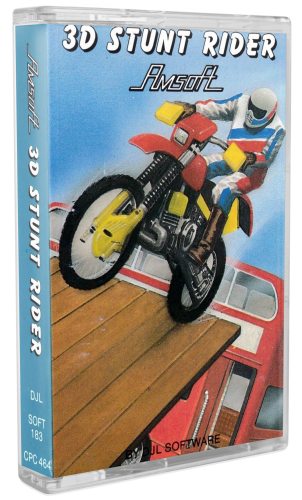 Hey, it's incredible, they are really nice. Amazong Work and thanks for Sharing it.
 -
Hi maybe it's a bit old post, but could you share the AHK to display the MEssageBox, please? I'm nood in this AHK and showing game control options. Thanks a lot.



