
Rlad
-
Posts
508 -
Joined
-
Last visited
Content Type
Profiles
Forums
Articles
Downloads
Gallery
Blogs
Everything posted by Rlad
-
Works now although, Grammar Police. Should say 'not need updating' or 'not need [to be] updated.'

-
The page works, i've updated retroarch manually to the latest build from there, i still get the error.
-
I get the error trying to update retroarch and update cores. How is it handling multiple retroarch installs? Because im using 1.7.5 as i can't get my controllers to work properly in the newer versions, I also have 1.9.8 (which i tested). Is it going to update every retroarch.exe or only named Retroarch?
-

Version 1.0.0
216 downloads
6 Platform Category and 2 Playlist clear logos -
Platform Category - Chrome Pack View File 8 Platform Category clear logos Submitter Rlad Submitted 10/16/2021 Category Platform Clear Logos
-
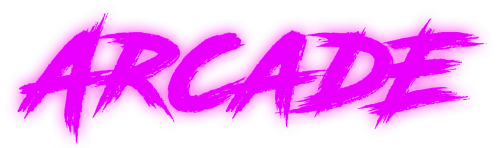
Version 1.0.0
244 downloads
6 Platform Category clear logos -
Platform Category - Neon Pack View File 6 Platform Category clear logos Submitter Rlad Submitted 10/16/2021 Category Platform Clear Logos
-
Make sure to choose the Platform Category view not Platform. All images and theme video the same as a platform.
-
You'd have to make another playlist for 360 or scrape them as seperate platforms.
-
sucramjd made a bunch of packs for teknoparrot. https://forums.launchbox-app.com/profile/74761-sucramjd/content/?type=downloads_file&change_section=1
-

How do you move an arcade type platform to Arcade?
Rlad replied to GiSWiG's topic in Troubleshooting
right click Edit>Parents, tick Arcade, untick Root. -
Settings>Input>Hotkeys>Hotkey Enable click to change or press DEL to clear, is that what your asking?
-
Drag & drop and click anywhere both fixed. 👍
-
@sucramjd made a bunch of packs for teknoparrot. https://forums.launchbox-app.com/profile/74761-sucramjd/content/?type=downloads_file&change_section=1
-
Just tested this on win10, can confirm same issue.
-
Dark theme looks great and my filter button issue is fixed, thanks for the update 👍
-
@C-Beats Seems pretty random. 2021-09-22 15-01-07.mp4 2021-09-22 14-58-06.mp4 If i hammer the button it will crash. 2021-09-22 15-06-33.mp4
-
Filter still causing crashes.
-
Do you have any antivirus/firewall installed, i had the same issue a while back and it turned out to be Comodo.
-
Filter button still causing multiple crashes in Beta 3.
-
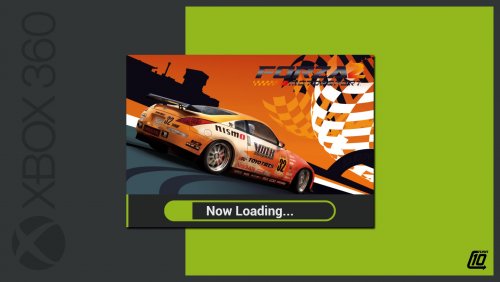 These are great, and easy enough to make new systems👍
 -
When i click OK in LB options it takes over a minute to close, gets stuck on the spinning wheel.
-
Just got another error mid filtering.
-
Im getting controller info added again sometimes while editing.
-
If you click the filter button before searching for anything you get an error. Straight from loading LB i mean, if you've previously searched for something it doesn't happen.




