

Madhead
-
Posts
125 -
Joined
-
Last visited
Recent Profile Visitors
2808 profile views


Madhead's Achievements

32-Bit GPU (5/7)
28
Reputation
-
Both LB and BB. I'm not sure which one you want so I zipped up all of the log files from today. Debug 2026-10-01.zip
-
To iterate, I've found that whenever I exit via the emulators own exit process, like pressing escape or even alt-f4, the transition is seamless. It's only when I exit via the pause menu that it flashes back to LB or BB for a split second before the shutdown screen commences. This wasn't the case in the previous full release of LaunchBox.
-
Closing Azahar as well as a few other emulators now cuts back to LB/BB for a split second before the shutdown screen appears. Before the shutdown screen flowed from the black screen sandbox and hid everything underneath. Was much better. This new way might prevent apps from unlatching from the startup screen so the startup screen will now always commence after closing, but some of the transitions have been broken.
-
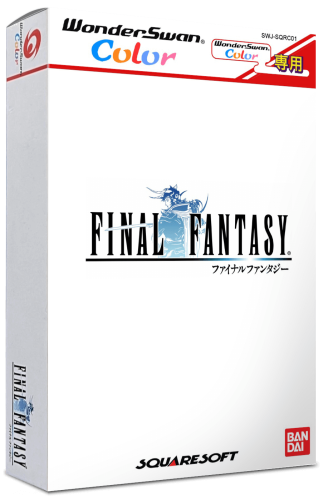 Thanks for this. You don't happen to have the spines as well do you? The current custom ones in Emumovies are a bit basic. the ones you used here are much better.
 -
Custom startup theme issues changing dimensions of elements
Madhead replied to Madhead's topic in Troubleshooting
If anyone has any advice It would be much appreciated. Literally just wondering what values to change to change the clear logo grid. -
I'm trying to create a custom startup theme but the truth is I have very little idea how to edit these xaml files. That said I have made some progress. The presentation is more minimal now, which is the way I wanted it, with the "Now Loading..." text in small font at the bottom left corner instead of being bang in the middle of the screen in block capitals. Only thing is I hardly know what I changed to get there. I don't know how to reposition the grids, I just entered a value and it defaulted to the bottom of the screen and I aligned the x,y text to the Left and bottom. I'll include the startup theme xaml's so a more knowledgable person can see what I did, but in the meantime this is what it looks like: Which is pretty much what I had in mind. The issue is that the clear logo grid is too short which means logos that are more square in size appear way too small. I'm trying to increase the height of the grid. That's an example of how the grid currently is and how a square logo appears on the screen. I'm simply trying to increase the height of the grid while leaving the width the same. Maybe twice the height, that way both wide and boxy logos appear a nice size on screen. If anyone can help me out it would be appreciated. Cheers. Custom Startup.zip

-
Teknoparrot games stopped launching properly after update (to emulator)
Madhead replied to Madhead's topic in Troubleshooting
No worries mate. Yeah I've tried that Linux Loader for Lindbergh and its hit and miss for me. TeknoParrot actually plays them all perfectly, just that the Elfloader2 games don't launch through LB. The other games like Ring Edge, Taito Type X board stuff launch fine still. Must be a command line string? -
Teknoparrot games stopped launching properly after update (to emulator)
Madhead replied to Madhead's topic in Troubleshooting
Strange, I thought that was for PS2 derived arcade machines? Lindbergh is PC hardware no? Also i'd rather keep things unified. I'm just wondering if there's a way to boot ElfLoader2 games through LB? An extra command line string for example? -
I've had around 16 Teknoparrot games in my LaunchBox setup for a while now including Sega Lindhberg, Ring Edge, Taito Type X etc. Any way, they've all worked the whole time up until an update to Teknoparrot that introduced ElfLoader2 stopped some of the Sega Lindhberg games from booting through LaunchBox. When I click on a game it just boots the emulator game list. My guess is that it's a command-line issue and that something has changed and I might have to specify Elfloader2 in there somewhere? I'm just not certain what the exact string is, if it is one? If you have any advice I'd appreciate it. Thanks.
-
Images randomly corrupt in Beta version of LaunchBox
Madhead replied to Madhead's topic in Troubleshooting
Sorry for the late reply. Yeah I haven't noticed anything corrupting lately either in the newer versions. It could have been my hardware, SSD or whatever, but you'd think it would still be an issue if so? Maybe it was that particular Beta? Who knows? I do have my LB setup backed up onto an external HDD actually so it's safe in that sense. Thanks anyway. -
Images randomly corrupt in Beta version of LaunchBox
Madhead replied to Madhead's topic in Troubleshooting
Will do. I actually discovered the image corruption a couple weeks ago in the beta, I perhaps should have posted a thread then but I'll keep an eye out. -
@-McFly- That's insanity! How long does LB take to load and how are you sourcing box art for it all? Let alone other art?
-
Images randomly corrupt in Beta version of LaunchBox
Madhead replied to Madhead's topic in Troubleshooting
I've updated to it today, and have since discovered the corrupted file. I'm hoping it was from the beta as I've only had 14.0 for a couple hours so far. -
I have recently updated to the Beta version of LaunchBox and it has fixed a lot of things. Everything seems faster and videos are finally stable again. However, I have noticed random images are being corrupted for whatever reason in the library, It's often only one image in a collection, like for example 1 or 2 3D Box Art images for a single platform here and there. I have to keep redownloading them upon discovering them, and it may eventually end up corrupting an image I edited myself at which point there's no way to get it back. I have included an example of the image corruption in this post. It's the game "Geist" for GameCube, 3D Box Art. Just discovered that it was corrupted today. I had to zip it up for some reason too as it wouldn't upload. Geist-01.zip
-
Launchbox keeps crashing and closing when using FFmpeg (13.27)
Madhead replied to Madhead's topic in Troubleshooting
I've changed to the Beta and everything seems much faster for sure! The videos are faster too which is nice, and most importantly stable! Thanks for the help.



