

Shredder_guitar
-
Posts
203 -
Joined
-
Last visited
Content Type
Profiles
Forums
Articles
Downloads
Gallery
Blogs
Everything posted by Shredder_guitar
-

Tiger Electronics - Batman - Animated bezel *updated*
Shredder_guitar replied to Shredder_guitar's topic in Game Media
-
Tiger Electronics - Batman - Animated bezel *updated*
Shredder_guitar replied to Shredder_guitar's topic in Game Media
-
Tiger Electronics - Batman - Animated bezel *updated*
Shredder_guitar replied to Shredder_guitar's topic in Game Media
Added Back To the Future Animated. -
Tiger Electronics - Batman - Animated bezel *updated*
Shredder_guitar replied to Shredder_guitar's topic in Game Media
you can probably use this as a source of truth to determine if you have them all. https://www.handheldmuseum.com I have 48 tiger games and 19 konami games. I'm not sure that all exist as mame games though. -
Thanks for making this pack. Request: Cruis'n Blast - theme/boxes H2Overdrive -theme Also, I request the sizing to be better on these cases... Here is a scale comparison to a nintendo box, which is roughly the same size as a DVD case IRL. I get that these would be slightly shorter, but the width would be the same as the case...again IRL. There are a lot of cases of this style in these packs.. I haven't bothered to look if they have all come from the same source, This 'feels' better to me w 893 h 1247 Canvas w903 h1401 Final Export , I've also done some upscaling for my own specs on this box for my own personal taste, but my issue with these are the size.,... and there are many boxes this style with the same issue.

-
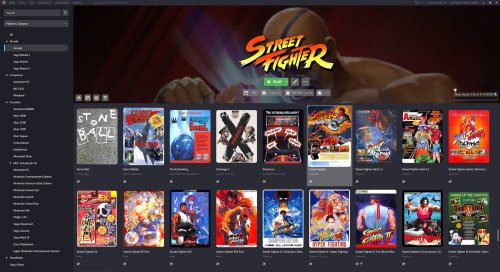 Sorry to be a pest, but is there any feedback on this? Please let me know if there is something i need to clarify. I just checked another theme and it does happen with other launchbox themes also, so it's not just 'big details'...but I wonder if there is a design choice that could be made at this level that does not cause that conflict.
 -
I know it's working now, after it broke cuz of windows updates that was a big enough window for me to say 'ok f*ck this, I'm going to give this launchbox thing a try'..... I tried to keep the setups separate, but with launchboxes requirements of automated way of doing things, I just went all in on launchbox and it's configurations...a year later I'm still in process of transitioning my stuff over so i can completely archive hyperspin and rlauncher. The setup...comparatively has been quicker, most of the work i've had to do in Launchbox is more just customizations and artwork gap fillings, rather then 'why doesn't this damn module launch my game!?'...so that's been nice... overall I feel i've gained ground faster with launchbox....launchbox has a few shortcomings and they are REALLY big ones...but thankfully there are only a few. There were some growing pains, but on the upside, I've been able to consolidate from using 29 different emulators down to only 13 + a bunch of standalone setups that must remain local. After using launchbox for 6-ish months, I circled back to start hyperspin again and i have to say that after not looking at my hyperspin setup and setting things up in launchbox, visually things are night and day difference. I had many artworks that weren't the correct size that I just got used to looking at that way...things are much cleaner in launchbox. I like the idea of having a centralized database to sync artwork assets, but the subjective bureaucracy on 'what is proper and what is not' I can do without. My emulators are more static in nature these days, meaning i don't have things changing and moving around all the time via scripting so it means less things break and it's more 'set it and forget it' now...so that's nice. HS 2 is a f*cking joke. I would have been more open minded if they didn't tell an entire community of contributors over the years 'f*ck you, this is what we're doing, like it or not, leave.'....that's really messed up. It felt more like an attack than progress, honestly. And your last statement is VERY consistent with that....they want to monetize it, they just aren't saying it outloud yet. and that's not fair to a lot of people who helped build this stuff.... the same could be said for all these platforms though... but that one hit the hardest for me because I had been lurking and contributing since 2010-ish.
-
I panicked for a moment after reading this. I literally just switched from Hyperspin to launchbox and have been setting it up for the past year... I don't have the mental fortitude to withstand switching again...that said, I checked out an AIO setup guide for neo station....meh...underwhelming. It's a different flavor of the same shit. All of these different dev teams are competing against each other and it seems like they all suffer from the same problem....automation where they shouldn't be or things are juuuuust broken enough to keep a community together and keep them talking, but not well functioning enough to set it and forget it. The cycle for neostation will be this... New shiney update. a big push for development and features. Some weak level of standardization Modifications and tweaks from the community Additional features that end up breaking the platform instead of enhancing it fizzle to abandonment Move on to the next shiny thing. In my personal opinion a better approach would be to have front end dev teams and back end dev teams and those teams develop their platform in such a way to make the front ends interchangeable....like a semi switching a trailer. I would be more willing to change front end software and it's ultimately less development work, That way, I'm just setting up a new front end to bolt on to my existing assets and configurations...rather than starting from scratch with my assets and structuring things under that flavor of requirements under a different brand...to do that every few months or years is just exhausting when you have a behemoth setup like i do. . No thanks, not for me. The more and more of these emu frontends come out, the more i see a risk of paywalls in weird places. Launchbox has an introductory paywall and I'm fine with that, that makes sense... But I can foresee people starting to capitalize on syncing for assets and artworks with the way these platforms are being designed....that's going to be a sad day for a lot of people. I value just a solid working platform customized to my exact specifications and just prefer to leave it at that. The only reason that I jumped ship on hyperspin is because the community began sucking, HS1 broke, HS2 was horribly under developed when first launching and decisions were being made that i can already anticipate will run into costs for users...and not small costs, any concerns were ignored...that's not how a healthy community functions, especially from people who have been long-time contributors. Anyway, I won't be chasing neo station at this point time.
-
Just made a contra evolution bezel real quick. Thought it looked cool and was worth a share. if anyone wants it. Use the reshade pack to apply it.
- 1 reply
-
- 1
-

-
Pause-Menu Music Player
Shredder_guitar commented on JoeViking245's file in Third-party Apps and Plugins
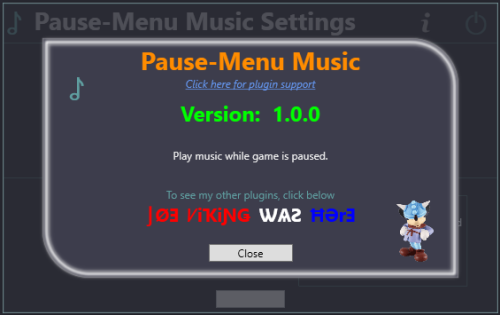 Circling back, no complaints from my POV. Nice job.
 -
This is my first draft...and 1st attempt at making an animated bezel for my favorite tiger electronics game Batman. Thought i would show it off here. This took an entire day to figure out and was a complete pain. I'm about 60% pleased with it, the d-pad still needs some thinking to look better otherwise, I'm pretty stoked about it *additional note* I' have been trying to update the d-pad on this to get a more realistic rocking effect without destroying the original art... I have been messing with the liquify tool in photoshop....i have been having a lot of trouble getting this right and reached a point of frustration with it... If any of you photoshop guru's out there have any tips or suggestions, I would greatly appriciate it... I am not formally trained in any way with photoshop, more or less just clicking on buttons and figuring stuff out as i go. *update* I made some modifications to the original design and I think it came out a bit better this time to capture the d-pad rocking effect...not perfect. but doesn't look broken either. I think this one is share worthy. I hope to do more of these, but they're pretty difficult to do. *update* 2/5/2026 As I was doing a few of these i noticed some real sloppiness on the displays so I addressed that and then circled back to correct all the ones I have already done and also added a slight glass tint to each bezel for consistency. Apologies to anyone that has downloaded these before that, the display has been improved now. Additionally, I have just finished The Addams Family below and have a somewhat better process for making these now. tbatman.ziptbttf.ziptaddams.ziptgoldeye.ziptaltbeast.ziptapollo13.ziptbatfor.ziptbatmana.ziptgargnf.ziptddragon.zip
-
LaunchBox for Windows 13.25 Released!
Shredder_guitar replied to AstroBob's topic in News and Updates
Wasn't that simple in my case, but thank you. I am back to working state at this point for the moment...some work has been undone...but about 90% back to where i was. -
LaunchBox for Windows 13.25 Released!
Shredder_guitar replied to AstroBob's topic in News and Updates
I was waiting to say anything, but yeah, This update presented some issues for me and it has been a complete nightmare to roll back. I had to do a fresh install of 13.24 and quickly shut off updates and also copy files from a known working build to get it opperable again while also setting back some work I've done since. -
This is the only theme i prefer to use, but is it possible to add another placeholder for platform boxart that displays as the default background in the main window? Or an alternative have the banner placeholder display as the background instead? The issue I'm running into is that when this is placed as 'Fanart' it overrides the default background of the startup screen...the behavior is fine otherwise, but it's that one little thing. I've messed with the priorities and a few other settings a bit, but doesn't seem to make a difference. If there is a better way to avoid that conflict, please let me know. Or perhaps 'Default Box Art" is more appropriate? Example screenshots This is fine. What is displaying when set as fanart... What should display...
-
Another update to this Project. Some turned out better than others. I try my best. They are a real pain to put together, but man do they look good when they're done. I am not professionally trained, I've always done this for fun...now full time (against my will) Shredder Pause.zip The installation of this theme is now a bit nuanced due to the architecture of playlists and platforms, mostly when it comes to arcade Systems. A few things to note.... To display proper fonts, In the included 'Fonts' Folder, simply highlight all of the fonts, right-click and select 'Install' This download includes a 'ThemeConverter.dll' that needs to be placed in '[Launchbox_root folder]\Plugins' Again, all pause menus include the capability to play music, If you have the pause-menu music player plugin Playlists do not include system specs because they just don't exist, so no point in including them. System History Marquee speed is determined by the amount of text in the system history notes...usually 1-2 paragraphs is a comfortable speed. Which is most systems that i have... If the speed whips too fast, it's because there is a lot of text in the notes. The Unique name of Capcom Play System II and III MUST BE NAMED CPS2, and CPS3 On each game in a playlist a Custom Field of 'ThemeGroup' must be added with the corresponding System name. I.E. for AAE, the custom field would be ThemeGroup = AAE Capcom Classics would be ThemeGroup = Capcom Classics Capcom Play System would be ThemeGroup = Capcom Play System Capcom Play System II would be ThemeGroup = CPS2 Capcom Play System III would be Themegroup = CPS3 This is due to fuzzy matching to better make things unique and searchable, the ThemeGroup field determines what notes will be displayed on the playlist, For Capcom Classics, use whatever you prefer, (Capcom Classics notes or CPS notes) Full system List of included pause menus System list.txt New System Examples: I don't remember where I got The Arcade System Themed Machines, but they look awesome, Thank you to whomever made those. I think that covers everything for now. Enjoy and Let me know if you have any questions.
-
I gathered a bunch of info for this VG pocket thing that is included with mame... I don't know where/how what i got it..but it's in the romset and displays in arcade...so I submitted it for arcade because that's where it would be scraped. And it seems to pose some questions...and ultimately rejections and I searched quite a while gathering info for this thing...mildly infuriating. I've had this happen a few times before with other things and I've just let it go and stopped contributing stuff for a while, but this one has pushed me to the point of asking how to push back on this. Apparently NOT ...all fine and dandy...
-
TeknoParrot Default Unified Theme
Shredder_guitar replied to Shredder_guitar's topic in Platform Media
I couldn't find one for Tiger Electronics either. Tiger Electronics.zip
-
I can't seem to figure out how to upload to the downloads section so, here's a teknoparrot default theme for the unified theme. Enjoy Teknoparrot Default menu.zip
- 1 reply
-
- 1
-

-
Felt this was worth a share, I made an AHK script that will bypass the annoying 'Click here to play' screen. Install Instructions This MUST go in .\Launchbox\Scripts folder. Unzip the file in this location After the game has been imported into launchbox, navigate to Additional Apps and Add an application Make sure it has these settings. hope this helps someone. Enjoy. Abobo's Big Adventure Startup Script.zip
-
Perhaps this exists already and I don't know it, but would kinda like to see this be an effort at some point in time. ...with better photos that create more of a orbit effect.
-
Thanks for sharing, I don't see any of the ones I made. Feel free to add them...probably not the n64 box cuz i would agree that it's barely passable, but the xbox one I think is pretty good. We can make a collab pack out of it. *update* ok, After I grabbed the remaster pack I see more of the boxes now, thank you. yeah that n64 one is shit in comparison...i try...but I'm self taught by just clicking on buttons, but the Xbox image i made I think is better. Can you do Atari Jaguar CD?
-
Here's the front of a N64 box that I restored, Honestly, I think someone more talented than me could do a better job, but sharing here anyway in case it's useful to anyone.
-
Hi All - I re-created the Original Xbox box and thought I would share, here are a few different versions depending on your taste, I tried to stay true to the original boxart. I use this as a 'Fanart' for the console. Might do more if i can't find good versions already. Art only Title Original Box
-
Pause-Menu Music Player
Shredder_guitar commented on JoeViking245's file in Third-party Apps and Plugins
Tried this version, unpaused and paused a few times, and then just let it play. seems to still work ok after 4 tracks. I would consider this functioning as expected at this point. Nice work and thank you for updating it. I'll give you a mention on my pause menu. I'll circle back if I run into anything odd. -
Pause-Menu Music Player
Shredder_guitar commented on JoeViking245's file in Third-party Apps and Plugins
log 2026-01-11 20-25-39.txtlog 2026-01-11 21-13-22.txt Castlevania - Symphony of the Night (USA).m3u Here you go, note, full path has been partially redacted, else the rest of the file has been unaltered.


