
SrfrBoyBobby
-
Posts
112 -
Joined
-
Last visited
Content Type
Profiles
Forums
Articles
Downloads
Gallery
Blogs
Everything posted by SrfrBoyBobby
-
Red - that’s pretty cool. I have been using an Elgato Pedal. I set it up as key strokes and use it as additional pedal inputs for when the adults play. I’m worried the really young ones will not be able to play due to usb port and potential breakage. It’s built really well but not analogue inputs. Also works great for time crisis and time crisis 5
-
I waited to buy mine until it was a single software launch for two players. This works well. The recoils weren’t too bad now. Maybe it was a problem before. I followed a few YouTube setup videos with very little problem. Where it took more tinkering was the swapping of recoil styles for different games. The community made sinden profiler which does this. It took a minute to figure out the cmd stuff in the additional app section in LB but now I know it so it’s easy. Also figuring out how to keep the sinden software in the background with boot up / first launch / re launch took a second too but I can help if you go down that road. Sorry to hear you you can enjoy the cabinet right now but your other projects sound pretty interesting too. I hope you can check out the wii / steam thing and the light guns. Game On!
-
Thanks! 5 year build after work and on the weekends. Also about the time it took for the manual setup of the mame callouts and color… I was able to get through about 100 games a day once a figured out the color scheme and how to have continuity in the colors and callouts.
-
My buttons are the groovy gamer version with micro leaf switches but I still had a similar problem. The placement of the zip ties on the harness (how close to the switch) tends to make a big difference on mine switches. I also added zip ties on mine in places to hold the switches in position. Also it won’t match symmetry but you can try rotating the button to change the wiring harness tension. I’m glad you found our Run-On / Multi-Thread post helpfull. It has been a great place for inspiration and a great community too! Best of luck and Game On!

-
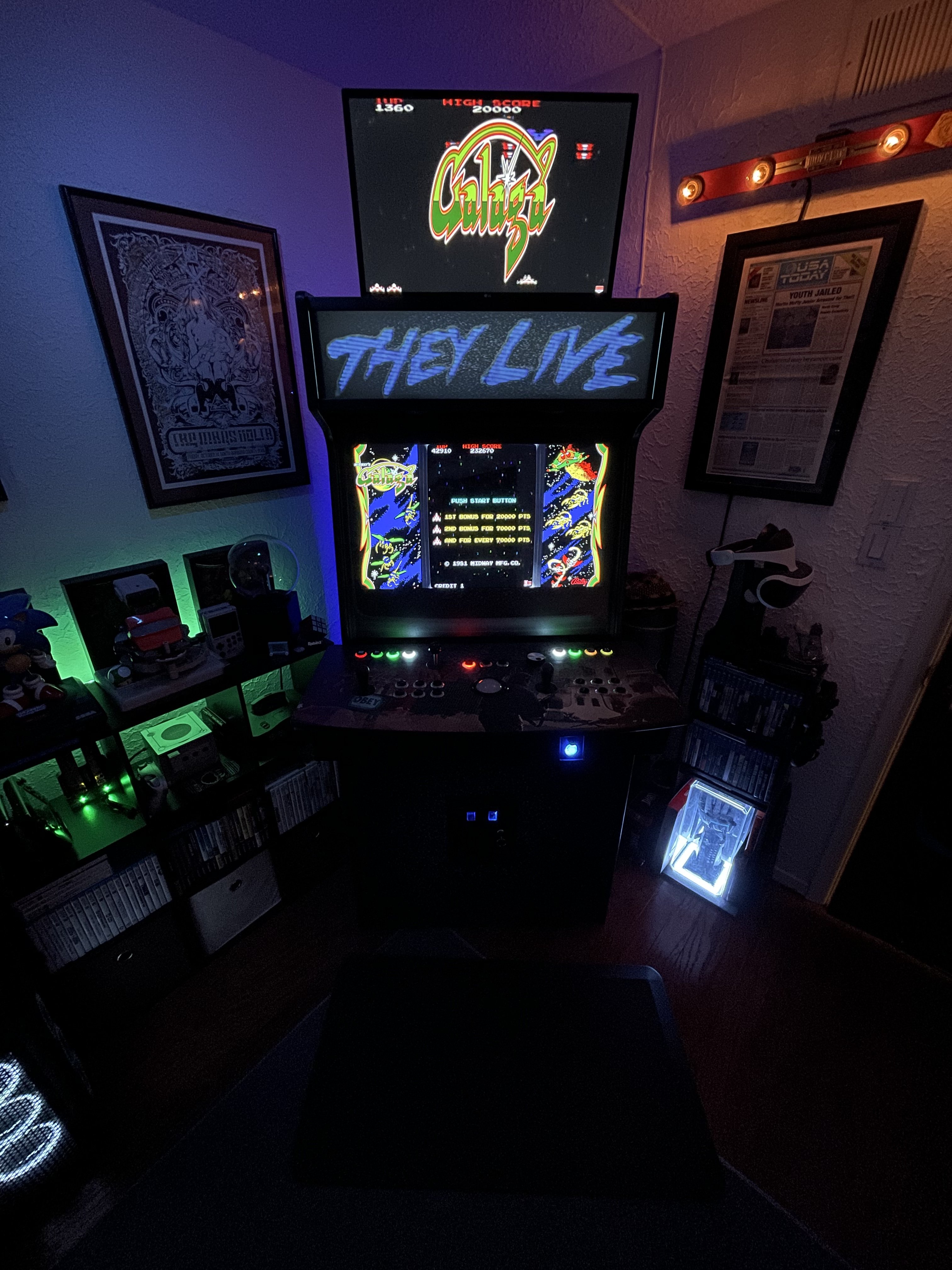
Hey Red! Things are good. Work is crazy but still adding on to the arcade. Got some Sinden light guns and 3d printed some custom holster adapters plates and a community designed stock attachment. I also figured out why my dolphin bar for Wii wouldn’t work so been busy adding that stuff. Btw - the dolphin bar will not work if steam is launched… wrote an ahk script to kill it but trying to figure out a clean relaunch behind the scenes. Want to be seamless to the user. I got steam to launch silent and stop stealing focus “most” of the time but still needs more testing. I’m been lurking hard for awhile due to schedule but I have seen a good amount of your posted marquees. Looking good! Hope the family is well. *included a picture of the new black light rug I bought. I love it!
-
There are a good collection of games setup in these files but I went through and manually created my entire mame collection by hand. I based the callouts and colors off of the photos, cpo art and manuals. I also was able to create a color theme for the frontend controls continuity (exit, reset and pause) Edit: Forgot to mention another method is to check out rocketblinky I didn’t try it but it is suppose to be some sort of automatic setup for ledblinky
-
 Thanks for the script. Will try it and see how that goes. The tips are great, and I have gone through that check list with no change with Luigi. Quite a few of the TP games use very specific resolutions but most of them I can get going. I just have to learn to accept the ones that don't - lol
 -
Thanks I’ll check that out. Star Wars battle pod was giving me some issues where it kept popping out of maximized (F11). Next issue I have is Luigis Mansion runs full screen no matter what I do. The windowed option makes no difference and I have mucked around in the config files in LM with no results. Maybe this script will do it. Thanks!
-
I worked out a solution the works for me. I use Lossless Scaler (Steam) to prevent my playfield from changing resolution and shifting my marquee window out of view, but this does not work with all windows. To help with this I found and edited some scripts. I have to run TeknoParrot as Admin to get Mario Kart DX to work properly. Due to this, I have to set the Lossless Scaler setting to run as admin (in app, not windows settings) and I added a part to launch the script to launch as admin as well. This seems to work but it's a work around. It waits 40sec then send the default scale hotkeys in Lossless. Whatever window that is on top after 40sec. will be forced scaled full screen. You can adjust the Sleep time to work for you needs or for individual games if you make game specific ahk copies. I found the 40sec. sleep works for most of my games. Hope this solve your problems for now until a native fix is available. Also, you need to set the game in TeknoParrot to run windowed for this to work properly. Hope this Helps! let me know how it goes. b *Edit - Set Lossless to Launch at startup and minimize Scale Force.7z
-
I don’t have a solution but maybe my troubleshooting can help find a solution. I am currently trying to fix this issue on my cabinet as well. From what I can tell the resolution of the Teknoparrot games is what is breaking my marquee location and shifting it offscreen or to my third monitor. A lot of Teknoparrot games change my resolution of my playfield screen to match the games native resolution and in turn that shifts all of my open windows around, split screens, etc. This also sometimes flips my playfield to my marquee position after I exit the game as it resets back to my preferred res (2560x1440). I have been able to work around this in the past with Lossless Scaler but little to no success with Teknoparrot. Tekno sometimes launches secondary windows besides the main *.exe. ( I.e. Chaos Code is game.exe but look at the task manger and it opens a secondary app and the window title is something like ???•???) I can only get lossless to work if the *.exe matches the window name… I think. I have also tried boardless gaming and internet scaler with no success.
-
I’m not infront of my cabinet right now but I can point you in a direction. Ledblinky can be anywhere on your pc. You have to point the two programs to each other. I’m not sure if you are familiar with Ledblinky but this is a good series of videos to help setup ledblinky and I believe he shows how to choose your frontend within Ledblinky. You will probably have to go into your tools /setup in launchbox to point to Ledblinky as well. hope this helps. I will check back in on this thread after I get home tonight.
-
Ledblinky won't load with Launchbox since 12.9 update
SrfrBoyBobby replied to drakonas84's topic in Troubleshooting
I am not having any issues with Ledblinky. For reference, what version did you update from? I would if you haven’t, verify the paths within launchbox and in ledblinky. Sounds like they are just not communicating. I’m not in front of my cabinet right now to guide you but that’s where I would start. -
Custom Control Panel Art Files for Platforms and Games
SrfrBoyBobby replied to SrfrBoyBobby's topic in Platform Media
Maybe a thread with topic more focused on video marquees. I can make some that maybe don’t have control layouts and included them as time permits. -
Custom Control Panel Art Files for Platforms and Games
SrfrBoyBobby replied to SrfrBoyBobby's topic in Platform Media
Those both look great. I really like the shorter one. I think I’m kinda going to make some specifically for my cabinet as I am still trying to figure out what I want for the video. I might not even put the controls on mine to give me flexibility with button layouts. I’m really like to fiddle with them and feels like I would be redoing them all the time. I appreciate you asking on my cpo art wants. You have given me a lot of new ideas for video marquees and the power of power point. -
Custom Control Panel Art Files for Platforms and Games
SrfrBoyBobby replied to SrfrBoyBobby's topic in Platform Media
These are looking great. I like when the training / in game stuff is included. Sometimes it feels a little long for my taste before returning to the beginning but it also makes sense too. All about your preferences. I tend to lean towards 45sec to 1min Before repeat but not always possible. Short and concise is my way. Here is the game, here are the controls and if you missed it here you go. Maybe on longer videos I might return to a “marquee” or controls panel in between. Like I said tho, this is all personal preference -
Custom Control Panel Art Files for Platforms and Games
SrfrBoyBobby replied to SrfrBoyBobby's topic in Platform Media
The blurry images probably can’t be fixed. There are a few tricks but they are pretty specific and usually provide subpar results. This is usually a image resolution issues (small image in this case). If you can find an image the size you need or larger reduced to what you need it will be clearer/sharp. It’s a lot of work but you could recreate the moves lists…. but it’s a lot of work. -
Custom Control Panel Art Files for Platforms and Games
SrfrBoyBobby replied to SrfrBoyBobby's topic in Platform Media
Looking good. I like the transitions. -
Custom Control Panel Art Files for Platforms and Games
SrfrBoyBobby replied to SrfrBoyBobby's topic in Platform Media
It’s funny how our careers can influence our cabinets. I work in lighting and build a lot of LED fixtures. That’s part of the reason I would respond the way I mentioned. Just though that was a cool tidbit. RedHoodRobin64 you can turn on the “black” color layer and it might give the greyed out look due to the layer being set to overlay. If that doesn’t work maybe change the layer setting to another style as mentioned I. The video. It’s quick and easily repeatable. Another option is set the “black” layer to normal and reduce the opacity. Many ways to approach this but these are the simplest without modifying layers to much. -
Custom Control Panel Art Files for Platforms and Games
SrfrBoyBobby replied to SrfrBoyBobby's topic in Platform Media
Sorry, I’m a bit MIA this weekend but if you double click to the right of the layer name (demo in the previous tips and tricks video) it will pull up the fx tools box and you can check on the drop shadow, outer glow, etc and there is individual options for each of those effects. Hope this points you in the right direction. I would probably add a bit heavier drop shadow and or outer glow to make the clear logo pop more. It’s looking good and the suggestion were spot on from Retro808. Im not as worried about the leds burning out as mentioned because I would just replace it. It would bug me to much but if you built one that didn’t have leds I can see that. Having all the buttons visible whether they are illuminated or not is a good middle ground in my opinion. I also put that wood grain to match your panel but it honestly could be anything if you wanted to change it. It could make things pop in a different way but really it’s what you want to make of it to make your cabinet special. -
Custom Control Panel Art Files for Platforms and Games
SrfrBoyBobby replied to SrfrBoyBobby's topic in Platform Media
I like it but I think I would put something like the flyer artwork or cabinet. With the arcade stuff the art will be kinda hit or miss so maybe ether or…. Also, I think I would put the controls right after the main start slide. Maybe reduce the time before transitioning to the next slide on the first slide. It does look great and I like the use of the clear logo. art flyer example:
-
Custom Control Panel Art Files for Platforms and Games
SrfrBoyBobby replied to SrfrBoyBobby's topic in Platform Media
So glad to hear and hope you never have one again. -
Custom Control Panel Art Files for Platforms and Games
SrfrBoyBobby replied to SrfrBoyBobby's topic in Platform Media
I hadn’t thought about using obs for that. I was trying to figure out which route to go. I think the video marquee collection I linked had power point files in it like you were mentioning using. I might mess with that. I used to edit but I was using Avid nitrous system through my old job and unfortunately don’t have access anymore. A lot of people use Adobe premier the last I checked. Really tho I like the cheesy power point transitions and it might be enough to edit with. I feel it really captures the 90’s vibe. That’s kinda my golden era of running around in the arcades. -
Custom Control Panel Art Files for Platforms and Games
SrfrBoyBobby replied to SrfrBoyBobby's topic in Platform Media
No problem, I’m glad I could help. Can’t wait to see your concepts and I hope the video will help give you the footing to make any adjustments you need to the file. I had a lot of family health stuff come up about 5 years ago and we are still fighting through things but I see the light. I use my arcade to “tune out” and focus on different things. A community like launchbox has really help me and I like to contribute to maybe help others. -
Custom Control Panel Art Files for Platforms and Games
SrfrBoyBobby replied to SrfrBoyBobby's topic in Platform Media
youtube link if you don't want to download the tips and trick video -
Custom Control Panel Art Files for Platforms and Games
SrfrBoyBobby replied to SrfrBoyBobby's topic in Platform Media
Here is a single side button layout. I also included a tips and tricks video. I fumbled around a bit in the video but nothing was scripted so... it is what it is. I hope it helps and I think it should give you a good base to modify this file for your needs. CPO art single.psd 2022-03-01 10-38-18.mkv






