

BDeRbDaMaStA
-
Posts
26 -
Joined
-
Last visited


BDeRbDaMaStA's Achievements

8-Bit Processor (3/7)
9
Reputation
-
Custom Badges
BDeRbDaMaStA replied to jayjay's topic in Third-Party Applications and Plugins (Development and Beta Testing)
Thanks for the prompt response JoeViking245! I did see you mention the Nostalgic Platform Badges, but was completed ignored that lol. Thanks again! That solved the issue! -
Custom Badges
BDeRbDaMaStA replied to jayjay's topic in Third-Party Applications and Plugins (Development and Beta Testing)
Badge stop showing up as soon as I installed 13.21. I installed 13.22 but it did not return. It seems as if whatever was changed in 13.21 conflicts with the .dll or images somehow -
Custom Badges
BDeRbDaMaStA replied to jayjay's topic in Third-Party Applications and Plugins (Development and Beta Testing)
Hello All, It seems as in Launchbox Version 13.26, new LB Custom Badges created are no longer being read/visible. For example, I created a custom badge named "test" for a new set of games. I utilized the custom fields for the badge, and although I can select the badge under ->Badges -> Plugin Badges, the icon doesn't show, similar to what user Cineaste stated above. I followed the steps to what Mod JoeViking245 recommended above, by moving the png to the Images -> Badges folder as well, no success. What's bizarre is that I created a few badges back in 2025 and they still work to this day in 13.26. What I decided to do was install an older version of Launchbox (13.20) and as soon as Launchbox loaded, it immediately loaded the "test" badge as well as all the other badges, with no issues I reinstalled 13.26 and, once again, the badge did not load I have created multiple instances, with different names, no success. Is anyone available to assist or is this a known bug with 13.26? I am going to attempt installing 13.20 -13.26 to see if that makes it "stick" -
Theme Videos and Video Snaps for Sony Playstation 4
BDeRbDaMaStA commented on Suhrvivor's file in Sony Playstation 4
 Honestly, not sure. I think I really meant if you could just continue with the themes for the currently platforms. Especially the Windows themes. All of them are excellent.
 -
Theme Videos and Video Snaps for Sony Playstation 4
BDeRbDaMaStA commented on Suhrvivor's file in Sony Playstation 4
Excellent Quality as always! We need more of different platforms please! -
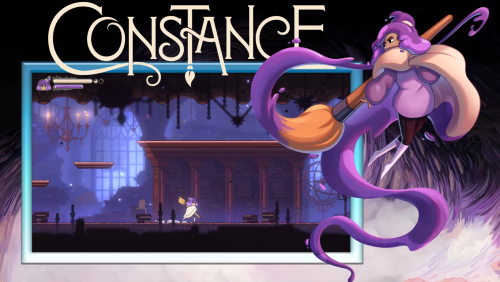 Awesome work! Please keep them coming!
 -
Hello, I am still receiving this message after multiple attempts at login and resetting and relaunching Launchbox. Any ideas? I just force updated the database with 4 games I added yesterday and that was successful, so I don't believe its a gateway issue.

-
[Video Snap] Family Games: Pen & Paper Edition! (Sony PSP)
BDeRbDaMaStA commented on Mr. Shizzy's file in Windows
 Sound Good! Keep up the great Work!
 -
[Video Snap] Family Games: Pen & Paper Edition! (Sony PSP)
BDeRbDaMaStA commented on Mr. Shizzy's file in Windows
Hey Mr. Shizzy. Nice video but I'd recommend maybe upscaling the videos for BigBox/Launchbox to at least 1080p. Also, this is the Windows Forum. There is a dedicated PSP section where you might get more viewership: https://forums.launchbox-app.com/files/category/191-sony-psp/ -
Sync Play time for Storefront Game Launchers
BDeRbDaMaStA replied to BDeRbDaMaStA's topic in Features
Hello All, Please see the feedback link below: https://feedback.launchbox.gg/p/sync-play-time-for-storefront-game-launchers -
Sync Play time for Storefront Game Launchers
BDeRbDaMaStA replied to BDeRbDaMaStA's topic in Features
Will do Thanks! -
Sync Play time for Storefront Game Launchers
BDeRbDaMaStA replied to BDeRbDaMaStA's topic in Features
Thanks for the response C-Beats Looking forward to a possible iteration of this. -
Hello Lunchbox Staff, I wanted to inquire about the possibility of adding an automatic playtime sync option for other storefronts. I know this was introduced for Steam back on update 12.5 and has worked really well. For someone like me who has multiple devices with Launchbox installed such as an ROG Ally and PC, it would be great to be able to sync my playtime across all devices. Unfortunately, the cloud option currently in place is a hit or miss. It could be potentially due to the fact, I have a lot of games along with a ton of emulation. Is it possible to add this feature in a future update? Each of these storefronts have the game play time statistic available on their launcher. This would be a really cool add!
-
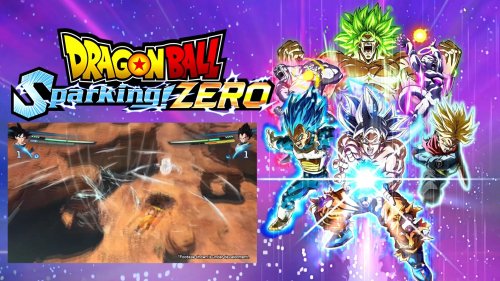 Great Work! Excellent Theme video. Please keep them coming!
 -
Hello AstroBob, Any updates to this issue? It looks like this bug followed into 13.19 as well.




