
Mr. RetroLust
-
Posts
5,971 -
Joined
-
Last visited
-
Days Won
647
Content Type
Profiles
Forums
Articles
Downloads
Gallery
Blogs
Everything posted by Mr. RetroLust
-

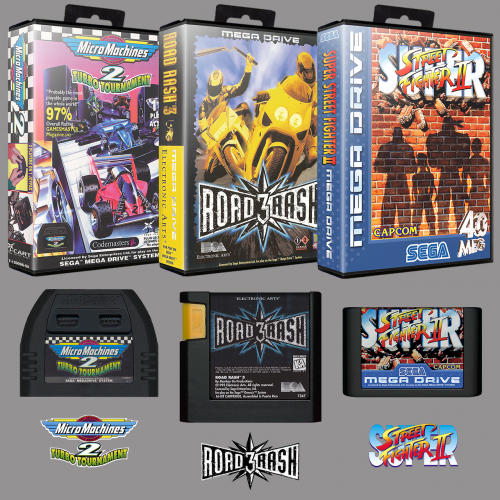 Loving these @Robin55! Thanks so much for all your hard work man (I'm now finally able to adding the megadrive/genesis to my collection)
 -
 Released Just now Version 2.2 Added "Teenage Mutant Ninja Turtles: Turtles in Time" box as it was named to the european Hero turtles instead of Ninja in the packs. Added previously missing Konami's 'The Main Event', two versions. Boxes have been uploaded to the database as well.
 -
Glad you like, if you like would you like to share your work as well?
-
Yep insane is what it takes lol
-
I wanted to do this as well but as far as people informed me there is no automatic way of doing this.
-
I like the Stones
-
Just finished uploading and replacing all 3D boxes to the database, added loads missing flyers, artwork and logo's, added color corrected flyers, added missing games to the database, corrected info etc. I think in total an amount of 5500 images added/replaced. So you might want to scrape your mame/arcade collection in 2 days from now (database mods will be finished by then).
-
Moderator Guidelines and Contributor Rules
Mr. RetroLust replied to Jason Carr's topic in News and Updates
Phew, I just finally finished uploading and replacing all 3D boxes, added loads missing flyers, artwork and logo's, added color corrected flyers, added missing games to the database, corrected info etc. I think in total an amount of 5500 images added/replaced. @Jason Carr Maybe you like to feature it for a next release so people know there's loads of new images to be scraped for arcade/mame if you like. Now I'll be taking a week rest before continuing the arcade cabinet 2.0 project. -
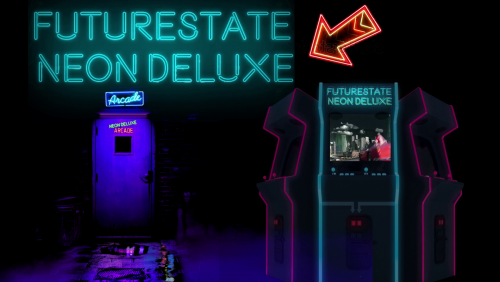 Beautiful work of art! Merci mon frère! ?
 -
Holy cow, that is an amazing room and cabinet/tables you've got! Cheers!
-
Atm I have a wired hori fighting commander as controller 1 and a wireless 8bitodo SF30 pro as controller 2. I turned off usb energy saving in windows energy settings so the controllers wont disconnect on their own, the SF30 pro has it's own energy saving function anyhow. They haven't been re-arranged like this, although I can't say for sure when you've got two wireless controllers. Windows re-arranged controllers in the past for me after updates when I had 2 wired controllers, but I have good hope the energy saving setting does the trick now.
-
Oh hell yes bro, still very happy with it and its the king of the castle for sure! But in the back of my head I still dream of that dual stick hori fighter commander concept The SF30 pro fullfills the analog stick needs.
-
Bizarre bro, have you tried different usb ports and such? If you are stuck maybe a message to the retroarch team could help you further? Yep I started out with the Logitechs, they are decent but not as good as the other controllers. The Xbox One controller is a matter of personal taste I think, I think I might give it another try before selling it. Wireless is great for comfort I guess, you dont have to worry pulling whatever its attached to off a surface lol
-
Yeah they dont feel as strong as the ps3 controller usb connectors
-
Ps If you also have the logos I can do that for you as well if you like, i'll leave the company logo process to you then.
-
@Reevesad If you have prepared all fronts/flyers you can send it to me and I can automate the process for you and send them back again
-
I uploaded a new version (not part ii) not to long ago, see: https://gamesdb.launchbox-app.com/games/images/33547
-
Moderator Guidelines and Contributor Rules
Mr. RetroLust replied to Jason Carr's topic in News and Updates
And thank you for moderating brother! Your question did provoke a thought for me though; When I upload a flyer with for example german text I will (if I dont forget) mark it as german, even though the game itself doesnt have to be german so it can be a bit unclear indeed. The whole arcade section can be a bit confusing, I saw someone reject a box for Astro Boy (if I remember the name right) as it had Wily Tower as a title on the front and spine but in fact it was one of many different region names so the box was for the correct entry. Most confusing one is Bomberman, bomberman in japan, dynablaster in europe and atomic punk in the US. I just hope the mods will trust my homework lol -
Moderator Guidelines and Contributor Rules
Mr. RetroLust replied to Jason Carr's topic in News and Updates
I have the same sad feeling and the knowledge now how much work has gone into it, but didn't want to be seen as a softy about it lol They will still be available through Emumovies, so all work is not lost and still a choice to be have -
Moderator Guidelines and Contributor Rules
Mr. RetroLust replied to Jason Carr's topic in News and Updates
Hey pal! Thanks for the tips, I am hesitant to use the plugin as I saw too many duplicate images or mistakes that where made with it, on the other hand I haven't tried it myself yet, do you need to use the plugin with a complete library of the games in your launchbox or can you use it directly with a folder of images and the website database? I also have missing flyers and other artwork to upload. I have deleted the complete mame list I had as I thought I wouldn't have to use it anymore lol so I only have my own collection left which is a trimmed collection so not sure I can use the plugin. The way I do it now is really secure as I see now that the names of the database entries are quite different from the image filenames many times as well, needing human brain to sort them instead of Ai/plugin/script so to speak, though it will take me quite some time to do it this way. Is that possible @Jason Carr to remove his boxes or would you also delete any other image in the 3D box category that way? I don't mind overwriting the boxes from now on, if the moderators are ok with it though. Thanks again for everything @Robin55! -
Moderator Guidelines and Contributor Rules
Mr. RetroLust replied to Jason Carr's topic in News and Updates
Glad you like them bro Got 5.099 images left to manually upload lol it's an insane hobby we have. When there are multiple images for one category and/or region they will simply have a -01 and -02 etc. behind the image filename when scraped to your pc, launchbox/bigbox then randomizes the images to show. -
Thanks bro, glad you like





