.gif.20c4d005b01c741f3bf3b5434f81f526.gif)

PadeMoNiuM Prods
-
Posts
275 -
Joined
-
Last visited







Recent Profile Visitors
8,163 profile views


PadeMoNiuM Prods's Achievements

32-Bit GPU (5/7)
226
Reputation
-
How do you get rid of those annoying folders in LaunchBox? Have you ever wondered about that?☝️😅 In the Images folder, a lot of folders keep appearing. You can delete them, you can even uncheck them in the options, but they keep coming back anyway. The thing is, LaunchBox has a bit of an archivist obsession: it automatically recreates the standard image folders whenever it needs them. As soon as a game is scanned, a theme checks for media, or a scraper looks for a specific image type, LaunchBox recreates the missing folders inside LaunchBox\Images. The result is simple: you delete them, and a few minutes later they reappear. Pretty annoying. But there are three things to understand. First, unchecking media types in the options does not prevent the folders from being created. That option only prevents media from being downloaded. LaunchBox still keeps the folder structure ready just in case. Second, some themes or Big Box views can trigger the recreation. If a view looks for something like Steam Banner or Background, LaunchBox will recreate the folder to check whether images exist there. Third, the most effective solution is often to simply leave the folders but hide them. There are two easy ways to do this. Right-click the folder, open Properties, and set it as Hidden. The folders will still exist, but you won’t see them anymore. Another option is to place a small .gitkeep or .ignore file to keep things visually clean. Many LaunchBox theme creators do this because fighting the automatic recreation of folders is almost impossible. The only way to really limit the proliferation is to check two places. In Options → Media, disable everything related to Steam, Fanart, and similar media sources. And in Options → Scrape / Metadata, disable any providers you don’t actually use. Even then, LaunchBox will still keep its basic image folder structure. From a software design perspective, the logic is actually quite interesting. The program prefers to recreate an empty folder rather than risk breaking a view or a media load. It’s a very “digital museum” philosophy. The structure always exists, even if the display case is empty. I hope this helps you understand why it happens.😉
-
Theme Videos and Video Snaps for Sony Playstation 4
PadeMoNiuM Prods commented on Suhrvivor's file in Sony Playstation 4
 Still top quality as always. You’re really great with element placement. Everything feels super cohesive, and that consistency shows across all your themes. Great job, man !
 -
Big Box Theme Templates to Spark More Creativity?
PadeMoNiuM Prods replied to drtechnolust's topic in Big Box Custom Themes
Sorry about that, I completely forgot /my bad😅 . I was looking through the website files here. Which view is this exactly? I think I’ll send you a few screenshots to explain.Could you send me some screenshots of the elements you want to change? Just circle them roughly in Paint or something. Then I’ll explain how to do it. I’ll also send you a few screenshots on my side it’ll be much easier, because explaining it only in text might make some of the details unclear. -
Big Box Theme Templates to Spark More Creativity?
PadeMoNiuM Prods replied to drtechnolust's topic in Big Box Custom Themes
Alright, I’ll take a look at it during the day. The easiest thing will probably be for me to just send you the animation directly. I’m not sure yet how I’ll send it, but I’ll find a way. I’ll simply send you the animation, you’ll just have to copy and paste it, and then you can set the timing however you want. I’ll show you how to do it. -
Arcade playlist ( Oldies )
PadeMoNiuM Prods commented on PadeMoNiuM Prods's file in Platform Theme Videos
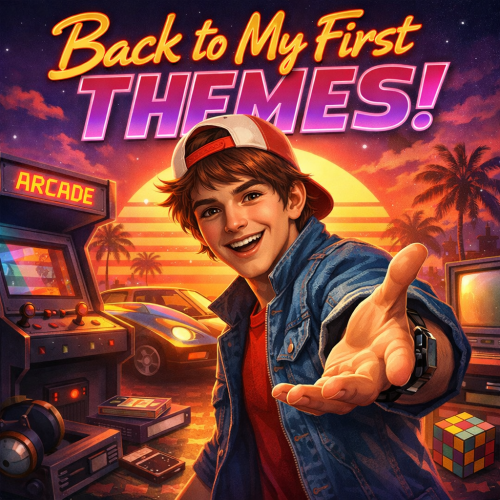 Thank you man, that’s really kind of you. But be careful not to compliment me too much, it wakes up the trolls, lol. Just kidding. It’s the kind of sentence that reminds you of something simple but profound: on the internet, creations live much longer than we imagine. A theme posted ten years ago can still end up in someone’s hands today, spark an idea, a vocation, or simply the desire to tinker with a frontend. In retro communities, it’s even more true. Projects circulate, get remixed, inspire other setups and other interfaces… and after a while you don’t even know who inspired who anymore. It’s a bit like an old cartridge being passed around between friends and ending up in ten different houses.So yeah, it’s just a comment, but it made me want to share a couple more.I’m posting two more themes. I’m a bit embarrassed because some of them haven’t aged very well . they’re about ten years old after all. But if a few of you enjoy them, then that’s great. It also shows the very beginning of my work and creations. I started exactly like many of you I didn’t really know what I was doing back then. It was a lot of tinkering: editing, layering things together, green screens, basic compositing… nothing very professional at all.So it definitely doesn’t represent my current skills, but honestly I don’t mind sharing it. At least it shows where it all started. I’m not going to pretend my early work didn’t exist. Launch themes are pretty rare anyway. There aren’t that many around. Back then I really enjoyed making them. It was pure imagination — I was just letting my creativity run wild.
 -
Big Box Theme Templates to Spark More Creativity?
PadeMoNiuM Prods replied to drtechnolust's topic in Big Box Custom Themes
Just a small heads-up: be a bit careful when mentioning ChatGPT or AI publicly. I used it recently for a tiny thing (a 3-second intro and a couple of images ) and I got heavily bashed on Reddit about two weeks ago.I wasn’t even on Reddit before that. I actually had to create an account because things were going way too far. Some of the comments were really aggressive. There’s a pretty big backlash around the topic.Now that I’m there it’s fine though, people are mostly cool. Apparently it was mainly some a another frontend guys who jumped in at the time. But yeah… sometimes people forget this is video games at the end of the day. We’re supposed to be building cool stuff and having fun with it. 😅 There was actually a long debate about AI after that, which was pretty interesting to read. A bit dense and messy at times, but genuinely interesting. I’d recommend checking it out if you’re curious.What makes me smile a bit though is that I’m pretty sure that in a year or two, most of the people who are shouting the loudest about it now will end up using AI themselves. It’s almost inevitable — at some point you kind of have to adapt. The project I mentioned earlier with the templates is here if you want to take a look. Feel free to check it out. There’s even the beginning of a small tutorial.It’s in French though ( it wasn’t originally meant to be posted publicly, but one of my contributors shared it anyway. 😅)If it can help someone, that’s great. Let me know what you think. Originally, the idea was to recreate the HFSBox from the HFS Play forum. That was the starting point. Back then it was an incredibly well-configured Hyperspin build. On the forum it was basically the holy grail. You had to contribute to get access to it.We were pretty nostalgic about that box and wanted to recreate something similar — kind of a hybrid between Hyperspin and LaunchBox. In the end it never really got finished. I was extremely busy on my side, and my contributor eventually lost motivation. It was simply too much work for him, and at the same time I already had a lot of other projects going on.So the project kind of stayed there, unfinished. If there’s interest, I’ll try to recover the CTC files and post them here as well. https://www.youtube.com/@tributebox1911 -
Big Box Theme Templates to Spark More Creativity?
PadeMoNiuM Prods replied to drtechnolust's topic in Big Box Custom Themes
In Big Box themes, this kind of slowdown usually comes from three places in the XAML: – BeginTime in a Storyboard – Duration in a DoubleAnimation or OpacityAnimation – or a Delay / Binding linked to IsSelected or IsGameSelected. If you want, you can also send it to me on Discord as an attached file. If you have the CTC version of the view, I can tweak it in about three minutes and send it back to you. By the way, how did your little journey go? Did it help you with your views? -
Version 1.0.0
29 downloads
Ready for the ride? Let me take you back to that 80s / early 2000s retrogaming vibe, when every theme felt like a playground and everything was still waiting to be discovered. These themes won’t necessarily be for everyone. Some have a very distinctive style, sometimes a bit wild. But I’m sharing them exactly as they are, without any retouching, because that’s where everything began. These are the first steps of a journey that would later grow into much bigger projects. And honestly… with all the gloomy news we keep hearing these days, a little nostalgic escape can’t hurt. So come along. Let’s rewind the cassette, switch the arcade machines back on… and revisit the very first steps of this adventure. And who knows… you might already spot, in these early themes, the first seeds of what would eventually become my custom big box Nostalgic Bedroom. 🎮✨ _________ I’ve made a lot… and I mean a lot of these over the years. Give me a little time to properly archive everything, and I’ll put together a massive zip pack for you. Something that really brings the thunder. SNK Classics.mp4 Thème OLDIES SEGA MODEL 3 By Pademonium.mp4 -
Arcade playlist ( Oldies ) View File Ready for the ride? Let me take you back to that 80s / early 2000s retrogaming vibe, when every theme felt like a playground and everything was still waiting to be discovered. These themes won’t necessarily be for everyone. Some have a very distinctive style, sometimes a bit wild. But I’m sharing them exactly as they are, without any retouching, because that’s where everything began. These are the first steps of a journey that would later grow into much bigger projects. And honestly… with all the gloomy news we keep hearing these days, a little nostalgic escape can’t hurt. So come along. Let’s rewind the cassette, switch the arcade machines back on… and revisit the very first steps of this adventure. And who knows… you might already spot, in these early themes, the first seeds of what would eventually become my custom big box Nostalgic Bedroom. 🎮✨ _________ I’ve made a lot… and I mean a lot of these over the years. Give me a little time to properly archive everything, and I’ll put together a massive zip pack for you. Something that really brings the thunder. SNK Classics.mp4 Thème OLDIES SEGA MODEL 3 By Pademonium.mp4 Submitter PadeMoNiuM Prods Submitted 03/03/2026 Category Platform Theme Videos
-
Big Box Theme Templates to Spark More Creativity?
PadeMoNiuM Prods replied to drtechnolust's topic in Big Box Custom Themes
I really can’t recommend enough that you take some time to browse the forums. There are resources everywhere, especially when it comes to animations. Sometimes they’re very simple, but incredibly useful. And if one day you feel like creating something a bit more unique, you can always build your own animations. It does take time. You have to code them and experiment. But honestly, with AI today, it’s not nearly as complicated as it used to be. Over time, I’ve built myself a small animation library just by picking things up here and there, from friends and from shared themes. If people share their work, it’s meant to be reused. That’s the whole point. Faeran made a lot of “standard” themes for a reason. They’re there for creators to dig into, learn from, and build on. They were made for us. So don’t hesitate to explore them. They’re a huge help. Y2guru also occasionally releases small theme concepts, proof-of-concept builds with tons of interesting animations. Those require a slightly higher skill level to really understand and adapt, but what he shares are absolute gems. You’ll find unique animations and genuinely complex mechanics in there. For example, the Netflix theme served as the foundation for Kingslayer’s new CoverFlow. He built his own vision on top of it, of course, but the original structure, the skeleton, came from there. A few years ago, together with another contributor, we started working on a template theme. We never really continued developing it due to a lack of participants, but I could bring it back. I believe we still have the files. If you’re interested, I can post it here. -
Version 1.0.0
36 downloads
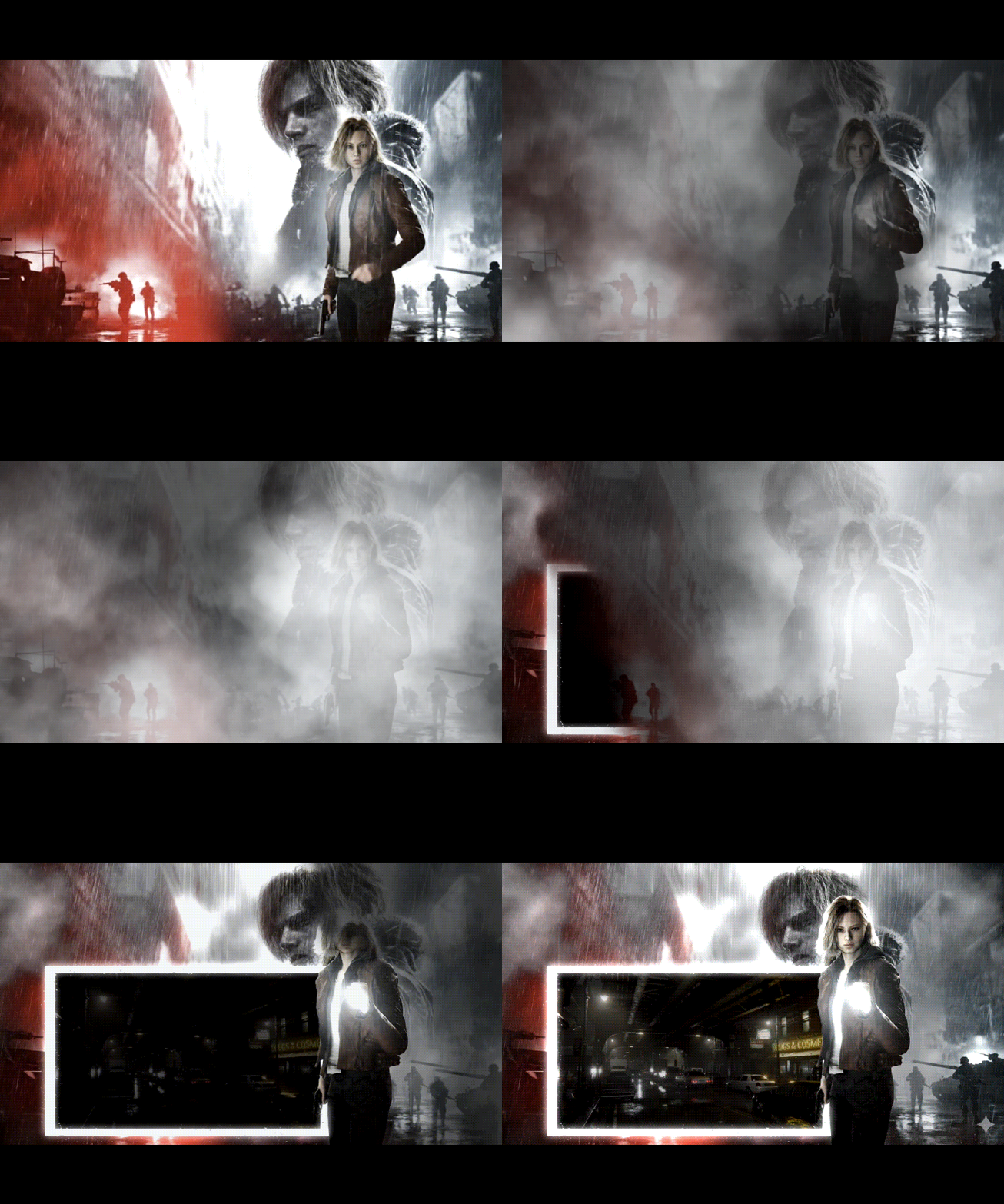
Hi everyone, Quick heads-up: there are a lot of spoilers circulating online right now, some of them revealing very late-game content. Please be careful if you’re browsing videos, thumbnails or social media. As for the theme itself, I kept it cinematic but subtle: short rewind-style intro, smooth morph transition back to the present, dynamic cuts to enhance tension, and layered environmental animation (rain, particles, night lighting, subtle character movement). Nothing too revealing just atmosphere. The theme runs for 2 minutes 29, which is basically the trailer’s timing. I know that might feel a bit long for some of you, but don’t worry I won’t be offended if you don’t watch it all the way through every time you launch the game 😉 Hope you enjoy it. RE9-1.mp4 -
This might be a silly question, but have you tried cropping all your banners so they are exactly the same size, and then reassigning them? Even if all the images look identical visually, Big Box can sometimes keep using old dimension data stored elsewhere (cache / metadata). Typical result: 90% of the banners display correctly 10% appear smaller even though the files themselves are identical In that case, it’s no longer really a layout or theme issue, but more of a cache or “ghost dimensions” problem inside Big Box. Things to try: Crop all banners to the exact same resolution Clean / regenerate the image cache Reassign the banners for one or two affected games to see if it fixes the issue Surprisingly, this is often the cause… even though it sounds too simple to be true 😉
-
A specific sound triggered only when you select a particular game, natively? No: or LaunchBox/BigBox doesn't provide any triggers for individual game audio. At least, not in a clean, declarative, or documented way. Personally, in years of tinkering, I've never seen or used this kind of mechanic. What is possible (and proven): Sounds per system PlayStation, SNES, Mega Drive, etc. Navigation sounds, start, select, back, move Perfect for recreating a "historical" identity (PS1, PS2, etc.) Sounds per playlist/collection Widely used Ideal for setting the mood for a franchise (Castlevania, Zelda, Metroid, etc.) Now that's solid. Clean. Well-executed. What you imagine (sound per game) Here, we're going beyond the usual approach. It's unusual, but not completely impossible… provided you cheat cleverly 😏 Option 1 Use video (the most realistic) You create a theme video for the game You add sound at the very beginning of the video The sound plays automatically when the video starts or Option 2 Integrating sound directly into the view Technically possible But again: not conditional not contextual not customizable per game without creating multiple specific views And that quickly becomes a complex system.😶😅
-
One more thing I know a lot of people don’t work the way I do. I’ve always had a slightly different workflow. Personally, I integrate everything directly into the background, because my backgrounds are animated. I include the sound logic inside the video itself. In other words, I plan and script the different sound events during editing, and I embed them straight into the video. This way, I don’t need to rely on extra parameters or sound triggers in Big Box. To keep it simple: the sound file is already part of the background video. All sound events are handled there, as part of the global montage. Of course, many people don’t work like this and that’s totally fine. But for me, it’s cleaner, more controlled, and honestly much simpler in the long run. Less setup, fewer dependencies, full creative control.:)
-
Adding sound packs is very simple. Get your sound pack (back, move, start, select, etc.). Go to the Themes folder in LaunchBox. Open your theme’s folder. Then open the Sounds folder inside the theme. Simply drop your sound pack there. Make sure you double-check the spelling of your files. It has to be exactly correct — for your music folder, for your sound folder, everything. Names must match perfectly. For example, in my Soul Calibur Collection, the spelling is identical to what’s set in LaunchBox. You must respect that, otherwise it won’t be detected. One wrong letter, one missing character, even a single capital letter off — and it’s dead. It won’t work. So: Correct folder Correct file names Proper naming like back, select, move, and optionally start if you want to add one Quick example: on my recent Soul Calibur Collection, I added the Dreamcast sound. Result? It fits perfectly and sounds amazing. 🎮✨ SOUL.mp4 Precision here isn’t optional it’s the difference between “why doesn’t it work?” and “wow, this feels official.” If everything is named properly and placed in the right folder, there’s no issue — it works flawlessly. In your case, the path looks like this: LetterHdd:\Launchbox\Themes\Name of your custom theme\Sounds I also copy it directly into the folder. That way I’m sure the sound will always be there, because it can happen that sound packs get overwritten or disappear during updates. So don’t hesitate to integrate it as well if you’re doing a bit of development in Community Theme Creator — put it directly in the Sounds folder. It’s a simple precaution, but it avoids surprises later on. Then, regarding the possibilities available to developers — for people using the site here — you can add a sound, choose exactly when it plays, and define at which moment it’s triggered. That’s all part of the settings. You can mute a sound or keep it active, use background music or simple sound effects, and even re-parameterize a sound so it plays at a very specific moment. Basically, you can do a lot of things — there are plenty of possibilities. The system supports MP3 and WAV files. You simply add your sound to your media during creation, directly through the site here. But to really go further and unlock those capabilities, you need to use the site itself — that’s where the more advanced development options live.


