.gif.20c4d005b01c741f3bf3b5434f81f526.gif)

PadeMoNiuM Prods
-
Posts
275 -
Joined
-
Last visited
Content Type
Profiles
Forums
Articles
Downloads
Gallery
Blogs
Everything posted by PadeMoNiuM Prods
-
Hey everyone! I've been thinking for a while about creating animated wallpapers for LaunchBox themes, but I’m hitting a roadblock—I can’t seem to make the background completely transparent. Even after disabling colorization and turning off all the fixed background options, there’s still some kind of color showing... Is there any way to make it fully transparent so it blends right into my desktop wallpaper? If that’s possible, it could open the door to all sorts of crazy creations! Sure, it might eat up a bit of resources, but for those who can handle it, it would be seriously awesome. Thanks in advance for your help!
-
Version 1.0.0
40 downloads
FR Version : -
 @gibbagabbagoondeed! An updated version of this theme would be sweet. Cheers, my friend! Yep I always told myself that unconsciously I had taken a bit of City Hunter in the beginning of a production which was called Cyber Runner: I never finished it but really want to try as soon as I have a moment! some screens:
-
I've used it for a long time, and it's also simple and highly customizable! The source files (ctc) aren't available, but if you're a bit familiar with HTML, it shouldn't be a problem! But it's clearly the custom theme on big box that made me want to do some customization. I could redo the view in question in a short time, but I'd have to redo the entire theme (perhaps an alternative version one day): I'd love to Glad to have been of some help to you!
-
Ah, City Hunter! Nostalgia! very good theme ! clear arcade logo too (that is, your main arcade wheel! It looks great when it's a neon-like logo, but it's less suitable when it's a silver hyperpin-like one! In any case, I think you'll find it in the image platform categories =arcade==clear logo
-
I'll allow myself to answer as I use the ctc almost every day ^^ Hello Rob You can do almost anything with the ctc now for a year y2guru has added shaders for screen positioning and you can use them to deform the wheels! Today we are at the video wheel and in gif so the positioning of the wheels that you wanted is quite easy to reproduce .
-
Version 1.0.0
28 downloads
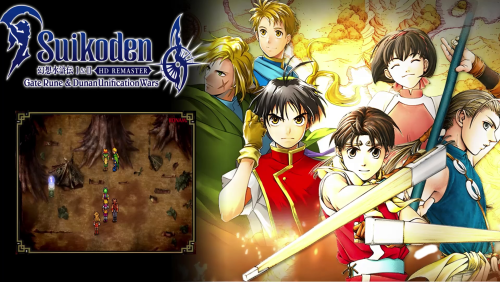
Friends of the good old school RPG?! this theme is dedicated to you! All my sharing : For Follow my news or Support : For Follow me : https://www.deviantart.com/pademonium https://www.patreon.com/padcinematic_prod https://www.youtube.com/channel/UC_XcPcxBIY7OEvePbsbDCIg?view_as=subscriber For curiosity or follow all my projects : -
BigBox platform view theme question
PadeMoNiuM Prods replied to Fursphere's topic in Big Box Custom Themes
The backgrounds are defined by default in the folder of the same name, you have to use the metadata so that it makes a match, it will go and look for them either by known platform name or by metadata. If you can't find the folder or background in the drop-down list, it could be a refresh, at worst you cheat and put the backgrounds in a folder that it finds and that you are sure you will never use (for example, it only finds the banner folder but not background = put everything in banner) And you don't feel guilty! The source files, if they are made available, are precisely to help you shape your interfaces as you wish! So you didn't steal, you copied -
BigBox platform view theme question
PadeMoNiuM Prods replied to Fursphere's topic in Big Box Custom Themes
There you go, I'm warning you, it's done quickly like a pig , you'll have to do a bit of cleaning and rezize , this is just to show you that it's possible, so your view is in platformview 1 and when you don't have a platform video assigned,( in launchbox) it shows you random videos of your games (I think that's what you wanted), it's up to you to play now.:) You can find the ctc source files of unified redux on the forum, they are available Desktop 2025.03.06 - 23.13.09.01.mp4 -
BigBox platform view theme question
PadeMoNiuM Prods replied to Fursphere's topic in Big Box Custom Themes
It's absolutely possible! Basically, you can set your system to start on any view by selecting the desired startup view in the settings of Big Box. However, it also depends on how your folder structure is organized! Some people prefer to launch by system category, while others go with playlists. I believe you can also start directly with your platforms, and more recently, there's the option to use the new discovery/trending menus. So, there are quite a few choices! 😆 But if I understand correctly, based on your screenshots, and assuming you’ve chosen to launch by categories first (like I do), you can set which view you land on at startup. You’d just need to modify the "Platform Vertical 1" view, for example. I can do it for you if you want—it would only take me about 3 minutes! That way, you can test it out. -
Try "minis théme" of Retrosai or Flat of exodus_ cl It's very minimalist, no frills, simple and coherent. Perfect for you
-
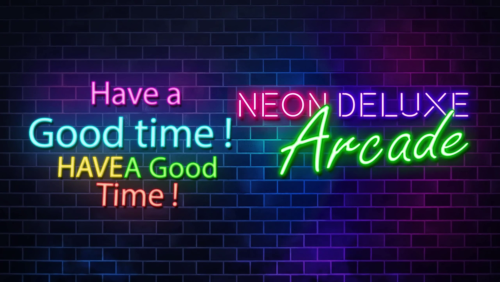 "It's the first time someone has pointed it out to me, but thanks for letting me know! This intro is easily five years old, and it has been used a lot here and on YouTube, yet this is the first time anyone has mentioned it! I don't think I'll fix it—I would have to find the template, and after so many years, I have no idea where I put it. And finding an old template after five years… it's like looking for a game cartridge buried at the bottom of a forgotten drawer. 😅 But now I know there's a little typo! I might redo a version someday, just for fun!"
 -
Version 1.0.0
157 downloads
In passing and in a flash, here’s a little refresh for a startup that gives you a boost! 😊 For the awesome custom theme of @Mr. RetroLust -
Start UP Neon Arcade Remade View File In passing and in a flash, here’s a little refresh for a startup that gives you a boost! 😊 Submitter Pademonium bac Submitted 03/05/2025 Category Startup Videos
-
 It's clean, simple, and you can feel the passion behind it! You must be a huge fan. 😄 I loved the saga, even though I think they got stuck in their own storyline (thanks, Tetsuya!). Here’s my collection running on my custom setup: three game views and a prelaunch! I haven’t had much time to develop it further, but in the future, I think I’ll take it a bit further. If any of the elements interest you, feel free to let me know, and I’ll send them your way. Cheers
 -
Hello guys! A little brief just to tell you that I asked the Emu Vr community to model the console taken from my super disc theme and it didn't take long! Here it is already almost operational For those who would like to get started in a "media" project, do not hesitate to ask me, the author of the original blender very kindly sent me everything. For those who missed it, the theme is here:
-
Need help loading Play! emulator through Launchbox
PadeMoNiuM Prods replied to Jayinem's topic in Troubleshooting
Yes I understand the sound of the small coins falling: it's priceless!😎 -
Need help loading Play! emulator through Launchbox
PadeMoNiuM Prods replied to Jayinem's topic in Troubleshooting
It's also one of the only arcade systems that I've covered entirely via game themes and icons and 2 intros -
Need help loading Play! emulator through Launchbox
PadeMoNiuM Prods replied to Jayinem's topic in Troubleshooting
-
Need help loading Play! emulator through Launchbox
PadeMoNiuM Prods replied to Jayinem's topic in Troubleshooting
Thanks for the recommendations! As I said in a previous post, I’m not too picky about this. I created a playlist, and I’d even say I went a step further to save space (purists will probably say it’s unacceptable!😅). I integrated the PS2 version into the paths, and apart from the title screen—where we’re supposed to insert a coin, but nothing happens—I find it a bit ridiculous to include an arcade version alongside a PS2 version, given that the differences are relatively minor (at least to me). I did the same for Teknoparrot,( since almost all Tekno titles were released on PS3). This avoids long setup processes. It’s just a little trick, but I completely understand why some people prefer the arcade version! By the way, I have an interesting anecdote! The arcade version of SoulCalibur 3 was actually ported by a fan to emulators, which makes me think that some people might share my perspective. -
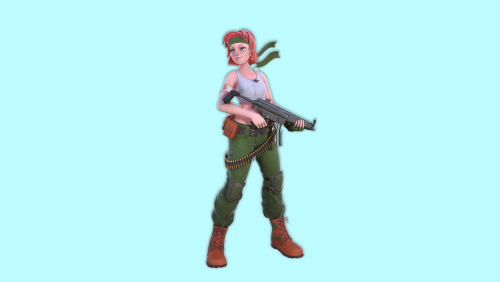 Hello! Classy and simple, completely in the spirit! Tell me, do you want a hand so I can animate them for you?
 -
My works :Past, present and future!
PadeMoNiuM Prods replied to PadeMoNiuM Prods's topic in Big Box Custom Themes
Music / sound design / Fx & image: When all these elements match together and in concert even though you didn't even do it on purpose, I think we can say that it's successful?! 😛




.jpeg.5f9aecf0ba353cec533e6f5c11db7b58.jpeg)


.jpg.e93bc424e5896b4846b08ef11b0fbac4.jpg)


