

kobaturtle
-
Posts
85 -
Joined
-
Last visited
3 Followers



kobaturtle's Achievements

32-Bit GPU (5/7)
78
Reputation
-
+1 on the WTF fast on the exit or switch between Launchbox and Bigbox! Congratz, this was an annoying one for a long time! Also, I just noticed a weird behavior with 3D rendered boxes, (not sure if it was in previous beta), using default theme in Bigbox with a view supposed to render 3D boxes, some works when other just stick to the 2D box image. It happens on different games even under the same platform. I didn't notice any config difference.
-
No more performance issue with Beta3! Thanks! - minor issue : in Launchbox, navigating in game grid, right click - Configure Layout menu, when changing item height (section override), it doesn't stick after a Launchbox restart. Also, until Beta1, in Launchbox default theme, there was a nice glow/glass effect when hovering or selecting a game. Not there anymore, because of the new game grid?
-
Thanks for the feedback! That's what betas are here for, right? I'll speak for myself, take all the time you need to cook a good beta3! And again, this new game grid looks promising.
-
Minor bug : In Launchbox new beta, it doesn't keep changes in Configure layout/changing Item height (section overide). After restarting Launchbox, values goes back to 1.00. Other values from Configure layout menu stick correctly. Going back to beta1 as I still experience huge freeze/performance issues when navigating between games and systems, same behavior detailed by other users aleady. New game grid seems promising though. Good luck with optimization!
-
post updated. let me know if you need anything (log, etc...)
-
Same, Navigating in Launchbox is slower. When selecting a game, it can take up to 5 seconds to udapte right panel. When switching from a system to another, every few seconds, images do not load instantly and takes around 5 sec to load. FYI, Launchbox running on an SSD drive. It was very responsive until last beta with a 15kish game library
-
Same issue. I ran udpate manually from update folder then it worked
-
@faeran same "losing focus" issue with beta 3 which prevent typing a title name, using default theme
-
Video control is a great new feature! Thanks! Since new Beta, I lost the ability to type/navigate/find a game name directly from keyboard input in launchbox main menu. Until now, typing letters was easy way to navigate through game titles
-
Hi @yontala did you manage to fix your issue? Same problem here. Thx!
-
Progress status is a nice addition guys! Thanks! I added active / Beaten assuming Beaten is reaching end credits without full complete. Would it make sense to add it in default list? This to keep games in active list until being completed. Then added image in White - Outline/progress folder : But I have wrong badge description when Hovering the badge in default theme : Is it a bug, or am I missing something?

-
Try LaunchBox\Images\Media Packs\Platform Icons\Legacy Conversion Icon Pack\Playlists
-
New Hybrid view is a nice! Thanks! Also, do you plan to add specific 'in progress' and 'beaten' badges?
-
Colorful 88 video collection set - 4K
kobaturtle commented on kobaturtle's file in Playlist Theme Videos
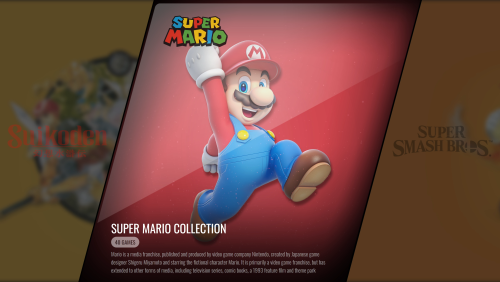 @faeran told me it was ok to share when ready so I'll create a theme zip attached here later today. I don't think it deserve a dedicated theme as it is only a custom view and platform images
 -
Colorful 88 video collection set - 4K View File Set of 88 4k Colorful video collection @me if you need a specific collection video Preview using tweaked VisioN Theme from @faeran: Collection Preview with tweaked Vision theme.mp4 It switches from static images to platform/playlist Videos. @me if you want the tweaked theme Thanks @viking for the Colorful video set Submitter kobaturtle Submitted 05/14/2025 Category Playlist Theme Videos
-
- 1
-

-
- playlist video
- colorful
- (and 1 more)


