
SrfrBoyBobby
-
Posts
112 -
Joined
-
Last visited
Content Type
Profiles
Forums
Articles
Downloads
Gallery
Blogs
Everything posted by SrfrBoyBobby
-

Custom Control Panel Art Files for Platforms and Games
SrfrBoyBobby replied to SrfrBoyBobby's topic in Platform Media
Not really following you on this ledblinky question. I have it all p1 button 1, etc. In Ledblinky. The text in this photoshop file I just put easy to identify place holders as I was unsure of others ui_control setups and button layouts. -
Help booting Gamecube BIOS directly from Launchbox
SrfrBoyBobby replied to Dogbird's topic in Troubleshooting
The only way I can find to do this is add your bios, uncheck skip main menu, while game cube booting hold “A” on controller and the main menu bios will pop up. You might be able to duplicate an game entry to use as an main menu entry in BB/LB and write an ahk or something like that to hold “A” for a bit when you launch the game just long enough to trigger the menu. Personally I would just hold “A” best of luck and Game on! -
Do you happen to have steam running? When using an Xbox controller and steam running I have found there is a controller setting “guide button chord configuration”. I cleared out all of this in steam and I think it resolved it for me. FYI I use my Xbox guide button as my BigBox pause.
-
Thrustmaster wheel unresponsive in bigbox interface.
SrfrBoyBobby replied to matamian's topic in Troubleshooting
Awesome! Great to hear you found a solution. Best of luck and Game on! -
Custom Control Panel Art Files for Platforms and Games
SrfrBoyBobby replied to SrfrBoyBobby's topic in Platform Media
I should be able to help with most of those items. Work for me will be crazy for a few days but I should be able to knock it out this weekend. -
Custom Control Panel Art Files for Platforms and Games
SrfrBoyBobby replied to SrfrBoyBobby's topic in Platform Media
Are you looking for one side? I might be able to help reorganize the file into a template you need. -
Custom Control Panel Art Files for Platforms and Games
SrfrBoyBobby replied to SrfrBoyBobby's topic in Platform Media
I’m away from the arcade for awhile but I can point you in the right direction. I built the original art on in illustrator with measured out guides lines. You can reorganize the groups and layers to make each button more self contained then set your move tool to group instead of layer. This will keep all the elements together. Use guides and snap to functions to help keep consistency and more use the top bar to put in exact coordinates. -
Custom Control Panel Art Files for Platforms and Games
SrfrBoyBobby replied to SrfrBoyBobby's topic in Platform Media
Looks great. For looks I would recommend giving space between cartridge, box art and console. -
Custom Control Panel Art Files for Platforms and Games
SrfrBoyBobby replied to SrfrBoyBobby's topic in Platform Media
https://lifehacker.com/how-to-automate-anything-in-photoshop-30821813/amp here is a link that shows an intro into photoshop automation. Hope this helps -
Custom Control Panel Art Files for Platforms and Games
SrfrBoyBobby replied to SrfrBoyBobby's topic in Platform Media
No problem. The cover art stuff probably wouldn’t be to bad. It’s just a consistency thing so they flow right when you scroll through your playlist. There are batch automation type things you can do with photoshop and other programs to take care of a a lot of repeat tasks in bulk. I’ve fumbled through it before but I am no expert. I think I saw In tge forums a marquee building type thrid party thing. Might work but I’ve never looked into it. -
Custom Control Panel Art Files for Platforms and Games
SrfrBoyBobby replied to SrfrBoyBobby's topic in Platform Media
Here you go. I included a pdf kinda showing the layers visibility I was mentioning. I also have placed here the psd file for the example here too. This should give you a bit of a head start. I also removed the eclipse tops of the buttons to match your control panel better. Adobe Illustrator tend to be better for vector based art but photoshop works too. There are advantages to each and to be honest the best is a combo of both programs. CPO art UMVC3 wood.psd How to change CPO artwork to wood.pdf
-
Custom Control Panel Art Files for Platforms and Games
SrfrBoyBobby replied to SrfrBoyBobby's topic in Platform Media
Turn of the visibility of the Replace me layer and turn on the layer below and it is all in the file. I’m away from the computer but I can share screen shots tonight. -
Custom Control Panel Art Files for Platforms and Games
SrfrBoyBobby replied to SrfrBoyBobby's topic in Platform Media
Sure thing. The font size stuff for the amount of text you want to put will be the biggest thing. I recommend starting with an easy game or platform to get a feel for it then really try a heavy text one to set your template for the rest of the build for continuity. -
Custom Control Panel Art Files for Platforms and Games
SrfrBoyBobby replied to SrfrBoyBobby's topic in Platform Media
Nice! I made everything into groups so if you go to move a button make sure you pay attention to the colors, eclipse caps, extra. The text is not grouped to the button but broken out per button. The text and arrows are all white with fx color overlays and drop shadows. The text sizing, font, locations and all that individuals will have to play with. I can only make a starting point. -
I figured I should start this as its own topic. I setup a lot of groupings to help navigate
-
Custom Control Panel Art Files for Platforms and Games
SrfrBoyBobby posted a topic in Platform Media
Here is some art files to create your own Control Panel images for platforms or games. Every button has different color overlay layers that can be easily turned on and off. There are a few example art overlays in the file. To add your own custom panel art just place a file *.jpg file named "replace me.jpg" in this folder after you unzip it. The current replace me file is an linked image and should automatically place you artwork. You may have to resize this image in the CPO art.psd to properly fit your art. Best of luck and Game On! CPO ART.zip
-
Awesome! I’ll try to throw together the files I made / used to get you a head start when I get back to my cabinet.
-
Got ya. I misinterpreted the comment. There are a lot of different approaches to the artwork and to what programs. I recommend photoshop and illustrator. I also recommend graphic for the ipad. For the first man part you have recreate your control panel. I used graphic for the ipad and I also use an Apple Pencil. It works pretty much the same as Illustrator. Here is my deck art in its raw form Next create a cutout to mask the unwanted parts of the art Build what your buttons and joysticks look like pretty much by stacking circles and adding shadows to define the edges and height changes within this art of the buttons there are several layers. The black caps and joysticks are the top layer. Below that is a color overlay which is a circle of color for each button set to overlay in the layer options. This is where you change the colors of each button. The bottom layer is the rest of the button. Yours probably won’t have the black cap layer. The final part of the control panel art is the text layer after all this it is really moving to photoshop and cutout the cpo / remove the white area and place into your marquee art file. Unfortunately I was unable to link to original art here. I think it was actually created and posted in the forums here as a clear logo template type of art. I will add the link if I locate it . I modified the file to suit my needs and swapped out the art and logos in the layers. I can get into more detail in the future about this last step after the control panels art is complete .
-
I believe you can make the domain name anything
-
Check out this video. and this site to explain domain name a bit more. https://cran.r-project.org/web/packages/CSGo/vignettes/auth.html
-
Hope this will point you in the right direction. I'm glad you started this post too. Been fun chatting way off the original topic.
-
I was asked how I create game specific color layouts and call outs using Ledblinky and LaunchBox. This is my tips and tricks and there may be other ways to achieve the same or better. Comment and share! Sorry for the crunchy audio and bad audio mix while BigBox is running. For some reason the audio got funky when BigBox is running. Probably because the computer was doing 20 things at once. I also noticed the on screen mame setup stuff is a bit hard to read due to adjusting exposures, etc. The audio explains it pretty well. Hope this helps and GAME ON! LedBlinky Custom Layouts Tutorial *Sorry for the really low audio. I thought the mic was clipping but it was BigBox audio recording issue I had mentioned above.
-
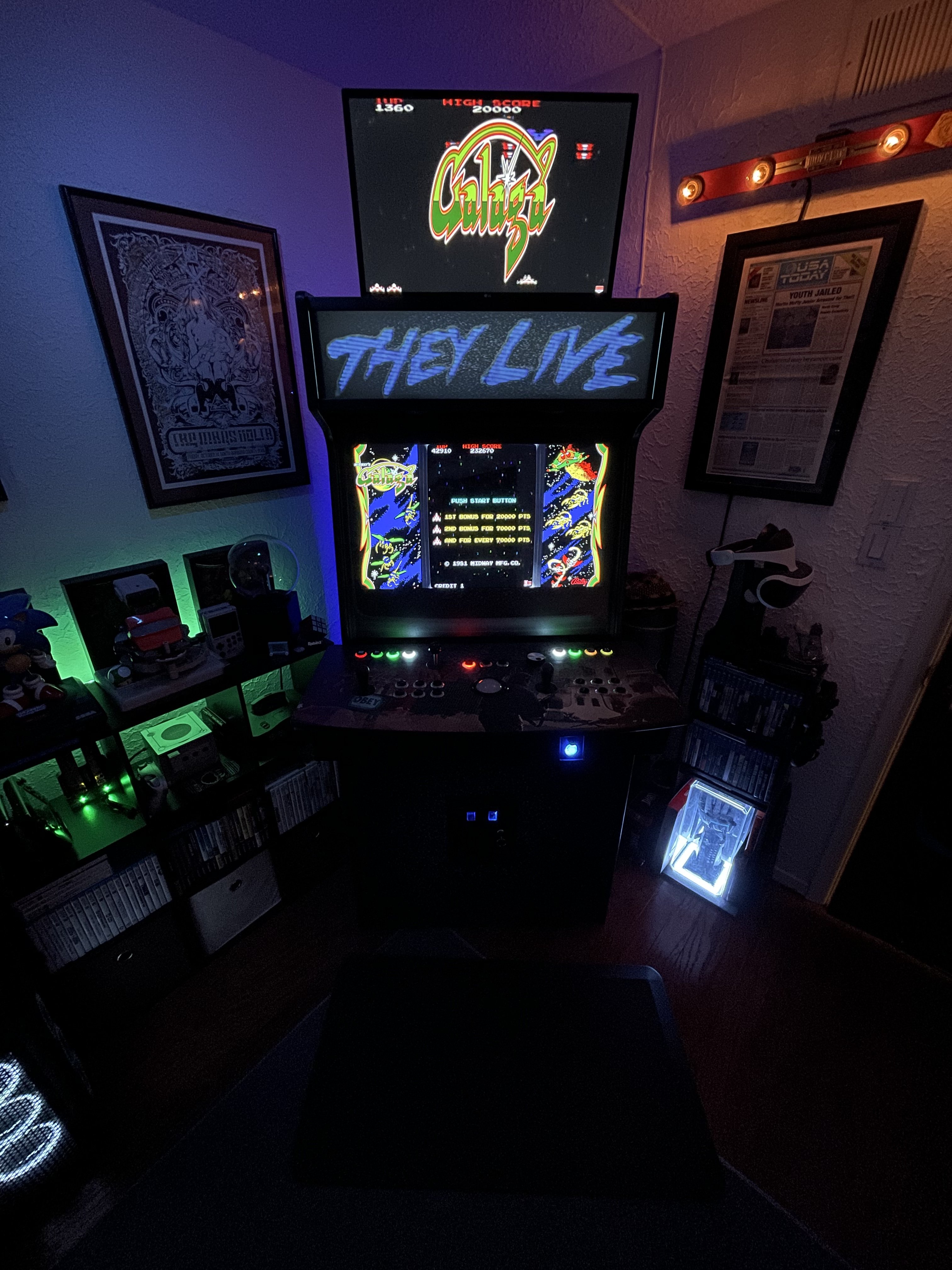
I made custom cpo layouts for my main menu that match the platform default. I modified another’s marquee files here on LB. I might redo them but it was a ton of work. Not perfect And I wish I code demo the ledblinky colors on the main menu for each one as well but it works pretty good. I want pixelcade marquee as well so that’s part of the reason I haven’t modified the marquee as mentioned above. I think the 32” screen marquee will look the best for my setup if I have custom video marquees IMG_6107.MOV
-
I highly recommend the il eurosticks if you love the 90s American arcade feel. The video marquee is really simple. Add the video you want to Launchbox>videos>Arcade (or whatever platform)>Marquee Some of the themes don’t use them so they won’t show on those ones without tweaks etc. Here is a link to a collection of about 500 that are already to go. I think I am going to remove my they live vinyl marquee and replace the whole marquee with a 32” monitor to match my other screen and cabinet width. I’m a bit hesitant as I will probably have to cut into the top of my cabinet which will be a pain….but it will look nice. Once I finalize that decision with the marquee I was going to start making custom video marquees.
-
Demo of the custom layouts. It just looks so good! Now you have inspired me to make a new startup animation. Mine was pretty simple but I also made it 3 years ago. I was just lucky to get any colors out of my buttons then. Now I have the knowledge! IMG_6248.MOV


