
SrfrBoyBobby
-
Posts
111 -
Joined
-
Last visited
Content Type
Profiles
Forums
Articles
Downloads
Gallery
Blogs
Everything posted by SrfrBoyBobby
-
Baby reveal! Lol that’s great and you didn’t start a forest fire like the other baby reveals. I love ledblinky. I made custom profiles for all of my mame games…2800 of them. Took forever but it is gorgeous. I was able to complete about 100games a day so it took too long.
-
Update on Ledblinky ignore game quit commands. As I suspected the game start delay I had caused it to still unload. Now that I set it to 0 it works great. This was something I guess I set years ago and don’t really know why. Thanks for this tip. Quicker to setup stuff and cleaner!
-
This is my first boot of a steam game if I load steam before BigBox starts. Eliminates the prestart for guests which I used to do. I set steam to boot on start of pc and I delay BigBox start by 2 mins. This 2 min wait will change based on your load time of steam startup. The 2mins get me past all those inventory pop ups and steam stealing focus on boot. If it is too short steam steals my focus during my startup video and I can not skip the video but big box does come back in focus. If it is really to short I have to alt-tab to grab focus which I hate to do. IMG_6247.MOV here are my task scheduler settings

-
Your video is exactly what I’m talking about. I have no slow pc issues here. 8.25tb ssds, 32gb ram ddr4, i9-10850k, asus rog 3090. if you start steam before BigBox I don’t get all those steam login in pop ups.
-
Thanks for the follow up. I am using load screens to hide most boot stuff. It’s just the first steam game if I do not start steam before BigBox. The task scheduler gets me around the loss of focus so I’ll stick with that for now. I did like the analog sticks but I found for 99% of the games that it really affects I already use Xbox series x/s controllers PlayStation, n64 and GameCube stuff. I really love my IL eurosticks. Every 90’s arcade cabinet I grew up playing used these exact sticks. Nostalgia is real for me. Lol. My servo stick in the middle helps with 4/8 way games to stand at my center position. It’s a great feeling stick.
-
One question for you, do you start steam when you boot your pc and BigBox? I have had issues with steam loading and stealing focus. I have gotten around it by task scheduler and delaying BigBox for about a minute or two. It works but the startup is a bit longer then I like. I could load steam when you launch the first steam game but this causes the first game go back to the game select wheel, unload ahk for buttons and other things. Then it grabs focus / loads game while you have moved on. That would be fine for me but I think of guests to the cabinet and their patience / understanding.
-
I switched my ipac2 to controller mode and had all sorts of issues with the player two side freaking out and unresponsive after some time. It’s something probably on my pc side as it would fix when I rolled back the pc. I decided to default back to keyboard mode. I will have to mess with the ignore rom quit a bit more. It might be my delay show commands time or something fussing with it. It didn’t seem to work for me in the past but there is an ahk script to reload the layouts I can share but sounds like you have that figured out. I removed my ultra sticks as I was having calibration uses. The sticks would ever so slightly be off center and send false signals. They also became a bit of a problem with joystick order with the way they order recognized would shift around as I restarted my cab because of windows. She. I started building this cab I was using hyperspin and that gave me enough problems so I removed all wildcards until I got everything working smooth. We have gotten a bit off topic but I have enjoyed the tips! Not often I chat with others irl who follow what the heck I am saying and I only recently have started getting into the forums to help others. Mainly I would find answers I needed already there and wouldn’t participate. Great community here.
-
IMG_6246.MOV
-
Wow I never thought of that in ledblinky. I just finished programming my arcade mame games all custom call outs and colors. I might use this technique on my steam fighting games. How are you working around steam/pc game keyboard/co troller limitations (I.e. street fighter v only allows 1 keyboard and a controller or 2 controllers)? I found a program that saved me and made it so easy now. Check out keyboard2Xinput I have sharing the website with everyone because I was looking for this exact type of app for years https://gitlab.com/SchwingSK/Keyboard2Xinput you can make the keyboard be assigned as Xbox controllers. Very flexible and supports up to 4 keyboard Xbox controllers. It broke steam wide open for me and no more problems. I also make “remap” games with with when they don’t let you in game. I also have work around a to get ledblinky working after a steam game launches. They usually don’t hold the profile during the boot up of the game.
-
The bezels are not loaded by launchbox. The bezels are loaded through mame. I would start by checking mame artwork paths. Also verify if the bezel folder name matches the mame rom name. Your launchbox might be loading a different rom then what you have the folder name as like Sfiii bezel and Sfiiiu rom.
-
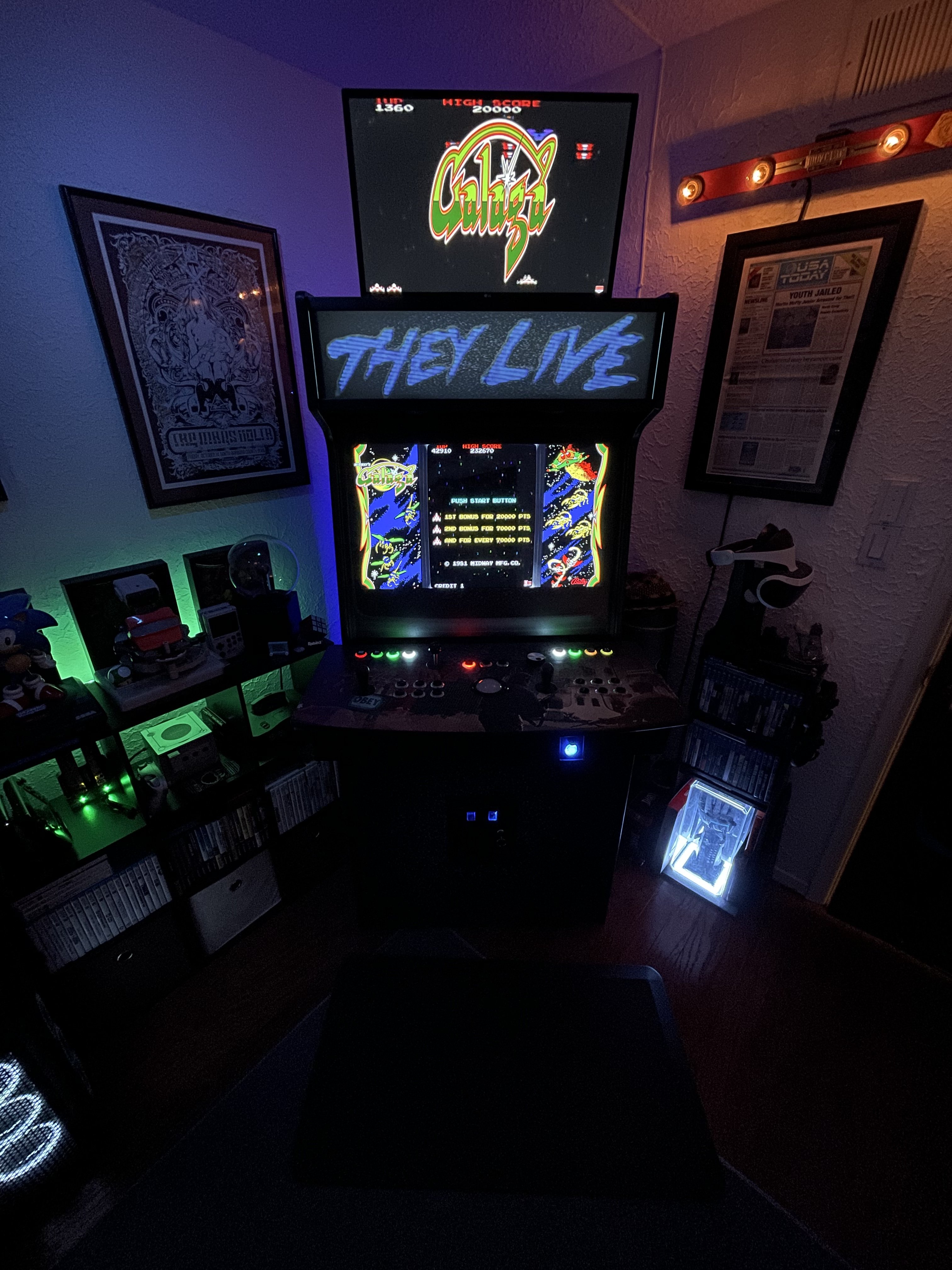
No problem! Love the idea of the separate control panels for the the different players. I use an ipac2 and 2 Pac64led controllers. One led controller per side and may center position is on the left side board. Here is a picture of the cp layout. I have swapped the sticks to IL euro stick which feel like all of my favorite classic American cabinets. The center position has been swapped to a servostick. Best of luck with the pup packs and send a message if you hit a wall.
-

Thrustmaster wheel unresponsive in bigbox interface.
SrfrBoyBobby replied to matamian's topic in Troubleshooting
there maybe other free options but rewasd does work well once you figure out how it functions -
Thrustmaster wheel unresponsive in bigbox interface.
SrfrBoyBobby replied to matamian's topic in Troubleshooting
Unfortunately, I don’t have a thrustmaster wheel to test this but maybe you can use a program like ReWASD https://www.rewasd.com to make the controller be seen as a different device. Per their website “reWASD permits to emulate Xbox 360 or DualShock 4 for any gamepad we support” Check to see if they support the Thrustmaster and you might be able to make the system see it as an Xbox controller when you are on the main menu screens then default back to no applied changes when you launch a game. It’s not the best answer but hopefully it can point you in a direction. -
Wow sorry that screen settings is really bad to read. Maybe this is a little clearer. If not I’ll take a screen capture a bit later.
-
Nice. I like the rotating screen. Is it manual or does it rotate automatically? I love my cab and buttons. They are the eclipse ones from groovygamer. It took a long time but I just completed custom ledblinky colors and callout for all of my mame games. Totally worth it but the cab would have been done years ago if I just choose single color leds As for the pup packs, They were a bit of a pain to get them to behave how I wanted but it is possible. I had to play in the pinup popper pup screen setups and manipulate them. The dmd I messed with one table and the registry stuff as showed in the video for a long time to get the position right. I wrote down all of my coordinates for future me too. I do have problems still with the extra pinup popper windows opening for toppers and stuff opening open top or behind other windows causing focus issues so I turn them off in pin up popper. Here is a grainy video of a pup pack running and a pinup screen settings I have. 66681556634__03A730BA-634C-4CAD-BD54-5A60B37F482D.MOV
-
No problem. The backglass stuff took me a minute to figure out. I found that the screen arrangement in my windows display settings had to be exactly how the video shows and my windows display numbering does not line up with how my computer actually numbers them. I run mine on a temporary monitor until I figure out how I want to handle the marquee. Best of luck!
-
I ran into this same problem and was not able to fix. Also when I launched another steam game after it would have the same issue. It has to do with the Steam hack they used in pfx2. You might be able to write an ahk script to kill the steam background processes the skidrow one starts so when you start the other it clears all of that instead of a reboot. I opted out of the pfx2 because I didn’t want to risk my steam account. I don’t know if it will but it ended up not being worth it to me. I did Visual Pinball X and play it a ton. It was a pain to setup the VPX and a lot of learning on my side. Here is a pretty good install video if you are interested. It uses pinup player but works in LB BB
-
Have you verified that the emulator path is setup properly? Also that ps1 is associated with an emulator? Tools>Manage>Emulators… check the emulator path here and then double click on the emulator > associated platforms. I use Retroarch and below is my settings. Obviously my paths will be different. Hope this helps
-
I was running into a problem where Amazon games I added through the importer would launch the Amazon games app as well. This was fine until you exit the game and the app would be on top of BigBox. I was able to get around this by editing the application path to the game exe directly. This solved my issue but I was wondering if I missed something when I imported these games or if it was just an api thing. Thanks for any feedback and hope this help solve this issue for another.
-
I couldn’t reproduce this issue on my system. I imported forza 5 from my Xbox Game Pass. I did notice there is a login at “Would you like to specify any custom options”. I checked force login in and went through that before I imported. I hope this helps.


