
5thWolf
-
Posts
447 -
Joined
-
Last visited
Content Type
Profiles
Forums
Articles
Downloads
Gallery
Blogs
Everything posted by 5thWolf
-
I just found it.... took a bit. Here it is. In GameDetailsView.xaml Property="VerticalAlignment" Value="Center"
-
Also, where can I edit the background image to instead of showing top most only part of the image, have it be center most part of the image?
-
AD&D - Slayer background View File AD&D - Slayer background Submitter 5thWolf Submitted 06/14/2023 Category Platform Media
-
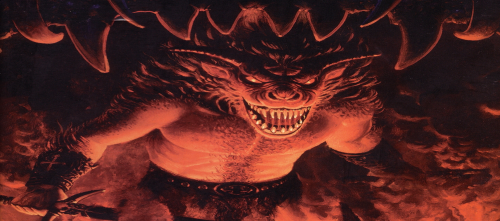
Version 1.0.0
2 downloads
AD&D - Slayer background -
Would you by chance be willing to show me where and what the code line would be? I would be eternally grateful!! 😁
-
Would that be as easy as copying this theme and adding the new lines in? Also, how do I activate the 3D box on the right like other people did? Mine doesn't have it.
-
Is it possible to have the 3d box on the left and video preview on the right?
-
Well I am really glad you said that as for if anything happens I will take a peak at that then shorten. Just don't how I will with the 2 controllers that are the same exact name, # 1 & 2 in my last pic.
-
So I have the Ultimarc lightguns "ATRAK Device #1 & 2" and they work great! However in MAME I noticed they are by default assigned as "Joystick": So my question is, is there a benefit to get MAME to set them "Lightgun" or "Mouse" instead of "Joystick"? Though they seem fine, just want to know if MAME handles them differently if they set as any of the other types.

-
Ok so it definitely was something on the ID, most likely a mistake since the wheel shows up 2 times in USB Device Manager. Maybe I chose the wrong one or something. But..... I did test the copy past from MAME and it worked perfectly!!! It looks like this: <?xml version="1.0"?> <mameconfig version="10"> <system name="default"> <input> <mapdevice device="Logitech G HUB G29 Driving Force Racing Wheel USB product_c24f046d-0000-0000-0000-504944564944 instance_2c2c8660-f0d1-11ed-8013-444553540000" controller="JOYCODE_1" /> </input> </system> </mameconfig> This makes it a million times easier then looking for IDs anywhere else or in Windows!!!!! THANK YOU BOTH!!!!!!!!!!!!!!!!!
-
So I copy/pasted your code and no more crash!! However It didn't seem to change the controller assignment. Going to double check the IDs and report back. Will also try the copy ID through MAME to see if it works.
-
I copy pasted JoeViking's: <?xml version="1.0"?> <mameconfig version=”10”> <system name=”default”> <input> <mapdevice device=”VID_046D&PID_C24F” controller=”JOYCODE_1” /> </input> </system> </mameconfig>
-
Here is the message I get: E:\ARCADES\Arcade\Emulation\MAME>mame -v Attempting load of mame.ini Parsing mame.ini Attempting load of mame.ini Parsing mame.ini Loading translation file language\English\strings.mo Reading translation file: 1 strings, original table at word offset 7, translated table at word offset 9 Loaded 0 translated string from file Starting plugin data... Starting plugin hiscore... Attempting load of mame.ini Parsing mame.ini Attempting load of mame.ini Parsing mame.ini Attempting load of source\empty.ini Attempting load of ___empty.ini Video: Monitor 65592 = "\\.\DISPLAY1" (primary) Video: Monitor 131073 = "\\.\DISPLAY2" Direct3D: Using Direct3D 9 Physical width 3840, height 2160 Direct3D: Initialize Direct3D: Configuring adapter #0 = NVIDIA GeForce GTX 1080 Direct3D: YUV format = RGB Direct3D: Max texture size = 16384x16384 Direct3D: Device created at 3840x2160 Direct3D: Initialize HLSL DirectSound: Primary buffer: 48000 Hz, 16 bits, 2 channels Input: Adding keyboard #1: HID Keyboard Device (device id: \\?\HID#VID_046D&PID_C232#2&1a87f3a8&0&0000#{884b96c3-56ef-11d1-bc8c-00a0c91405dd}) Input: Adding keyboard #2: HID Keyboard Device (device id: \\?\HID#VID_0C45&PID_7603&MI_00#a&289f0fff&0&0000#{884b96c3-56ef-11d1-bc8c-00a0c91405dd}) Input: Adding keyboard #3: HID Keyboard Device (device id: \\?\HID#VID_0C45&PID_7603&MI_01&Col05#a&346236&0&0004#{884b96c3-56ef-11d1-bc8c-00a0c91405dd}) Input: Adding keyboard #4: HID Keyboard Device (device id: \\?\HID#VID_AA55&PID_0101&MI_00#8&514d615&0&0000#{884b96c3-56ef-11d1-bc8c-00a0c91405dd}) Input: Adding keyboard #5: HID Keyboard Device (device id: \\?\HID#VID_0C45&PID_7603&MI_01&Col06#a&346236&0&0005#{884b96c3-56ef-11d1-bc8c-00a0c91405dd}) Input: Adding keyboard #6: HID Keyboard Device (device id: \\?\HID#VID_093A&PID_2533&MI_01&Col02#a&688dfd6&0&0001#{884b96c3-56ef-11d1-bc8c-00a0c91405dd}) Input: Adding keyboard #7: HID Keyboard Device (device id: \\?\HID#VID_0C45&PID_7603&MI_01&Col04#a&346236&0&0003#{884b96c3-56ef-11d1-bc8c-00a0c91405dd}) Input: Adding mouse #1: HID-compliant mouse (device id: \\?\HID#VID_1241&PID_1111#7&389a3010&0&0000#{378de44c-56ef-11d1-bc8c-00a0c91405dd}) Input: Adding mouse #2: HID-compliant mouse (device id: \\?\HID#VID_093A&PID_2533&MI_00#a&3376a5d7&0&0000#{378de44c-56ef-11d1-bc8c-00a0c91405dd}) Input: Adding mouse #3: HID-compliant mouse (device id: \\?\HID#VID_D209&PID_1601&MI_02#8&253a70e3&0&0000#{378de44c-56ef-11d1-bc8c-00a0c91405dd}) Input: Adding mouse #4: HID-compliant mouse (device id: \\?\HID#VID_D209&PID_1602&MI_02#8&389ab7f3&0&0000#{378de44c-56ef-11d1-bc8c-00a0c91405dd}) Input: Adding lightgun #1: HID-compliant mouse (device id: \\?\HID#VID_1241&PID_1111#7&389a3010&0&0000#{378de44c-56ef-11d1-bc8c-00a0c91405dd}) Input: Adding lightgun #2: HID-compliant mouse (device id: \\?\HID#VID_093A&PID_2533&MI_00#a&3376a5d7&0&0000#{378de44c-56ef-11d1-bc8c-00a0c91405dd}) Input: Adding lightgun #3: HID-compliant mouse (device id: \\?\HID#VID_D209&PID_1601&MI_02#8&253a70e3&0&0000#{378de44c-56ef-11d1-bc8c-00a0c91405dd}) Input: Adding lightgun #4: HID-compliant mouse (device id: \\?\HID#VID_D209&PID_1602&MI_02#8&389ab7f3&0&0000#{378de44c-56ef-11d1-bc8c-00a0c91405dd}) Input: Adding joystick #1: GC101 Controller 1.03 (device id: GC101 Controller 1.03 product_565620bc-0000-0000-0000-504944564944 instance_e0d1ac80-f162-11ed-8001-444553540000) DirectInput: Device type=0x15 subtype=0x02 HID=yes DirectInput: Unable to get properties for joystick GC101 Controller 1.03 axis 3. DirectInput: Unable to get properties for joystick GC101 Controller 1.03 axis 4. Input: Adding joystick #2: GC101 Controller 1.03 (device id: GC101 Controller 1.03 product_565620bc-0000-0000-0000-504944564944 instance_e0d1ac80-f162-11ed-8002-444553540000) DirectInput: Device type=0x15 subtype=0x02 HID=yes DirectInput: Unable to get properties for joystick GC101 Controller 1.03 axis 3. DirectInput: Unable to get properties for joystick GC101 Controller 1.03 axis 4. Input: Adding joystick #3: ATRAK Device #1 (device id: ATRAK Device #1 product_1601d209-0000-0000-0000-504944564944 instance_2c2bc310-f0d1-11ed-8009-444553540000) DirectInput: Device type=0x14 subtype=0x01 HID=yes Input: Adding joystick #4: T.Flight Hotas X (device id: T.Flight Hotas X product_b108044f-0000-0000-0000-504944564944 instance_ddf5b380-f8a6-11ed-8001-444553540000) DirectInput: Device type=0x14 subtype=0x01 HID=yes DirectInput: Unable to get properties for joystick T.Flight Hotas X axis 3. DirectInput: Unable to get properties for joystick T.Flight Hotas X axis 4. Input: Adding joystick #5: ATRAK Device #2 (device id: ATRAK Device #2 product_1602d209-0000-0000-0000-504944564944 instance_2c2c1130-f0d1-11ed-800c-444553540000) DirectInput: Device type=0x14 subtype=0x01 HID=yes Input: Adding joystick #6: Logitech G HUB G29 Driving Force Racing Wheel USB (device id: Logitech G HUB G29 Driving Force Racing Wheel USB product_c24f046d-0000-0000-0000-504944564944 instance_2c2c8660-f0d1-11ed-8013-444553540000) DirectInput: Device type=0x16 subtype=0x03 HID=yes DirectInput: Unable to get properties for joystick Logitech G HUB G29 Driving Force Racing Wheel USB axis 2. DirectInput: Unable to get properties for joystick Logitech G HUB G29 Driving Force Racing Wheel USB axis 3. DirectInput: Unable to get properties for joystick Logitech G HUB G29 Driving Force Racing Wheel USB axis 4. Optional memory region ':screen' not found Starting No Driver Loaded ':' (missing dependencies; rescheduling) Starting Video Screen ':screen' Starting No Driver Loaded ':' Checking for icons in directory icons No candidate icons found for machines Attempting to parse: controls.cfg Error parsing XML configuration file controls.cfg Fatal error: Could not load controller configuration file controls.cfg
-
It seems to find it, it just says it cant load it When i first tried the cfg i didn't put it in the right folder and it just out right crashed. When i moved it to ctrlr is just said can't load it. Mine is just a windows error popup box from mame, will send a pic tomorrow when i can, doesn't look like your pic though just that single line i quoted before. I double checked spelling and file location you have it correct. And mame ini points to ctrlr.
-
oooooo I missed the & But shouldn't copying what mame gives you into clipboard work? if it does it will make it a million times easier to handle the IDs. it says it in the site: However, every config file in the folder and the example on MAME site doesn't have that xml version. Does it need it?? Regardless I did try your code with and without the xml version and still got the error. 😔
-
Hello I am in need of some help with this. I have created the config file "controls" and placed it in the "ctrl" folder, and set in mame.ini to point to that file. In Mame you can go to device ID and copy it, as directed in the Mame site, and paste it into the config file or put the input ID. I get "fatal Error: Could not load controller configuration file controls.cfg" regardless of which way I do it. Anyone have any suggestions? Maybe I am just missing a step or did not write the config file proper? ID VERSION <mameconfig version=”10”> <system name=”default”> <input> <mapdevice device=”VID_046D&PID_C24F” controller=”JOYCODE_1” /> </input> </system> </mameconfig> MAME DEVICE ID COPY <mameconfig version=”10”> <system name=”default”> <input> <mapdevice device=”Logitech G HUB G29 Driving Force Racing Wheel USB product_c24f046d-0000-0000-0000-504944564944 instance_2c2c8660-f0d1-11ed-8013-444553540000” controller=”JOYCODE_1” /> </input> </system> </mameconfig>
-
Yes that did fix it! However I did discover a fix to keep the startup screen and MAME dual screen!! In LB in "Edit Emulator" for MAME, have the checkbox checked on for "Hide All Windows that are not in Exclusive Mode".
-
How do you override it for specific games?
-
OK so after shutting down the PC and coming back, now I have one issue. This only happens with the games doing the dual monitor in MAME. So after launching a game through BB the main screen works for a few seconds then loses focus and is black screen. I have to use alt-tab to point to the main screen again to play. Maybe simple setting change to prevent this?
-

Version 1.0.0
22 downloads
Rumble Fish Marquee -
Rumble Fish Marquee View File Rumble Fish Marquee Submitter 5thWolf Submitted 06/06/2023 Category Platform Media
-
Rumble Fish 2 Marquee View File Rumble Fish 2 Marquee Submitter 5thWolf Submitted 06/06/2023 Category Platform Media
-

Version 1.0.0
23 downloads
Rumble Fish 2 Marquee -
Just wanted to chime in and say this worked amazingly!!!!! @JoeViking245 your amazing!!! Just as a note, the ini file you create goes in the "ini\presets" folder for anyone wanting to do the same.
-
Wild Fang Fan Background View File Wild Fang Fan Background Submitter 5thWolf Submitted 06/05/2023 Category Platform Media