

zombob
-
Posts
21 -
Joined
-
Last visited
Content Type
Profiles
Forums
Articles
Downloads
Gallery
Blogs
Everything posted by zombob
-
Try pressing Alt + tab after you start game to test and see if the emulator is running but you don't have window focus.
-
I can confirm that the achievements for both games show up on launchbox v13.26 (non beta). Note that the retro city rampage game requires the European version of the rom and you need to use the tool to scan for wii games.
-
Is it because the games are in a compressed file format and the files need to be decompressed prior to them being read which causes the slowdown? I also notice that is only slows down when new games are added, therefore once a file is already scanned, the next time its scanned the process is almost instant.
-
Why not just use the Flycast emulator and not bother with Retroarch for Dreamcast?
-
In my experience, it has been best to not use .zip structures for console games. I have a folder with all the .md files together. This seems to have less issues and saves the step and time of having to extract a game every time you want to play anything. Most these files are less then 2mb so its not like your saving much space having it zipped.
-
Under options, try disabling "advanced search syntax" I am finding that Launchbox seems to be micro-freezing all the time now but disabling that helped me.
-
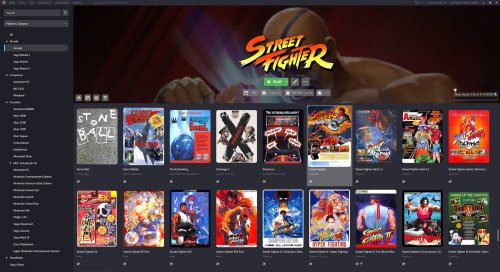 For 1080p monitor you would want to crop between 150 - 180 lines off the top.
 -
Is there a way to offset the background image by a certain percentage upward? Usually the most important part of an image is always about 1/3 from the top (rule of thirds); not the direct top, middle, or bottom.
-
On retroarch, you need to find where you installed the program on your computer, within that directory you should see a folder called "system" All your bios files should go in there. However, you should use PCSX2 emulator to play PS2 games and not retroarch. In that emulator, look to the top of the screen to where it says settings, then select bios option. From there you need to define the folder where you have the bios saved on your computer. The error you are seeing is mostly likely because of the emulator not being set up and not a launchbox error.
-
Let me know if this rabbit hole is even worth pursuing or possible. 2 monitors side by side: monitor 1 in normal horizontal aspect ratio and monitor 2 rotated on its side in a vertical aspect ratio. Launchbox with theme such as big details where monitor 1 shows the game list and monitor 2 shows the details of whatever is selected. If a horizontal dominate game is opened, instance 1 of the emulator loads on screen 1 displaying the horizontal game. If a vertical or cocktail game is opened, instance 2 of the emulator is loaded and game appears on screen 2 in vertical aspect ratio. Thanks.
-
 straight view of the Super Nintendo MS-1
 -
Not sure that computer has any GPU power at all, you will not be able to play anything that has 3D graphics, so things like the Xbox would definitely be out. My guess is that PC will max out at PS1. You also want more RAM with that much going on.
-
Using big details theme, I find that I am constantly having to enable the "enable achievement" badge. It keeps disabling itself for whatever reason. I can force the issue to happen if I make a software error, such as combine 2 selected games and then click on old one whilst it is still active on main screen. But it also seems to be disabled on software launch and other random times. All other badges don't seem to have an issue.
-
I have submitted the request to add the alternate name ~Homebrew~ 8-Bit Rhythm Land to the launchbox database for you.
-
Perhaps the alternate name needs to be published to the games database and then it will work? I assume that is why Alter Ego works, launchbox recognizes and links it. Adding only to your local association won't help in that case.
-
I believe Launchbox requires the title to be named exactly the same as the retro achievements site does in order it to display the tab and sync properly. In your case, retro achievements names the game ~Homebrew~ 8-Bit Rhythm Land This can be very annoying for showing achievements for home brew and hack versions of games.
-
King's Quest CD, Playing in LaunchBox without a CD
zombob replied to CMSCalvert's topic in Troubleshooting
The older King's Quest titles have remakes that work much simpler and don't need dosbox at all, that is what I use. -
Will this help?
-
Searching for metadata on Emumovies takes way too long?.
zombob replied to ModerateNOOB's topic in Troubleshooting
same here, curious if older version of Launchbox takes 5 minutes as well. -
In Launchbox, did you remove the "arcade" category or the arcade playlist? You should have a category that says arcade that if you open the triangle will reveal the arcade playlists, which should include "2-player games", "4 player games" then "arcade" again. I got into trouble once by removing the arcade playlist from the arcade category and then big box stopped working correctly. My thinking at the time was why do I need an arcade playlist to show all games when I can just select the root folder and get same thing I thought it was redundant, but Big Box did not like that at all.
-
Did you try selecting "View Platforms" in the menu and then use that as a starting point. It will give you a breakout of arcade, counsels, handhelds, etc and then you can determine from there why your play lists are messed up.

