
kim_sama98
-
Posts
60 -
Joined
-
Last visited
-
Days Won
1
Content Type
Profiles
Forums
Articles
Downloads
Gallery
Blogs
Everything posted by kim_sama98
-
Hello. I've been adding and updating games on my Launchbox. Especially arcade games. I'm using the Japanese versions the arcade games so I'll be using the Japanese flyer for the display. A lot of games on the Database have the multiple flyers for the games but for some reason it doesn't download all of them. Just 1 flyer. Even when I go to Download Media, all images have (1) which when I look on the database for that game, it has multiple flyers and logos.
-
I'm making an update on the NesicaxLive 2 and Pandora's Box, and both of those have a sound playing when you start a game. I'm wondering if it's possible to play a .wav file on the startup theme when you start a game.
-
 Looks awesome
 -
 Yeah sure
 -
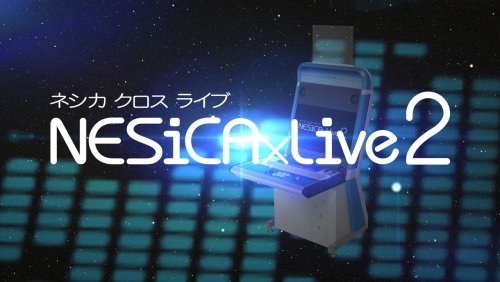
NESiCAxLive 2 View File NESiCAxLive 2 theme. Made with Community Theme Creator 2.3 There was no option to use banners or Steam banners in the CTC so it's clear logos it is. The only off stuff in the theme are the fonts, I'm no coding expert but I can't find the fonts that are used in the original NESiCAxLive 2 so I had to use fonts that looked similar. Screenshots: Submitter kim_sama98 Submitted 02/24/2022 Category Custom Themes
-
Version 1.0.0
628 downloads
NESiCAxLive 2 theme. Made with Community Theme Creator 2.3 There was no option to use banners or Steam banners in the CTC so it's clear logos it is. The only off stuff in the theme are the fonts, I'm no coding expert but I can't find the fonts that are used in the original NESiCAxLive 2 so I had to use fonts that looked similar. Screenshots: -
 The Xbox Wheel Style Source doesn't work on the Theme Creator, I get a black screen and errors
 -
No. I mean like a png file behind the text
-
Is there a way to add a image as the background for a text wheel instead of a solid color? I use the Community Theme Creator and there's no option to do it. I tried adding some code with the text style source and I just get errors since I'm not good at coding.
-
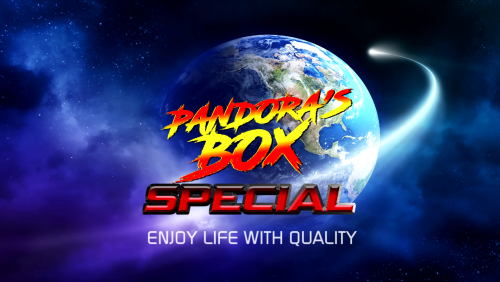
Pandora's Box Special Startup View File Just a cheesy intro I made for the Pandora's Box Special theme just like the real Pandora's Box, with the same music as the Pandora's Box 4S intro (Phoenix - Fall Out Boys) You can get the theme here: Submitter kim_sama98 Submitted 02/09/2022 Category Big Box Startup Videos
-
Version 2.0
133 downloads
Just a cheesy intro I made for the Pandora's Box Special theme just like the real Pandora's Box, with the same music as the Pandora's Box 4S intro (Phoenix - Fall Out Boys) Preview: You can get the theme here: -
Pandora's Box Special View File Pandora's Box Special Theme Based off the RetroFE theme "Pandora's Box HD" by Ryuuji and Pandora's Box 4 Made with Community Theme Creator Available in Blue and Green (Located in Colors folder, just copy them in Media/Theme) Contains 1 of each Option, System, Text for games and platforms, and horizontal wheel for games and platforms views This also includes a Startup Theme and Startup video Submitter kim_sama98 Submitted 02/08/2022 Category Custom Themes

-
- 1
-

-
Version 4.0
1060 downloads
Pandora's Box Special Theme Based off the RetroFE theme "Pandora's Box HD" by Ryuuji and Pandora's Box 4 Made with Community Theme Creator Available in Blue and Green (Located in Colors folder, just copy them in Media/Theme) Contains 1 of each Option, System, Text for games and platforms, and horizontal wheel for games and platforms views This also includes a Startup Theme and Startup video -
 This software is awesome, I'm starting to get used to it. I want to use a image for the background selector, I've tried writing code in the xaml but I just get errors. Any ideas?
 -
Pandora's Box 4, 5, 6 UI Sounds View File A clean rip of some sounds from the Pandora's Box Jamma board for use in Big Box. Place the files in LaunchBox\Sounds and go to the sound options to change it. Happy gaming XD Submitter kim_sama98 Submitted 01/28/2022 Category Big Box Sound Packs
-

Version 1.0.0
368 downloads
A clean rip of some sounds from the Pandora's Box Jamma board for use in Big Box. The sounds are used in: Pandora's Box 4, Pandora's Box 4S+, Pandora's Box 5, Pandora's Box 6. Place the files in LaunchBox\Sounds and go to the sound options to change it. Happy gaming XD -
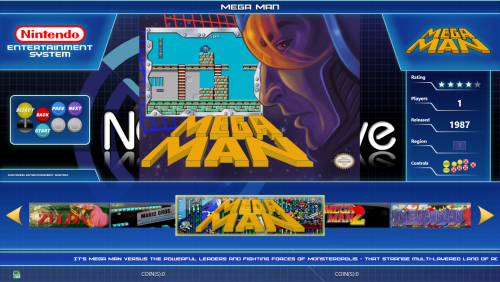 Love the theme, is it ok if I upload banners I made myself here?






