

Boomerps2
-
Posts
157 -
Joined
-
Last visited
Content Type
Profiles
Forums
Articles
Downloads
Gallery
Blogs
Everything posted by Boomerps2
-
 Is it possible to disable scanlines in the platform menus?
 -
 Love this theme for my bartop except if forces everybody that uses this to use the Nostalgia video set. If you have any other videos you want to use you can't because the videos are not centered and play behind the selection wheel. Thats a shame. Need a centered version of this theme.
 -
Agreed!
-
Unfortunately, BigBox as of right now does NOT support this. I was notified by Jason Carr that this has not been implemented and will be in the next poll. I for one have built two arcades with LCD marquees for active marquee playback. I will switch both these arcade cabinets back to Hyperspin to utilize Hyper Marquee and keep LaunchBox on my pedestal.
-
So I see the active marquee side of things is really stating to catch on with products like Pixelcade and the long running Hyper Marquee for Hyperspin. People are buying Virtolight LCD's and implementing them into there cabinets/bartops. Now if anybody has seen these active marquees with animations know how awesome it is. Seeing the Mortal Kombat XL marquee with the active torches in the background flickering was jaw dropping. Question: Does LaunchBox/BigBox have any plans on integrating anything like Hyper Marquee to cater to this growing market? I understand that BigBox has marquee support for static images of which I'm using myself. These new active marquees is an entirely new animal. Even support for MP4 playback for marquees would work.
-
Random Move/Scroll Sounds in Bigbox
Boomerps2 replied to Lf indy's topic in Third-Party Applications and Plugins (Released)
I have asked about this before and never got a response. I as well miss that from Hyperspin along with adding sound bites for entering a system and exiting a system. When going into the SNES menu you hear mario collection a coin and exiting the SNES menu you hear mario losing a life. It's the little things. -
So how do you get these to work in BigBox? Does BigBox support video playback for marquees?
-
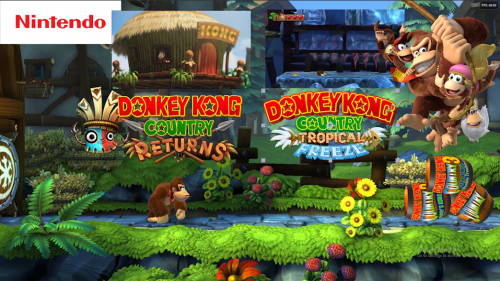 Awesome video. Used this on my DKC collection set. Thank you.
 -
Content removed
-
 So as of right now, there is no support for video marquees on LaunchBox to use these videos, correct?
 -
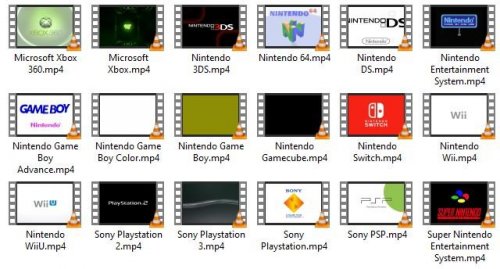 Can somebody explain how to get these to work?
 -
Retro Console - BB Theme, added animations and more!
Boomerps2 commented on cemfundog's file in Custom Themes
 Sounds good
 -
Retro Console - BB Theme, added animations and more!
Boomerps2 commented on cemfundog's file in Custom Themes
I have one issue. This CPS3 theme is using the "CPS2-logo.png" at the bottom of the wheel. How can I get it to use the correct CPS3-logo.png? -
11.3 install error - LaunchBox no longer opens
Boomerps2 replied to Boomerps2's topic in Troubleshooting
H:\LaunchBox....Only when opening BigBox from LaunchBox. Doesn't happen when directly opening BigBox. Permission errors in LBThemes/views folder. All the xaml files have somehow went to read only. -
11.3 install error - LaunchBox no longer opens
Boomerps2 replied to Boomerps2's topic in Troubleshooting
Yep running into permission errors. Can't seem to fix it. Installing to root directory of external drive but still has permission errors. -
11.3 install error - LaunchBox no longer opens
Boomerps2 replied to Boomerps2's topic in Troubleshooting
Beta-19 installed fine and seems to be working. Did you make any changes? -
11.3 install error - LaunchBox no longer opens
Boomerps2 replied to Boomerps2's topic in Troubleshooting
Files in the "CefSharp" folder can't be overridden. CefSharp folder, files in the x86 & x64 folders. Option to ignore in not recommended but did it anyway on the second try and errors out on every file in that folder. -
11.3 install error - LaunchBox no longer opens
Boomerps2 replied to Boomerps2's topic in Troubleshooting
Tried reinstall couple times after reboot. Error overwriting files in third party folder. I did fresh install then did a data backup restore and seems to be working. -
Don't know if this happened to anybody else, but couldn't overwrite files in "Third Party" folder. Quit install and now Launchbox won't open at all. Reinstalled fresh copy of 11.3 then copy/paste new files in my original install directory. Platforms are still there but all installed emulator information has been lost. Says no installed emulators or rocketlauncher. All is blank.
-
Retro Console - BB Theme, added animations and more!
Boomerps2 commented on cemfundog's file in Custom Themes
Hell yes!!! That's it. Thank you sir. -
Retro Console - BB Theme, added animations and more!
Boomerps2 commented on cemfundog's file in Custom Themes
Which version did you update? I was wanting version 2 updated so I can use all the clear logo's available rather than the custom logos you must use in version 3. I can't tell because the images folder is empty in this new one and cant figure which file structure it uses. -
Retro Console - BB Theme, added animations and more!
Boomerps2 commented on cemfundog's file in Custom Themes
Perfect, I'll throw it in when I get home. I've been waiting for this and thank you sir for the expedient support. -
Retro Console - BB Theme, added animations and more!
Boomerps2 commented on cemfundog's file in Custom Themes
This will be perfect as this will open up are choices by being able to use just about all videos available.- 93 comments
-
- 1
-

-
- pause theme
- controllers
- (and 6 more)
-
Retro Console - BB Theme, added animations and more!
Boomerps2 commented on cemfundog's file in Custom Themes
No, the videos no matter the resolution is playing behind the panel. This view was meant for the nostalgia video set where everything is played on the right of the screen -
Retro Console - BB Theme, added animations and more!
Boomerps2 commented on cemfundog's file in Custom Themes
This is my favorite view on this theme and was wondering is it possible to have the videos be centered in the video viewing area. There is a chunk of video playing behind the platform selection panel that way we aren't stuck with just the nostalgia video theme?

