
Mr. RetroLust
-
Posts
5,961 -
Joined
-
Last visited
-
Days Won
647
Content Type
Profiles
Forums
Articles
Downloads
Gallery
Blogs
Everything posted by Mr. RetroLust
-

Neon Deluxe Arcade - 16:9 (Big Box Theme)
Mr. RetroLust commented on Mr. RetroLust's file in Custom Themes
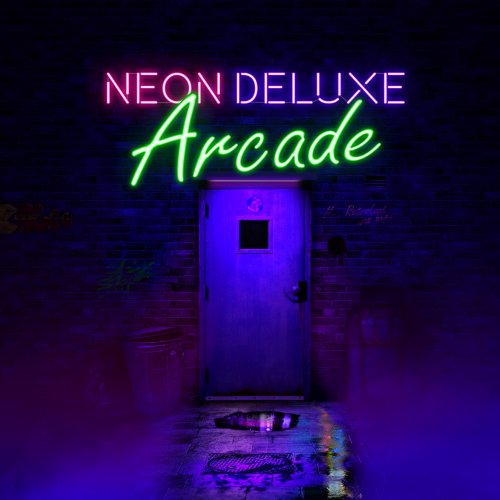 I removed the clock for you, overwrite this file in the theme's view folder. This view also shares the same view with the filters/text view which would overlap the text on top of the box and cart, it wouldnt look right. TextGamesView.xaml
 -
Good to hear man 🤘
-
Redline Racer mame arcade bezel redlin2p.zip

-
Neon Deluxe Arcade - 16:9 (Big Box Theme)
Mr. RetroLust replied to Mr. RetroLust's topic in Big Box Custom Themes
@SimonLev Here you go, overwrite this file in Launchbox\Themes\Neon Deluxe Arcade\Views TextGamesView.xaml -
Thanks man That's weird, are you running it in mame or retroarch? If you use it in mame have you tried downloading the zip file again? I think I know what could be happening, if you used to use Orionsangel bezels you had to resize the screen manually these settings are stored in the nvram folder, if you delete the frogger file it should reset all the settings for this game including the screen settings.
-
Neon Deluxe Arcade - 16:9 (Big Box Theme)
Mr. RetroLust replied to Mr. RetroLust's topic in Big Box Custom Themes
No problem man, i'll make it tomorrow. To edit themes you can open the xaml files in the views folder with a notepad editor, notepad++ is great for this. But you can also make or edit themes with the Community Theme Creator, but to edit an existing theme made in this program you'll need the community theme files for this, provided a theme creator shares these as well. But then again the exported xaml files can be edited as well. -
Neon Deluxe Arcade - 16:9 (Big Box Theme)
Mr. RetroLust replied to Mr. RetroLust's topic in Big Box Custom Themes
Its supposed to look like that so you can read the back cover (does work better with vertical boxes though). The front cover is displayed as a background behind the text. If you want I can make you a custom version and swap the sides. -
Thanks for pointing it out bro, really appreciate it, can you test this one out? Should work now I think. UPDATE: Red Baron mame arcade bezel redbaron.zip
-
Yep standalone Mame is much better in my opinion, there are a lot of bezels out there for retroarch but you'll have to adjust each screen x and y for those manually. Unless you prefer user made bezels that use full screen video but have manual art at the sides. Nope you cant use RA shaders in mame standalone.
-
Oh thats not right, i'll check it out tomorrow if I can see any errors in the lay file.
-
I like to run Mame itself for arcade because of the bezels/artwork support which is more authentic like some games use a color overlay or have a separate backdrop which cant be done in retroarch as far as I know, plus artwork files work out of the box, just put that zip file in /artwork and you're done. I like the shaders for retroarch more but HLSL is good as well once you get the hang of it to set it to your liking, many options to tweak.
-
crt-easymode-halation for RetroArch HLSL for Mame. I use these bezels in retroarch: And these in Mame Interesting read about hlsl: https://docs.mamedev.org/advanced/hlsl.html
-
I like my scanlines not to dark, just barely visible. And a bit of glow. A bit of curvature not too much. Happy with the results.
-
8. If i'm not mistaken the 4k bezels would work on a 1080p screen as well, they should auto resize.
-
Reactor mame arcade bezel reactor.zip
-
You're very welcome and have a great new year! 🍺🍺
-
Thanks bro, you to! 🍻
-
You to bro 🍺🍺
-
I'll be taking a break for a week or so, see you in 2022
-
Root Beer Tapper mame arcade bezel rbtapper.zip
-
Update: This is made from a very rare photo of a very rare cabinet, thank you so much for providing the material @destrowade 🤘 Merry Christmas all 🍻 Avengers aka Avenger mame arcade bezel avengers.zip
-
Rapid Fire mame arcade bezel rapidfir.zip
-
Block Hole aka Quarth mame arcade bezel blockhl.zip
-
Quarterback mame arcade bezel quarterb.zip
-
Q*bert's Qubes aka Qberts Qubes mame arcade bezel qbertqub.zip








