

Johnny T
-
Posts
555 -
Joined
-
Last visited
Content Type
Profiles
Forums
Articles
Downloads
Gallery
Blogs
Everything posted by Johnny T
-
You might be better just going with FX3 now rather than FX2 ? When I looked into it a while ago all the FX2 tables (or certainly all the ones I checked) have an FX3 version so it's just like a direct upgrade? (unless you're wanting both FX2 and FX3?)
-

pinball fx Pinball FX (Steam 2023) - LB How to Setup Direct Launch
Johnny T replied to sundogak's topic in Troubleshooting
Great work Sundogak, as always, thanks -
pinball fx Pinball FX (Steam 2023) - LB How to Setup Direct Launch
Johnny T replied to sundogak's topic in Troubleshooting
That's great Sundogak - thanks for sharing. It's a much cleaner way to set it up. Cheers -
Thanks Dragon - great work!
-
pinball fx Pinball FX (Steam 2023) - LB How to Setup Direct Launch
Johnny T replied to sundogak's topic in Troubleshooting
@sundogak this is an amazing piece of work - thank you for clearly taking everyone through how to get this set up. It's really appreciated. And adding the media too is just the icing on the cake. You're an absolute diamond! Does anyone know how to Escape back to BigBox ? I'm in the same boat as @ennahh76 in that the Escape mode mod posted by @TekkamanBlade isn't working for me? Esc:: Process,Close,steam.exe Run,taskkill /im "steam.exe" /F ExitApp I think the Pinball FX app is stealing the use of the Escape key and just overriding whatever BB tells it? I've tried using F5 as well but that didn't work? Anyone any ideas? Thanks -
Daphne / Singe media - Marquees (16:3), Box fronts, 3D boxes, Clear logos
Johnny T replied to Johnny T's topic in Game Media
I think Triad Stone was called Chantze's Stone in my pack? Not good images though I'm afraid. I've just had a look but don't have anything that I can see for Astro Boy or Arcade Xperience sorry
-
Thanks Dragon. That's great
-
I would certainly be interested in that and I wouldn't be that bothered about the size of the graphics. I only have a 27" 1920/1080 monitor anyway and the Clear Logos are quite small. I think having a collection of them is really handy as (apart from keeping a uniform clear logo template on your cab) it also gives you ideas for collections / playlists etc as well as systems that you've not heard of. It would be great if you could add to the download section - assuming it's not a major headache or a load of work for you. Thanks.
-
** After some investigation I found that my LB pause screen was working - that led me to a ETA Prime video and it was my Keyboard Automations hadn't been enabled and I'd not set the "P" key in there. Problem solved. Thanks Hi all I'm using the YART theme (which is one that my mate created) and it has a Pause Screen that is supposed to show up an image in the Arcade Controls folder. For some reason this isn't working for me? I've spoken to him and he's been helping me with it but he's stumped as well so thought I'd reach out to the community for help? I have set up the Pause screen in Big Box / LB and the CTC editor... I've set up the "P" key for Pause in MAME: The Pause screen in the CTC creator is showing that it will look in the Arcade Controls folder when paused... But, when I Pause - all that happens is that the game dims and pauses ? I'm not getting a display of the controls image ? (all the images are correctly in the folder - my mate sent me through his folder to double-check it last night). I wondered if anyone had any ideas that I could try ? OR... failing that, does anyone know another way of having a graphical pause screen that I can quickly see the controls/instructions etc for a game ? Many thanks for all your help.
-
Thank you - much appreciated
-
Some of these are superb! Is there an updated pack somewhere with these in? Or a way of searching for the ones that are needed? There's 73 pages of amazing clear logos here so would be good if there was either - a way of searching for required ones or just a download of 'every' one in the thread?
-
 These are awesome. What a great collection. A massive thank you for sharing it
 -
** UPDATE - I fixed my issue via this helpful post: Thanks. ** Hi all, I saw the ETA Prime video on the latest LB so I've upgraded and tried to install ScummVM. I previously didn't have anything set up for that platform. I dropped a game in and it detected it and downloaded the media and also installed ScummVM for me. The game then ran brilliantly. But Esc doesn't seem to quit the game I opened the ScummVM software directly and changed this setting: But still no joy? Anyone any ideas? Thanks
-
That's great Joe - yes, you are correct, I was muddling up 'category' with 'platform'. But it's a good idea about having sub categories under Kitchen Sink. I think I'll have a play around with it based on your advice and then go from there. As you say, it's easy enough to change in the future and half the pleasure for me is tinkering anyway Thanks again.
-
Thanks for that Joe. I wasn't going to have overarching categories but maybe that would be better. I maybe didn't explain myself very well. I was thinking like this... Kitchen Sink (category) Atari 2600 (category) with every game Atari 7800 (category) with every game Atari 2600 (playlist but showing at top tier like a category) with the top 20 games etc Atari 7800 (playlist but showing at top tier like a category) with the top 20 games etc Those were my thoughts on how to have easy access to my favourite/best games but also be able to add/cycle games in and out of the playlists when I want to try other games? What do you think to that approach? Can you see any issues? Thanks Thanks for that - see my response to Joe above - I don't think I explained myself very well with my original question. Thank you for the comment - please see my response to Joe above - I wasn't clear enough with my original post - my apologies
-
Hi all, I'm re-doing my BB software from scratch. My existing software has the standard categories like -> Arcade / Computers / Consoles / etc which break down again to -> Sega M2 / Atari 2600 etc etc... I'm a hoarder and would love to collect EVERY game on each platform. I realise this would become very unwieldy to actually play through so I'm wondering about this approach.... A main category called "Kitchen Sink" and in there all the systems Atari 2600 / Sega M2 etc with EVERY game... Then just playlists named after the System and with platform privileges that would be the best/favourite 25 or so games. So the menu would be Kitchen Sink / Atari 2600 / Sega M2 etc... all the systems are on the top level but they're all playlists based on the full platform which is inside Kitchen Sink ? Anyone got any thoughts on whether that would work? Or would I run into trouble further down the track? Anyone got any better/alternative ways to do this?
-
Arcade Classics HiRes custom Systems/Playlist front-box
Johnny T commented on kobaturtle's file in Arcade
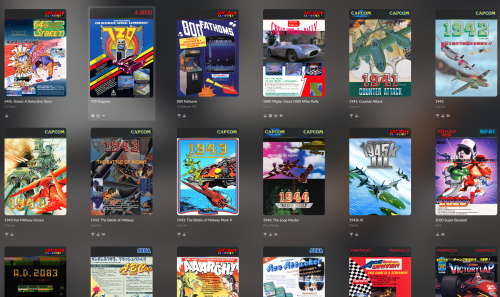 These are awesome! Thanks for sharing
- 4 comments
-
- 1
-

-
- arcade classics
- header
- (and 2 more)
-
I know this is an old topic but it would be remiss of me not to say a big thank you for posting this. I can now finally save my high scores in Sega Rally. And, hopefully, one day, knock "Poo" off the top spot!!
-
Great stuff. I will do. Thanks for the advice
-
Thanks for that Neil. Although that didn't work with the last bluetooth keyboard I had from Amazon so I wondered if anyone can confirm this does work and also works with LB Android on a Shield - and, if so, what keyboard it works with. Thanks for your help
-
Hi all, I'd love to re-live some of my glory days on the Speccy and the Atari ST. I've got Android LB on my Nvidia Shield and it's working fine. I've managed to set up some non-keyboard Speccy games (i.e. using Retroarch and using the on-screen keyboard for selecting the joystick etc). I did buy a wireless (bluetooth) keyboard for the Nvidia Shield but, although it seemed to work on the device for navigating the Shield menus etc, it wouldn't control anything in the games? Does anyone know how to get this to work (either a specific type of keyboard or a setting on LB etc)? I would love to get some keyboard only games working on the Shield. Thanks for your help.
-
Hi there, unfortunately the software is nowhere near polished enough for any kind of release. And I wouldn't have a clue what to do with GitHub. It's extremely amateurish and I did used to have ambitions to polish it up and release it but I don't think it will ever get to that stage I'm afraid. Perhaps one of the plugin writers would be able to knock something up for you though to achieve your needs. I'm sure you're not the only one who would just want the 'cream of the crop' from the various systems. Good luck in your search
-
Yep - that was where I started... I was on AAE and, sure enough, when I navigated to Box Front then some of the images were corrupt. I have the software backed up to a server that has the same issue. I've also checked my actual cab machine and that's the same too! (so this issue mustn't affect BB but only LB?). Luckily I've got an even older backup that I was planning on getting rid of and the images on that are fine so I'm now transferring them across but it's going to take a very long time as there's 158Gb of them!! Thanks 🙂
-
No it's not a specific game. As soon as LB loads I get the error. Okay, I'll don my deerstalker and do a bit of investigation! I'll report back when I have something. Thank you 🙂
-
Yes!! That was it. My apologies, when you said a corrupted image file in an earlier message I thought you meant a corrupted 'download' of the update (I was thinking like a snapshot image of a drive and not literally 'an image file'). So, next question is... do you have any ideas how I would find out which image is corrupted? I have a marquee screen and have lots of images that I've created for it that aren't just on the LB image library so I can't just redownload everything from there? Thanks for your help 🙂



