
Rlad
-
Posts
547 -
Joined
Content Type
Profiles
Forums
Articles
Downloads
Gallery
Blogs
Everything posted by Rlad
-
Can confirm, clicking on this playlist (sorted by Last Played) only two out of the six updated to paused.
-
It switches between analogue and digital, I have to hit my mode button to get navigation in bigbox.
-
They have a mode switch for the joysticks, add a button or jump it with a screwdriver, see if that helps https://forums.cdn.launchbox.gg/monthly_2025_05/71CW7oJxhhL._SL1491_.thumb.jpg.2d8406720759410ee8709e9f8b5c2658.jpg
-
I downloaded the CLI version (it's just the exe) , put it in the main folder with the qtlauncher exe and pointed launchbox to that. It fixed the full screen issue also. I set a gamepad combo in the launcher to quit (under hotkeys if I remember correctly)
-
Those "box-arts" on the lower monitors are using the same clear logos and fanart. They should look fine 99% of the time.
-
Try changing to WMP in settings, im sure someone already posted this issue and that was the solution. EDIT: Post is in the beta thread
-
Avast flags 13.22 as FileRepMalware - all previous versions are fine
Rlad replied to PerryCS's topic in Troubleshooting
Click on more options and report it as a false positive. I've done it myself, if they get multiple reports hopefully they will stop flagging it. -
Shouldn't the 'Game Completed' entry be removed from the Arrange By menu now?
-
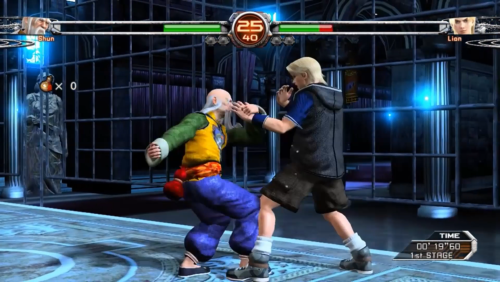 Killer Instinct https://store.steampowered.com/app/577940/Killer_Instinct/
 -
Are you using the default start up theme? Nothing would launch for me using CTC made startups.
-
Same here.
-
Ok that makes sense, the confusion comes from expecting it to be like the region or media priority tabs. On closer look it seems that eveything thats been played (regardless of playtime) is marked as active on the update which was the other thing that was throwing me.
-
A couple of progress questions After updating some games are already marked as active when they don't meet the 30 mins played criteria or have achievements. Should 'not started' be lowest priority by default then when say you get an achievement active takes over because it's higher priority, or am i not getting how this works?

-
Solved this, it was the custom startup themes i'd made with CTC that have stopped working, default and Big Logo are working.
-
Beta 3 Win11 No games launch in Bigbox, the game startup window is opened but nothing else happens. Games launch fine from LB.
-
All of the badges, platform icons, platform clear logos outside of media packs are now redundant, you have to add your single png to the folder inside media packs. Launchbox/images/media packs
-
If it's just the joystick that isnt working there's a mode switch that switches between i think x and d input, hook a button up to it and see if that helps.
-
All of the badges, platform icons, platform clear logos outside of media packs are now redundant, you have to add your single png to the folder inside media packs like kobaturtle said.
-
The platforms arent always updating now in Beta 2 2025-05-29 21-41-41-1-{quality}.mp4
-
I just tested it again (default Theme), it's pressing left or right on any controller in the new platform hybrid view (platform category, platform, games list) that causes the crash.
-
@EJS83616 You can use this
-
Get this error navigating Bigbox Win 11 Also not getting any RetroAchievements info for Turbografx-16 and Sega Genesis after scanning (it's signed me into Retroarch and achievements pop ups are there). Not sure if this is a current Beta issue or was already present as i haven't signed into RA before on my test build.
-
You can have custom images. I have per platform images i don't remember if you can use a single image, maybe named 'Default' ?
-
That should be the name of the window. Copy whatever it says on the bar at the top.
-
Is the Clear Logo (overide) supposed to be functional yet? Because it's not saving the image.



