
Klopjero
-
Posts
802 -
Joined
-
Last visited
-
Days Won
9




.thumb.png.9332e12cab6cec0213b9ffd456a9a968.png)





Recent Profile Visitors
9598 profile views


Klopjero's Achievements

64-Bit Supercomputer (6/7)
587
Reputation
-
I like it looks very neat
-
Then you are doing something wrong. this is the way. Use teknoparrotUI.exe Launch with --profile:flag with %romfile%.xml variable be sure the games are setup and the "roms" you added are kept in the teknoparrot/Userprofiles folder

-
why are some arcade systems scraped separately ?
-
is this of any help? you can copy paste this in powershell_ise and it will spit out Platform playlists based on the Teknoparrot metadata # TeknoParrot Finder Script # Author: klopjero # WARNING: SCRIPT ASSUMES YOU HAVE TEKNOPARROT as A PLATFORM IN LAUNCHBOX AND USES IT TO BUILD PLATFORM PLAYLISTS # WARNING WARNING: BE SURE TO CHANGE $PLATFORMPATH, $METADATAPATH and $PLAYLISTOUTPUTPATH to your situation. # Updated: Extended to export LaunchBox Playlist XMLs by platform (from JSON metadata) # ------------------ # Load TeknoParrot Platform XML # ------------------ $platformPath = "F:/LaunchBox/Data/Platforms/Teknoparrot.xml" #CHANGE THIS TO PATH OF YOUR TEKNOPARROT LAUNCHBOX XML [xml]$platformXml = Get-Content $platformPath $gameIndex = @{} foreach ($game in $platformXml.LaunchBox.Game) { $gameIndex[$game.Title] = $game } # ------------------ # Process each game and read associated JSON metadata # ------------------ $metadataPath = "F:\Emulators\TP\Metadata" #CHANGE THIS TO PATH OF YOUR TEKNOPARROT METADATA FOLDER $groupedGames = @{} foreach ($game in $gameIndex.Values) { $applicationPath = $game.ApplicationPath if (-not $applicationPath) { continue } $profileName = [System.IO.Path]::GetFileNameWithoutExtension($applicationPath) $jsonFilePath = Join-Path $metadataPath "$profileName.json" if (Test-Path $jsonFilePath) { try { $json = Get-Content $jsonFilePath | ConvertFrom-Json $platformName = $json.platform if (-not $groupedGames.ContainsKey($platformName)) { $groupedGames[$platformName] = @() } $groupedGames[$platformName] += $game } catch { Write-Warning "Failed to parse JSON: $jsonFilePath" } } else { Write-Warning "Missing JSON for: $profileName" } } # ------------------ # Create a LaunchBox Playlist XML for each platform group # ------------------ foreach ($platformName in $groupedGames.Keys) { $playlistGames = $groupedGames[$platformName] $playlistId = [guid]::NewGuid().ToString() $playlistXml = New-Object xml $root = $playlistXml.CreateElement("LaunchBox") $playlistXml.AppendChild($root) | Out-Null # Playlist metadata $playlist = $playlistXml.CreateElement("Playlist") $root.AppendChild($playlist) | Out-Null $playlist.AppendChild($playlistXml.CreateElement("PlaylistId")).InnerText = $playlistId $playlist.AppendChild($playlistXml.CreateElement("Name")).InnerText = $platformName $playlist.AppendChild($playlistXml.CreateElement("NestedName")).InnerText = $platformName $playlist.AppendChild($playlistXml.CreateElement("IncludeWithPlatforms")).InnerText = "false" $playlist.AppendChild($playlistXml.CreateElement("IsAutogenerated")).InnerText = "false" # Add games to playlist $i = 0 foreach ($game in $playlistGames) { $pg = $playlistXml.CreateElement("PlaylistGame") $root.AppendChild($pg) | Out-Null $pg.AppendChild($playlistXml.CreateElement("GameId")).InnerText = $game.ID $pg.AppendChild($playlistXml.CreateElement("GameTitle")).InnerText = $game.Title $pg.AppendChild($playlistXml.CreateElement("GameFileName")).InnerText = [System.IO.Path]::GetFileName($game.ApplicationPath) $pg.AppendChild($playlistXml.CreateElement("GamePlatform")).InnerText = "Teknoparrot" $pg.AppendChild($playlistXml.CreateElement("ManualOrder")).InnerText = "$i" $i++ } # Save $safeName = ($platformName -replace '[^a-zA-Z0-9_\- ]', '_') $playlistOutputPath = "F:\LaunchBox\Data\Playlists\$safeName.xml" #CHANGE THIS TO PATH WHERE YOU WANT TO SAVE THE PLAYLISTS $playlistXml.Save($playlistOutputPath) Write-Host "Playlist '$platformName' created at $playlistOutputPath" }
-
I have this same issue. only with this theme. other themes can show fanart and videos. Aetherial does not.
-
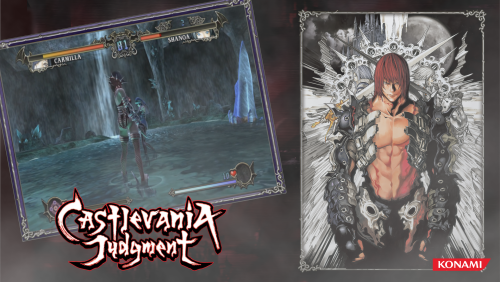 I'm a little late to the party, but I use a combination of Photoshop for the general layout of the themes, and I use sony vegas to turn it into a video. happy new year! or two.
 -
 when you go to you game and open the edit window. what does it say under launching?
 -
Why is this pinnen?
-
🕹️ARCADE GameThemes Central Hub — Find Everything Instantly 🎮
Klopjero replied to PadeMoNiuM Prods's topic in Game Media
These games come in two categories: the box art and theme is pretty much the same in japan as it is for the rest of the world. so all the needs is the japanese logo.. super easy right? Or the regional differences are so big that due to censorship, upped or lowered difficulty that it deservers it's own theme. sometimes it just because the box covers are so vastly different per region that it just looks cool in BB I know, I remember my hyperspin days. but you have to admit that your style is rather unique, you tend to use lots of effects in your themes. while alot of us here are happy with giving box art the HS treatment I'm all for it, it could do with a pin then.. for the event that this post also vanishes in the vast ocean of forum posts. there IS a search bar, but this is very convenient. -
🕹️ARCADE GameThemes Central Hub — Find Everything Instantly 🎮
Klopjero replied to PadeMoNiuM Prods's topic in Game Media
That's an exaggeration, Still havent done the Castlevania Collections releases, I'm still struggling with the Japanese Legacy of shadow... I still want to to finish the related themes for getsufumaden and the bloodstained themes. be sure to give @Suhrvivor a shout out, his themes are super awesome and an inspriration to me. without those i would have never started on the Castlevania themes. -
Dude ,I came around testing it. it work awesome sad that through the years the DB hasnt been enriched with images it works very wel
-
 Always awesome
 -
Yes, I know sadly @Nielk1 hasn't been seen since 2019.
-
this man has found some nice stimulants. keep going mate
-
colorful Playlist 'hardware set'images
Klopjero replied to Klopjero's topic in Playlists & Playlist Media





