

Elhora
-
Posts
188 -
Joined
-
Last visited
Content Type
Profiles
Forums
Articles
Downloads
Gallery
Blogs
Everything posted by Elhora
-
Although i use Launchbox/BigBox as my top favorite frontend on my computer and arcade cabinet, i have a Batocera build on one of my bartop and i can't help myself finding the themes maybe less beautifull but much more dynamic. For exemple, on Batocera, (but also the same behavior on CoinOps) when you scroll in your platforms or games wheel, the background change at the same time, while in BigBox the background change only when the wheel has finished moving. Same with elements like text block or platform picture, animation only starts after the wheel has scrolled. As a result, when i switch from my BarTop to my Arcade Cabinet, i feel like a sensation of "slowliness" in the theme when browsing my platforms or games, while everything is super smooth, just that unsynchronised movements make me feel this. So my question is (no reproach here, just a need to know) : is that way of working just specific to theme making and it's possible to make a more "dynamic" theme or is it something hard coded in BigBox and so will always be like that ?
-
wow thank you, i didn't know about that site.
-
Hi, i have a stupid question : I want to create a full pack for "Naomi 2" games. For now, i can only find some complete Naomi games, but i can't just find a "Naomi 2" only roms + CHD pack. So unless someone knows a good link to send in pm , i was thinking that i could extract all roms files + chd from a complete MAME romset. is there a (easy) way to extract all roms and CHD refering to Naomi 2 from a complete MAME romset (bios, games, CHD) ? Thanks
-
yesssssssssssssss............... that works !!!!! i removed everything but the "keyboradprovider" part and the default.cfg part is no more altered !!
-
Here is the screen capture. Don't ask me what's that command line, i got it somewhere on the internet when i searched how to add mame in Launchbox with a working Xbox360 pad

-
no i use mame, but i have a -dinput in my command line (which i certainly took from a Youtube video explaining how to use a dpad with mame and launchbox as i'm totally ignorant in all this) and that's why i was thinking that might cause trouble
-
i use Mame (0.226) what is the command line to use in Launchbox when i configure the emulator ? maybe the problem is here
-
This is what i don't understand. I didn't reboot my computer.... What i did is launch Mame and configure my Xbox 360 Controller. I've played some mame games without problems. I Launched and closed Mame emulator 4 or 5 times and the pad config is still ok (the default.cfg is ok). I closed Mame a last time and without rebooting immediately launched a game via Launchbox and then the control no more configured (the default.cfg file is altered). I repeated those step and reconfigured Mame many times. The problem only happens when i launch mame via Launchbox ..... Can it be a command line problem in Launchbox ? I never really knew what that command line should be.
-
my pad is always connected to my computer (life is too short to loose 5 seconds plugin your usb pad ^^) I never unplug it. The file is altered only when i launch Mame via Launchbox.
-
Is there any reason why Launchbox alters my default.cfg file ? I customized my controls under Mame, which are saved in the cfg/default.cfg file. AS long as i launch games directly from Mame, i have my controls working fine. But as soon as i launch an arcade game from Launchbox, my default.cfg file is altered and all the control refering to my pad are deleted. (Exemple : "JOYCODE_2_DPADUP OR KEYCODE_UP" becomes "OR KEYCODE_UP" meaning i can't use my pad when using Launchbox ! Any idea of what is going wrong ?
-
For example, In BigBox, all the Player 1 Buttons are affected to a BigBox function (like select theme or view, etc....) but only 5 buttons are lit (i know all 6 buttons works, but the player 5 button - Z- is not lit) when i launch a game or launch/close BigBox, i've set some led animations in the default preset list and it works for all the buttons. But once a game is launched, the leds are lit as if i still was in BigBox. I've generated and set the mame.xml path as shown in the doc, but it doesnt care. The only led that are lit when i'm in Mame are the same as when i'm in BigBox.
-
i remember , far far ago, i had some similar problem, and it was because i was using hdmi 1.4 or displayport 1.2 (i don't remember well) that was limiting the 4k resolution to 30i/s. i switched to DP 1.3 on my monitor (plus a good certified cable, as some cheap chinese cable were causing troubles) and everything was 60i/s... But if you say you are at 60i/s on your desktop, then that might not be that.
-
-
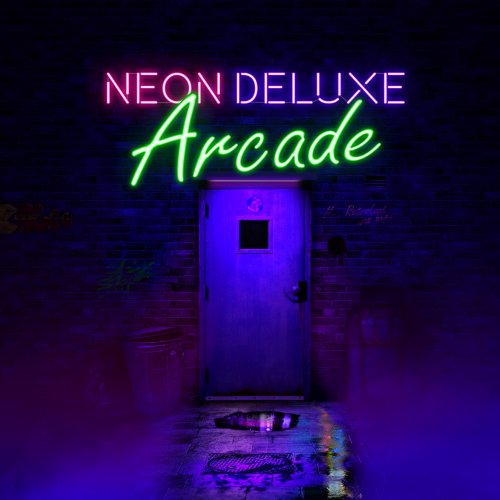
Arcade Neon Logos (Recent/Hiscores/Genre/all games/favorites) View File Nothing much here, just a little contribution. I'm using the @Mr. RetroLust wonderful Neon Deluxe Arcade theme and i wanted some 80's neon arcade logo for my mame playlist to match the theme, so i thought i'd share it in case some people would be interested. Submitter Elhora Submitted 10/13/2020 Category Playlists & Playlist Media
-
well, i did a fresh install of mame and it works again, at least for the 2/3 games i played. But i can't really figure what i did wrong the first time..... I just unzip mame, copy the rom, and import full set in launchbox. Nothing more nothing less.
-
hiscore folder is from 29 september. i think i'll try to redo a fresh install and if there is still the problem, i'll report to @GreatStone
-
So i have checked, and you're right, my hi score have disappeared from inside the game and the Hi folder is still empty, but i have a lot of game folders in my nvram with some "eeprom" files in it. In fact, can see there all the games where i made a hiscore after my fresh install in the nvram folder (mslug, agallet, 19xx, dspirit, arkanoid, etc....) . So the thing is all the game i make a hiscore are saved in nvram folder, but not in Hi folder, and not uploaded for saving ! All the files in the plugin/hiscore are present and yes, my romset and mame64.exe are both 0.225
-
yes it is
-
I just did a fresh install of Mame, and now, no more high-score are validated. Whatever the game i'm playing, no matter the high score i make, nothing is validated. The "Hi" directory in Mame remains empty (but maybe that's normal) and the Debug always return "no high score found". But the fact is i did. i made some screen capture for my AirGallet session. As you can see on the capture, i should at least appear on the weekly ranking with my 308.000, but the only high score where i appear is the one i made last month. Of course the cheat is not enabled, i joined the Mame file in case maybe something is wrong in it. mame.ini Debug 2020-10-12 12-20-37 AM.log
-
On the Pc where everything is working it's a i7 9700k with RTX 2080. On the PC where it's not working, it's i3 9100F with 1050Ti
-
 thank you i'll do this right away ^^
 -
how is that possible ? it's the same usb drive that i move from computer to computer and the problem only occurs on Mame : Retroarch games have shaders on every computer, not Mame. Just like it was not using the same ini file. That's so frustrating. my brain is lost there.
-
hi everyone. I have a problem i can't really understand. My launchbox is on a portable HDD that i can move between computers. Everything works fine. I have 1 arcade cabinet and one bartop who have exactly the same screen (27" - 4k). I configured my shaders in Mame.ini in my Mame folder to give my game a CRT aspect. On my Bartop it works fine, but for a reason i can't explain, when i put the HDD on my arcade cabinet who have the same screen, the shaders dont apply ! You can't even see the scanline.... And i really dont understand. If the problem was Mame, the shaders should work the same way on both screen ? or there is a parameter i missed somewhere ?
-
wow, nice work. what is the model of the steering wheel you use ?
-
haaaaa... i thought it was just a GUI that could handle any theme... Well i have to admit i suck at coding. My knowledge are limited to the Microsoft MSX Basic and Amiga AMOS That doesn't make me any good at Xaml ^^







