

lfan
-
Posts
113 -
Joined
-
Last visited
-
Days Won
1
Content Type
Profiles
Forums
Articles
Downloads
Gallery
Blogs
Everything posted by lfan
-
 I keep getting this 404 error when trying to download images automatically or manually on EmuMovies via LaunchBox.
 -
MAME DATs Viewer
lfan replied to JoeViking245's topic in Third-Party Applications and Plugins (Released)
Now the plugin downloads the history.xml file, but it crashes LaunchBox. I think it's because of the "a" in the version number (0.287a). (Inner Exception) The input string '2.87a' was not in a correct format. App: LaunchBox Version: 13.26 Theme: Default Type: System.FormatException Site: Void ThrowFormatException[TChar](System.ReadOnlySpan`1[TChar]) Source: System.Private.CoreLib at System.Number.ThrowFormatException[TChar](ReadOnlySpan`1 value) at System.Double.Parse(ReadOnlySpan`1 s, NumberStyles style, IFormatProvider provider) at System.Xml.XmlConvert.ToDouble(String s) at Microsoft.Xml.Serialization.GeneratedAssembly.XmlSerializationReaderHistory.Read7_History(Boolean isNullable, Boolean checkType) at Microsoft.Xml.Serialization.GeneratedAssembly.XmlSerializationReaderHistory.Read8_history() at System.RuntimeMethodHandle.InvokeMethod(Object target, Void** arguments, Signature sig, Boolean isConstructor) at System.Reflection.MethodBaseInvoker.InvokeWithNoArgs(Object obj, BindingFlags invokeAttr) (Outer Exception) There is an error in XML document (2, 10). App: LaunchBox Version: 13.26 Theme: Default Type: System.InvalidOperationException Site: System.Object Deserialize(System.Xml.XmlReader, System.String, System.Xml.Serialization.XmlDeserializationEvents) Source: System.Private.Xml at System.Xml.Serialization.XmlSerializer.Deserialize(XmlReader xmlReader, String encodingStyle, XmlDeserializationEvents events) at System.Xml.Serialization.XmlSerializer.Deserialize(TextReader textReader) at MAMEdatsViewer.ViewModel.DAThistory.LoadHistoryFile(Boolean updated) at MAMEdatsViewer.SettingsWindow.AddOrUpdate(Dat selectedRow, Boolean add) at MAMEdatsViewer.SettingsWindow.RowButton_Click(Object sender, RoutedEventArgs e) at System.Threading.Tasks.Task.<>c.<ThrowAsync>b__128_0(Object state) at System.Windows.Threading.ExceptionWrapper.InternalRealCall(Delegate callback, Object args, Int32 numArgs) at System.Windows.Threading.ExceptionWrapper.TryCatchWhen(Object source, Delegate callback, Object args, Int32 numArgs, Delegate catchHandler) Recent Log: 00:53:01 Exception -
MAME DATs Viewer
lfan replied to JoeViking245's topic in Third-Party Applications and Plugins (Released)
It still doesn't work. -
Only one xinput controller (XBOX360) connected before stating a MAME game. SetKeyDelay, 125, 50 on the top of the script. - "Coin 1 - 5 or Joy 1 Back": I can insert credits (unlimited) (keyboard/joystick) and play (keyboard/joystick). - "Coin 1 - 5": I can insert credits (unlimited) (keyboard only) and play (keyboard/joystick). The most important for me is that the script is working for Arcade Joystick. You helped me alot. Thank you very much.
-
"Doesn't work" means the button doesn't add credits.
-
Test Result: dinput Arcade Joystick (Select Button, 1Joy9) dinput RetroFlag Controller (Select Button, 1Joy7) MAME (stand-alone): Works!* * Standard settings. MAME (RA): Works!* * Had to change in MAME "Coin 1 - 5 or Joy 1 SELECT" to "Coin 1 - 5". xinput Microsoft Xbox 360 Wireless Controller (Back Button, 1Joy7) xinput RetroFlag Controller (Back Button, 1Joy7) MAME (stand-alone): Doesn't Work* * Even changing in MAME "Coin 1 - 5 or Joy 1 Back" to "Coin 1 - 5". MAME (RA): Doesn't Work* * Even changing in MAME "Coin 1 - 5 or Joy 1 SELECT" to "Coin 1 - 5". Something related to dinput and xinput?
-
Could you test the script with Launchbox + MAME core (RetroArch)? Keyboard scripts work with MAME core.
-
Unfortunately, it still doesn't work. Have you tested with any joystick?
-
For keybord it works perfectly. The mystery is with joystick.
-
The script for keybord works.
-
1Joy8:: { if (coin1 = 5) ; Max 5 coins Return coin1++ 1Joy8::5 Sleep 750 }
-
There is no error, but the script does not limit to 5 coins... 😩
-
Error at line 10. Line Text: 1Joy8 Error: This line does not contain a recognized action. The program will exit.
-
On PC the joystick Select button is recognized as 8.
-
Joy 1 SELECT on MAME screen. JOYCODE_1_SELECT in MAME file. In the code, I tried to replace the number 5 to JOYCODE_1_SELECT but it didn't work. It seems that the code only accepts numbers.
-
JoeViking245, how configure the joystick's "select" button for coin?
-
SNK Neo Geo AES Gameplay Pack View File Gameplay Pack for the SNK Neo Geo AES. File Size: 66,1 MB File Count: 174 File Format: PNG Resolution: 608 x 448 Naming: MAME Submitter lfan Submitted 03/06/2019 Category Game Media Packs
-
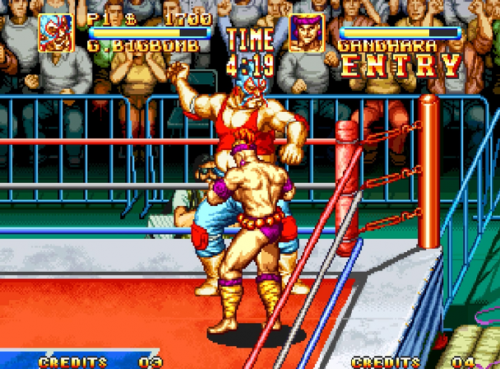
Version 1.0.0
220 downloads
Gameplay Pack for the SNK Neo Geo AES. File Size: 66,1 MB File Count: 174 File Format: PNG Resolution: 608 x 448 Naming: MAME -
SNK Neo Geo AES Gameplay Pack View File Gameplay Pack for the SNK Neo Geo AES. File Size: 66,1 MB File Count: 174 File Format: PNG Resolution: 608 x 448 Naming: MAME Submitter lfan Submitted 03/06/2019 Category Game Media Packs
-
SNK Neo Geo AES Game Title Pack View File Game Title Pack for the SNK Neo Geo AES. File Size: 45,2 MB File Count: 174 File Format: PNG Resolution: 608 x 448 Naming: MAME Submitter lfan Submitted 03/06/2019 Category Game Media Packs
-
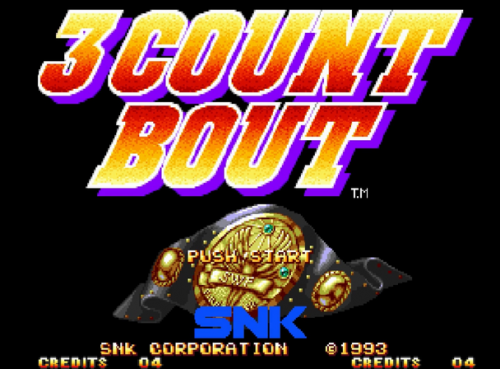
Version 1.0.0
107 downloads
Game Title Pack for the SNK Neo Geo AES. File Size: 45,2 MB File Count: 174 File Format: PNG Resolution: 608 x 448 Naming: MAME -
SNK Neo Geo AES 2D Boxes Pack View File Boxes Pack for the SNK Neo Geo AES. File Size: 113,09 MB File Count: 142 File Format: PNG Resolution: 600 x ? Naming: MAME Submitter lfan Submitted 03/05/2019 Category Game Box Art
-
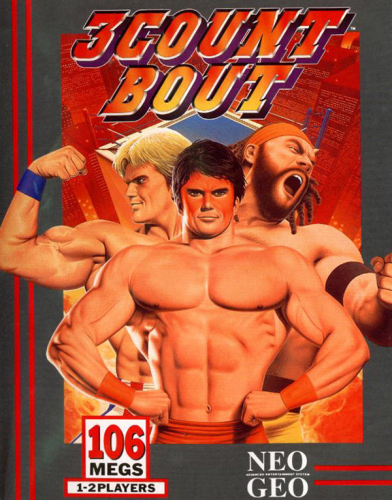
Version 1.0.0
1076 downloads
Boxes Pack for the SNK Neo Geo AES. File Size: 113,09 MB File Count: 142 File Format: PNG Resolution: 600 x ? Naming: MAME -
I have my MAME roms in two folders, because I have specific config in RetroArch: Horizontal and Vertical. With the method Import > ROM File, the LaunchBox don't import all games. Same problem as the previous version. With the method Import > MAME Arcade Full Set, the LaunchBox import much more games, even games that I don't have. The LaunchBox accept only folder contain the full set?? What is the solution? Thanks!
-
News (09/02/2018): Reicast (DC / NAOMI) - Batch file. Fixed FB Alpha batch for Android.


