PadeMoNiuM Prods
-
Posts
315 -
Joined
-
Last visited
-
Days Won
2
Content Type
Profiles
Forums
Articles
Downloads
Gallery
Blogs
Everything posted by PadeMoNiuM Prods
-
ZE UL.mp4 Sorry about last night, but I was absolutely wiped out.😴 I made a new comparison video to definitively clarify the behavior of Box - Full. Small clarification regarding the comparison videos, because my previous wording was ambiguous: My first test was done entirely on the NES platform. This new test is different. I am comparing the standalone Zelda Ultima version running on LaunchBox 13.19 with the current Zelda Ultima version integrated into my up-to-date Nostalgic Bedroom custom theme running on the current LaunchBox version. (14.00) So the purpose of this new comparison is not to compare two different collections, but to compare the same Zelda Ultima content across two very different LaunchBox generations and two different stages of my theme setup. The important point is that the Box - Full workflow itself is being compared between an older LaunchBox version where it worked correctly and the current version where the 3D result is different. At this point, one thing is now established: Box - Full is indeed an existing LaunchBox feature designed to build a 3D box from a single complete unfolded cover image when separate Front, Spine and Back images are not being used. That is exactly why I have been using this feature for years across NES, Switch, PlayStation 2, PlayStation 3 and several other systems. A single image already contains the front, spine and back. Instead of preparing three separate media files for every game, you prepare one image and LaunchBox builds the 3D box from it. I completely understand that using three separate images is technically easier for the 3D engine, since LaunchBox does not need to calculate where the front, spine and back begin and end within the full image. But if the Box - Full → 3D box system exists, worked correctly before, and now produces a different result with the same media, it is still worth understanding what changed. And this also raises a broader question: why not promote this feature more? The potential time savings are considerable, not only for me but for the whole community. Today, Front, Spine and Back media are often prepared and published separately. Yet when a good-quality Full scan already exists, all of that information is already contained in a single file. If Box - Full could become a reliable and more widely used source for 3D boxes, it could greatly reduce redundant work: fewer files to prepare, fewer separate media assets to publish and maintain, fewer Front/Spine/Back posts, and a lot of time saved for contributors as well as the team. In the future, LaunchBox could even use the Full image as the main source media and automatically derive the individual faces whenever they are needed elsewhere. That is why I would find it unfortunate for this feature to become secondary simply because it appears to be rarely used. In my opinion, it is actually one of the most useful features of the 3D system. And above all, it could greatly simplify the way box artwork is organized. Today, there can be separate POSTS for Front, Spine and Back, even though in practice some contributors already publish several of them together. But if a single Box - Full image already contains everything required to reconstruct the 3D box, that immediately reduces the number of media assets that need to be managed. Instead of maintaining three files or three separate categories for the same physical cover, you can have one complete source. That simplifies contributions, reduces duplication, makes media organization easier, and saves a huge amount of time for both contributors and users. Even without completely removing separate Front, Spine and Back images, making Box - Full a more central source could already optimize the workflow considerably. There may be an existing feature here that actually deserves to be used much more.
-
Sorry, I’m going to get some sleep now. It’s late here in France and I’m exhausted after a long day. If you want to test it on your side, the important thing is to temporarily remove the separate Box - Front, Box - Back and Box - Spine images for the test game, and leave only the Box - Full image. If LaunchBox then builds a proper 3D box from that single Full image, then the feature is working correctly on your setup. If you have access to a 13.26 installation, you can also run exactly the same test there. On 13.26, that single Box - Full image should wrap correctly around the 3D model. **One important detail for the test: please temporarily remove the separate Box - Front, Box - Back and Box - Spine images for that game and leave only the Box - Full image. In my setup I was using the image priority settings, so simply changing the priority can still leave some ambiguity about which artwork LaunchBox is actually using. The cleanest test is therefore to give LaunchBox no alternative: one game, one Box - Full image, and no separate Front, Back or Spine. If that single Full image produces a correctly wrapped 3D box, then it works on your setup. If you can repeat the exact same test on 13.26, it should also show the old working behaviour. I’ll check back tomorrow. Thanks for testing it.
-
Don't hesitate if needed.I can do you a demo of the Launch Box /Big Box on the 13.26 compared to today to show you the difference.
-
@MysterNybble Front image priorities = Image in win explorer = image in the media of the game=

-
@MysterNybbleOf course ! Thx.
-
@MysterNybble Hi, Just to clarify one important point: this was really the whole advantage of using Box - Full images in the first place. Up to version 13.26, you could take a single unfolded full cover containing the back, spine and front, place it in the appropriate Box - Full folder, and LaunchBox would automatically wrap that image around the 3D box model. That saved a huge amount of time because there was no need to manually create and separate three different images for Front, Spine and Back. In fact, I assume this was one of the main reasons the Box -😅Full image type was introduced in the first place. Otherwise, there is very little practical benefit to having a complete unfolded cover if LaunchBox cannot use it directly to construct the 3D box. Someone originally implemented this behaviour so that a Full Box image could be mapped automatically onto the 3D model, and it worked perfectly for years.Since 13.27, that behaviour appears to have been lost. The same Full Box image is still recognised, but instead of being wrapped correctly around the model, it is rendered as a long rectangular block. Using separate Front, Spine and Back images still works, but that defeats the entire purpose and convenience of the Box - Full workflow. So this is not really a request for a new feature. It is a regression of an existing feature that worked correctly up to 13.26. I’m also attaching a video of the 3D thumbnail directly from LaunchBox. vlc-record-2026-08-24-21h24m27s-Desktop 2026.08.24 - 20.48.55.01.mp4-.mp4 As you can see, it is rendered exactly the same way as it is in Big Box, with the same incorrect rectangular shape. And this is not an isolated game: it happens across the entire set. My NES collection, for example, was built using Box - Full / Full DVD images, so every game that relies on this method now shows the same problem. This also confirms that the issue is not specific to one Big Box theme or one particular view. The incorrect rendering is already present in LaunchBox’s own 3D preview.I was wondering why I hadn't received any feedback on my post, but it turns out I might be one of the few people using that optio👀😮—which actually saves a huge amount of time, because otherwise you have to set up the front, spine, and back every single time.-_- It would be a real shame to miss out on a feature that saves you so much time.
-
Just a quick heads-up regarding the current 3D view testing: the Box - Full rendering regression I reported back in July is still present. I’ve just reproduced it again and attached a new screenshot. The full jacket is rendered as a single rectangular block instead of a properly mapped 3D box. Original report: [link] Since 3D views are currently being worked on for 14.0.1, I thought this might be a good time to bring it back to your attention.
-
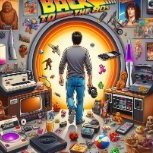
One last message before I step back
PadeMoNiuM Prods replied to PadeMoNiuM Prods's topic in Game Media
One Final Development Update Over the past week, I pushed the visual side of LaunchBox much further than I originally thought possible. The most important breakthrough was the successful integration of animated backgrounds and seamless visual loops directly into the LaunchBox interface. Until now, I genuinely believed that this kind of living, animated environment was limited to BigBox. I had personally never seen LaunchBox used in this way, and I was not even certain that the interface could support it properly. But after extensive experimentation, testing, and redesigning, I managed to make it work. And it completely changed the experience. LaunchBox was no longer displaying a simple static background behind a game library. The entire interface could now move, breathe, and create a real atmosphere around each platform. Even subtle animation loops made an enormous difference. They transformed an interface that had traditionally felt mainly functional into something much more immersive and visually alive. For me, this was not a minor cosmetic improvement. It was a genuine technical and creative breakthrough that revealed possibilities inside LaunchBox that I had never previously imagined. What began as a simple attempt to improve the interface gradually became something far more ambitious. I also created a new range of visual environments originally designed specifically for LaunchBox. While developing them, some of these concepts naturally evolved beyond their initial purpose and were later transformed into fully animated launch experiences. That was one of the most exciting parts of the process: an idea created for the interface becoming the foundation for something much larger. I continued rethinking the overall presentation of LaunchBox, making it more flexible, more immersive, and more closely connected to the wider Nostalgic Bedroom experience. At a certain point, what I was building no longer felt like a conventional theme. It was beginning to feel like another frontend layered on top of LaunchBox. This week made one thing very clear to me: Nostalgic Bedroom has now grown beyond the limits of its original format. One Final Note This will also be my final post on the LaunchBox forum. I had already said that I was stepping back, but another unnecessary confrontation has confirmed my decision. I have tried to contribute, share my work, promote the creative possibilities of LaunchBox, and demonstrate how far its interface could still be pushed. I also sent a personal message to Jason explaining my experience, my position, and what I believed I could have contributed. I do not want to reopen another debate or repeat everything that has already been said. I simply want to thank everyone who treated me with respect, supported my work, offered constructive feedback, or enjoyed the many themes, videos, layouts, collections, launch screens, and media I shared over the years. It was a pleasure to share a few things with you. Well… Perhaps slightly more than a few. I do not regret the work I shared here. But the atmosphere has become too exhausting for me to continue participating. So I am leaving without regret. I will now focus entirely on developing my own frontend and building the next stage of Nostalgic Bedroom with complete control over its direction, interface, features, and identity. Thank you again to everyone who was kind, respectful, curious, and supportive along the way. This is the end of my participation here. But it is also the beginning of something new.
-
That’s pretty sketchy. Did you check it properly? Be careful anyway. These things can be dangerous, and nowadays you really shouldn’t click on just anything. Especially when crypto is involved… it’s incredibly easy to end up with spyware or some kind of tracker just from clicking the wrong link. They’re everywhere, seriously. I’ve had the same kind of thing happen on my Discord too. I honestly don’t see the point of someone coming in just to leave a message like that. I’m becoming more and more suspicious of brand-new, empty profiles. They immediately look shady to me. Most of the time, it’s someone trying to get something from you, often coming from another community or another scene entirely. I had loads of people like that messaging me privately when I released Zelda Ultima. Anyway, just be careful, everyone.😉
-
Thanks, Kirby. I honestly don’t know who you are — maybe you created your account just to reply, since I can see you’ve only posted one message. Maybe you come from another community or another frontend, I have no idea… But honestly, your message is like a little light in the darkness. LOL. You see, I tried posting something on Reddit again today. I thought, “Alright, maybe people have finally calmed down.” Because honestly, Reddit has become a nightmare. It’s basically nothing but tech support now. One giant customer service page. Nobody shares images, creations, or original projects anymore. There’s almost nothing left. And the second someone dares to share something they’ve created, they get torn apart. You can post something you’ve spent a huge amount of time working on, and people immediately come along and spit in your face. Then, once they finally realize it’s actually pretty cool, they come back smiling and ask you to give it to them. And if you say no, you get downvoted. Honestly, it’s become awful. And yet, it could be such a great community space. There could be so many interesting things being shared there. But now the whole place feels rotten to the core, and it’s such a shame. What I genuinely cannot understand is that some people seem determined to destroy their own community. I have honestly never seen anything like it. People coming from other frontends and visiting the LaunchBox Reddit must look at all this and think, “What the hell is wrong with these people? Are they eating each other alive? Are they cannibals or something?” I have never seen a community shoot itself in the foot like this while insulting its own contributors. It is completely insane. Part of me genuinely wonders whether some of these people actually come from competing frontends and are deliberately trying to poison the atmosphere. Because at this point, it is hard to believe that people who care about the community would behave like this. There is clearly something that needs to be done on the moderation side, because right now they are allowing a small number of people to ruin the whole space. They are slowly poisoning everything, and honestly, it drives me crazy. I’m a patient person, though. I gave it another try because two or three of my recent posts had gone fairly well. I thought maybe the atmosphere had changed… and then, bang, same story all over again. I posted a comparison video about different themes, specifically to show the differences between several communities. I even made a real effort to highlight the work from both sides. And then some guy comes along and says something like, “What is this crap? Get this crap out of here.” Four years ago, if someone had spoken like that on the forum, they would have been called out immediately, or even banned. Today, it just goes completely unchecked. There’s simply no respect anymore. So honestly, thank you for your message. It genuinely feels good to see that at least one person understood what I was trying to do. I still don’t know who you are, Kirby… but thank you. Seriously. The video in question Honestly, I don’t think there’s much that can be done, unfortunately unless there’s a genuinely active moderation team. But even then, it’s impossible to monitor everything and be there all the time. Reddit is Reddit, I guess… but it’s such a shame. Such a massive shame. Because I have so many things I could share. And in reality, these people are shooting themselves in the foot, because what I could contribute would genuinely help LaunchBox move forward in a huge way. There are so many things I know, so many ideas and techniques I would genuinely like to share. But all that negativity completely kills my desire to do it. It makes me not want to give anything anymore. And the worst part is that they don’t even realize what they’re missing out on. Anyway, I’m going to stop whining now — this isn’t the complaints desk. I’m going back to creating. But honestly, I just don’t see much passion here anymore. It feels like some people are simply sitting there, waiting… waiting for someone to post so they can take a shot at them with a sniper rifle. I’m so focused on creating things that, recently, I needed to make a few profiles for a project. I can’t really talk about the project here, but I created those profiles after spending a little time browsing Reddit.👀 And honestly, the result says everything. So I suppose I didn’t lose everything after all. At least they managed to inspire me.😂 Sorry for the wall of text — I just needed to get it off my chest. Anyway, as usual, nobody will probably reply. I’m not even sure five or six people will see it. It’s such a tiny niche forum.
-
Full Box 3D cover rendering issue since 13.27
PadeMoNiuM Prods replied to PadeMoNiuM Prods's topic in Platform Media
-
Hi team, Since the latest update, I’ve noticed a change regarding full cover images, the ones that include the front, spine, and back. Before version 13.27, when placing this type of image in the Full Box folder, it was correctly recognized and displayed as a proper full 3D box in views using 3D box art. Now, the file is still being picked up, but it seems to be modeled as one single rectangular block instead of being interpreted as a full cover with the different sides. So the result no longer matches the previous compatibility. Has this issue already been reported, or am I the first one bringing it up? And is a fix planned for an upcoming update? Thanks in advance.
-
It’s normal. There’s honestly not much more to say about what you’ve made. I wish you all the best, and I really hope more creators and new faces will come along. It’s always great to see fresh talent appear. Just one piece of advice — I’m speaking from personal experience — avoid Reddit when showing your work. It’s not always the best place. The feedback can be pretty harsh, and sometimes even completely surreal. You can post something you put real effort into and get 10 upvotes for no real reason. So yeah, that’s my advice of the day. For the rest, enjoy yourself and have fun with it. That’s the most important thing. !
-
I really love it. It’s exactly the kind of clean, subtle design that works beautifully without trying too hard. And what makes it great is the attention to detail. Honestly, it’s hard to pick just one view. I think you have enough room to include all three if you wanted to, which would give people more choice. You could even go further and create a full view, filling the whole thing with wall views and extra elements. I’m genuinely looking forward to seeing the rest. Amazing work!
-
https://nostalgic-bedroom.com/ Big UPDATE !
-
One last message before I step back
PadeMoNiuM Prods replied to PadeMoNiuM Prods's topic in Game Media
Phewww… I just watched 20 minutes of gameplay from the next God of War: Laufey and damn… it’s an absolute banger. Chills everywhere. This is exactly why I keep going! lol A really varied conference too: the return of Rayman, a supercharged Wolverine, and ILLS, which looks completely insane… and Onimusha is back ! Some seriously heavy stuff! @Tsik Nothing particular i think man ... just the life ... Some people leave, some simply get tired, and others have different priorities in life. And the industry itself needs to reinvent itself too. Sometimes there are little slow periods, little moments where everything feels a bit flat… but then you see PlayStation coming back with an old-school-style conference, and honestly, it puts some warmth back in your heart. That’s the kind of thing that reminds you why you still love all this. -
One last message before I step back
PadeMoNiuM Prods replied to PadeMoNiuM Prods's topic in Game Media
Yes, you're right @goofers, I think it will please more people! @Tsik, News stuff of this type are rare 1) because you have to find the resources /a idea for create them and 2) especially finding a hook and managing to make something that grabs people's attention is a whole other ball game! I hardly ever see them anymore! We had loads of authors 5 or 6 years ago: retrohumanoid, James Baker, There are fewer of them today .I think Ctrl Alt also made someone very nice.! I'd really like to see @Suhrvivor on a platform theme one day, I'm sure it would be very good! @sucramjd who makes very good ones in After Effects! Short and well-paced! Go check out the official servers, there are still some great things there! In 10 years I've made 3 versions of each CPS. I try to refresh them every 2 or 3 years because I get tired of the atmospheres. i don't share much outside of the contributor community because that's really what makes your setup unique. -
One last message before I step back
PadeMoNiuM Prods replied to PadeMoNiuM Prods's topic in Game Media
vidéo.mp4 I’m posting one last themed playlist tonight! Pick one! A Street Fighter Collection V3 theme, a Survival Horror theme, a Fatal Fury theme, a Capcom Play System 2 theme — it’s been a very long time since there was anything new on that one! or the Mass Effect Collection theme… There can be only one, as the poet Christopher Lambert once said. -
One last message before I step back
PadeMoNiuM Prods replied to PadeMoNiuM Prods's topic in Game Media
Oh, thanks guys, that’s really nice of you! Just to clarify: I never said I was leaving. There’s a difference. I said I was taking a step back. I’ll still be around, watching with a curious eye, but I won’t be actively participating for the moment. When a community becomes verbally aggressive, sometimes downright surreal, and it feels like you need a safety helmet just to post an image, then yeah… it’s probably time to take a breath. To help you understand where I’m coming from, here are a few examples of the kind of replies I’ve received. These are just a few of the “softer” comments I received. This is not about being unable to accept criticism. Constructive criticism is fine. But here, we’re talking about a climate where some people are not even responding to the actual content being shared anymore. They are just trying to belittle, discredit, or attack the person behind the work. Recently, on Reddit, I came to share a pack of around 50 templates from different communities. Some were made by me, others by completely different creators, and of course I would have credited everyone properly. It was meant to be a treasure box for the community: 3D boxes for all kinds of systems, mockups, templates, the whole package. Something useful, free, and collected over years. And instead of talking about what I was actually sharing, people either answered completely beside the point by saying it was AI, when it was not, or they directly insulted me and attacked me personally, with no real connection to what I was sharing.👀 First comment: Using llm (we need to stop calling it ai, because it's not) is not creating. Basically, the guy is using a fire extinguisher for a candle. He wants to make a big definitive statement, but he forgets that modern creation already uses tools everywhere: Photoshop, After Effects, Blender, 3D engines, asset libraries, plugins, presets… Nobody creates in a cave with a piece of flint and a banana leaf. Second comment: I see AI I downvote simple as that This guy clearly did not understand anything, but he was happy to downvote. We were not even talking about AI here. He just downvoted a free resource pack that took me years to collect, and the worst part is that people upvoted his comment nine times.-___- Third comment, probably the most hurtful one, and completely unrelated to the subject. It was just there to bring me down and make a personal attack:(wtf) If they look anything like the Zelda picture you showed here a few weeks ago then they will still all suck, no matter how many posts you make about justifying what you do 🤷♂️ This was in reference to the artwork in question.= At this point, we are not even talking about the templates or the shared resources anymore. The person brings up an old Zelda image, says that “everything will suck,” and adds that no matter how many posts I make to justify my work, it will not change anything. That is not constructive criticism. It is not a technical remark. It is not a discussion about the content I was sharing. It is simply a personal attack disguised as an opinion. The real question for me is ( illuminati mod 😂) why would people devalue their own frontend, their own community, and disrespect people who are sharing free resources? Because at the end of the day, who benefits from pushing away people who are trying to help the community?🤷♀️👀
-
Hey everyone, I wanted to make one last post here, not with a new video this time, but with a link to the work I’ve already shared over time. There is already a lot available: themes, videos, ideas, templates, collections, concepts, and different pieces of work I’ve posted since I’ve been part of this community. I think it gives a good idea of what I tried to build, share, and bring to the scene.I won’t be sharing everything, and I think that’s fair. A lot of this work represents years of creation, testing, editing, rebuilding, improving, and trying to push cinematic themes and frontends a little further. https://forums.launchbox-app.com/profile/244237-pademonium-prods/content/?type=downloads_file Over time, I’ve already shared a lot, probably more than many people realize. I’m genuinely happy if some of it helped, inspired, or motivated people to create something of their own.But honestly, I’m tired. Not tired of creating. Not tired of LaunchBox, Big Box, retro games, or this culture. I still love all of that deeply. I’m tired of the atmosphere around sharing. When every post can turn into a debate, an accusation, a suspicion, or a trial about what is or isn’t allowed to exist creatively, the joy slowly disappears. And when the joy disappears, sharing publicly no longer feels right.So for now, I’ll be stepping back from Reddit, and I’ll also slow down a lot on the forum. I’ll leave what is already there. There is already a lot available, and I think it gives a good idea of what I tried to build and bring to the community. I’ll see how the forum evolves over time. I sincerely hope it moves in a more positive direction, because I still care about this community and what it can be when the spirit is right. Maybe I’ll come back and share more one day.But for now, I feel like the mindset has changed too much. The atmosphere has become too heavy, too suspicious, and too far from what made me want to create and share in the first place. And when sharing starts taking more energy than it gives back, sometimes you have to step away.From now on, I’ll focus more on my own spaces, my own audience, and the people who actually understand the spirit behind the work.Because at the end of the day, this was never about ego. It was always about memory, passion, atmosphere, preservation, and trying to bring back something many of us grew up with: the feeling of discovering a game, a cover, a console, an interface, a collection, and being transported again. So I’ll keep creating. I’ll keep improving Nostalgic Bedroom. I’ll keep making cinematic themes, collections, interfaces, and experiences for the people who understand the intention behind the project. Just not everywhere anymore.No hard feelings. I just need to protect my energy, my time, and my motivation for the right things.At the end of the day, I’ll leave you with a sentence from the old retro sage RetroxO, who once told me something that I think says everything: “I don’t have the time for negative people. Every minute I spend giving them attention is a minute I’m not spending being happy or creating new and better things for my project or my community. And honestly, that’s exactly where I am now.Sometimes, you just have to stop firing bazookas at flies. It doesn’t help anyone. Better to save that energy for building something beautiful. Take care of yourselves, and thank you to everyone who supported, encouraged, downloaded, commented, or simply understood the spirit behind what I tried to share here. See you around.😉 Pad / Pademonium Cinematics For anyone who wants to follow my work outside of Reddit and the forum, here are the main places where you can find me. For artworks, icons, visual concepts, covers, and all kinds of graphic experiments, DeviantArt is probably the best place to follow me: DeviantArt: https://www.deviantart.com/pademonium For cinematic themes, game themes, trailers, previews, and video-based work, you can find me on my YouTube channel: YouTube: https://www.youtube.com/@PademoniumCinematics I also create a lot of wallpapers and visual resources, but I don’t share that link publicly with everyone. There are many resources there, so I prefer to share it privately with people who have been around for a while or who genuinely support the work. If a brand-new empty profile comes out of nowhere asking for access to a rich resource folder, I’ll probably say no. Nothing personal, just common sense. For the rest, Patreon will become more active again. It was more or less closed on purpose for a while, but if you want to follow the evolution of Nostalgic Bedroom, cinematic themes, collections, updates, and future releases, Patreon will probably be one of the best places to do it: Patreon: https://www.patreon.com/c/padcinematic_prod And of course, the Nostalgic Bedroom website will continue to grow over time with updates, previews, information, and more structured content around the project. Nostalgic Bedroom website: https://nostalgic-bedroom.com/ ( currently under maintenance for a few days.) So yes, even if I’m stepping back from sharing everywhere, the work continues. I’m just choosing more carefully where I put my time, my energy, and my best creations.
-
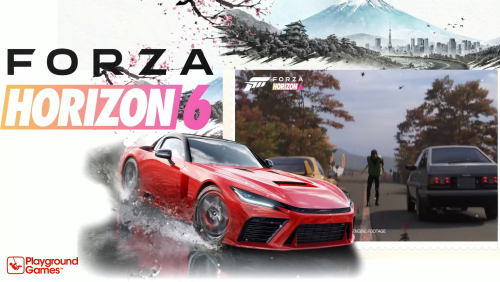 We’re not that many creating themes, but I’ve noticed a few new creators starting to appear. And honestly, that’s great. I really hope they stick around, because some of them are already very talented. Of course, there are also people who have been here for a long time. For example, @CTRL-ALT-DEFEAT has an absolutely insane collection of themes. I think he may have even created more than I have. And when it comes to arcade, the specialist is Sucra. His style is more classic, but it works extremely well, and people love it. Less regular, but just as talented, there is also Klopero. When he gets involved, he brings a lot to the table and creates things you can only really find here, especially Japanese versions of game themes. A lot of experience there too. It’s impossible to mention everyone, of course. I had tried to centralize some of this here: Thank you so much for your encouragement. See you very soon!
 -
Version 1.0.0
12 downloads
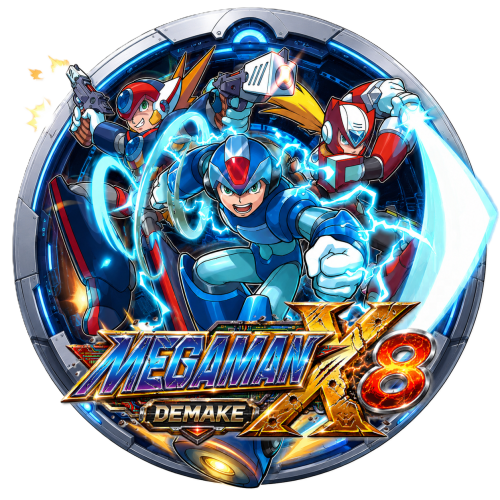
One last little share before I go back to my nostalgic bedroom. Mega Man X8 16-bit is a fan project that took around two and a half years of work, and honestly, I think it deserves a little spotlight. It’s a full 16-bit reimagining of Mega Man X8, inspired by the feeling of the first three Mega Man X games on SNES. The project is now playable from start to finish with X, which is already a pretty amazing achievement for a fan-made game. So I made a small visual tribute for it: a custom round icon, a 16-bit-style ClearLogo, and an HD ClearLogo. The two logos were AI-assisted, with some prompting and visual direction to get that broken, deconstructed, battle-damaged look. So no, it didn’t just magically come out of the hat. There was a bit of work and art direction behind it. The icon is homemade, mostly based on manual cutout and compositing work, in the style I usually use for my collections: characters breaking out of the frame, with that little 3D “coming toward you” effect. I just wanted to give this fan project a bit more visibility, because when someone spends that much time creating something out of passion, it deserves some love. Enjoy. Megaman X8 Demake version.zip -
I also wanted to mention something else: I said on Reddit that I would share my Forza Nostalgic Bedroom Collection. Just to be clear, this one is a little different from a classic gameplay theme pack. It was designed to be multi-front-end and multi-support, because it’s entirely based on cinematic themes rather than gameplay footage. So yes, sorry guys, no gameplay here. These are the themes I created and integrated into Nostalgic Bedroom, with an audio-reactive approach to make the whole thing feel more immersive and alive. The collection is complete, with custom icons and cinematic themes that can easily be adapted to Hyperspin or other frontends. Tell me what you think. If people are interested, I’ll share it.
-
Just to illustrate the difference between a classic gameplay-focused approach and a more cinematic one, I worked on a variation around Luigi’s Mansion 2 in 2024 Survivor’s version puts more emphasis on gameplay inside a window, which works very well for a direct presentation of the game. On my side, I wanted to push the atmosphere a bit further: Luigi is no longer just present on screen, he reacts, he talks, and almost becomes a little living character inside the theme thanks to lip sync and staging. Luigi_s Mansion 2 HD-01.mp4 I had never shared this version here before because I didn’t want to offend or disrespect Survivor’s work in any way. I’m showing it now only as an example, to illustrate how different creative approaches can completely change the feeling of a theme. This is not about saying one version is better or worse. It’s really about two different philosophies. One shows the game. The other tries to bring the player into the game’s universe. And from now on, for my future shares, I’ll also try to include a more classic gameplay-focused version alongside my cinematic versions. That way, everyone can choose the approach they prefer: the more direct gameplay version, or the more immersive and staged version. No jealousy here everyone gets their flashlight. 😄
-
I really want to clarify one thing: my message is absolutely not a criticism of more traditional or gameplay-focused themes. There are creators who do that very well, with real skill in placement, readability, and integration within the interface. It is simply a different approach. On my side, I’m trying to create more of a cinematic atmosphere, with rhythm, impact moments, transitions, and staging. It is not necessarily better, and it is not necessarily for everyone, but it is part of my creative identity.And I actually think it is interesting that several styles can exist within the community. Some people prefer a more direct gameplay preview, while others prefer a more atmospheric experience. Both approaches have their place. My goal is not to replace one approach with another, but simply to bring something different.


(1).png.d0b9c62b5127e682774b24f0665ef08c.png)