

proghodet
-
Posts
293 -
Joined
-
Last visited
Content Type
Profiles
Forums
Articles
Downloads
Gallery
Blogs
Everything posted by proghodet
-
I'll leave it alone, then - glad I asked first
-
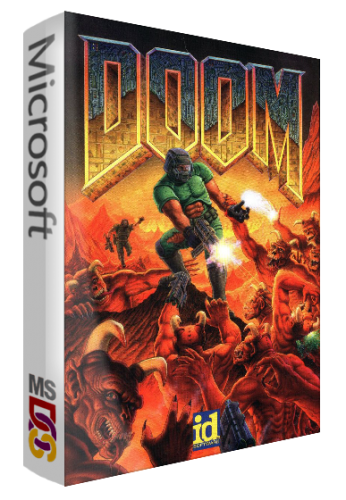 I have no idea, actually. I suppose for now, adding anything at all is more important than having a consistent design for all 3D boxes - but I really don't know
 -
I'm loving standards like this! You did good work, @Gaming.Zone
-
Entertaining monologue! Did you figure it out? It should probably be a category, not a platform
-
I see what you're trying to do, but I think it is just as easy creating a shortcut to the emulator on your desktop (assuming the game is run by an emulator), and then adding the parameters needed to run the rom. As far as I know, there is no such utility within LaunchBox as of now, which makes sense as LaunchBox is a software for having all the games located in one single space
-
Are you by chance adding these to the LaunchBox Database as well?
-
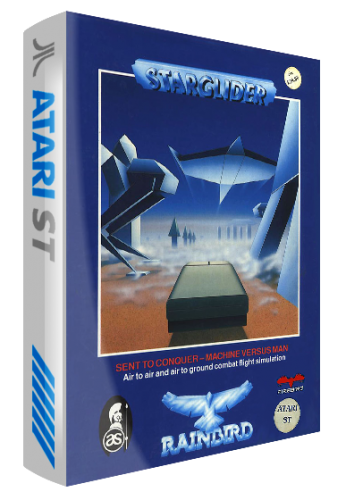 Awesome! I might just have to do this for my collection
 -

Would i be able to share my license key?
proghodet replied to uhhhhhhhhhhhhhhhhhwyanwunt's topic in Features
Technically, you are able to do so. However, I'm sure the one-man-band that is creating this amazing software, and improving it constantly, would probably appreciate you'd rather tell others about the software, rather than just give away your paid version. As you probably are aware, LaunchBox is free - BigBox is premium. Consider introducing them to LaunchBox, and if they like it they can consider supporting the project by buying a license. -
Preface: in the golden days of the Atari ST (and probably other platforms), there were multiple pirate groups that cracked games, and compiled them into so-called menu disks, such as Pompey Pirates, The Medway Boys, Flame of Finland and so on. I'm wondering if I should add such menu disks to the LaunchBox database, or if that is outside the scope of the database?
-
Tried with shortcut (ink) files, it works!
-
For the games I've tested with, I just added them manually through ctrl+n (or right click => add). But i do use actual .exe files, not ink files. Strange.
-
Hi! I'm having trouble combining my windows games. I have a couple of games with different versions, which have their own separate entries, but when I try to combine them, all dissappear, leaving only the one I put as the "root" game, if that makes sense. Is it not possible to combine windows games? It works fine for all other platforms that i've tried.
-
Sure! I'll find a way to make playlists work for me. I'll probably make all my "series" into playlists as well, as I suppose that the Series View are a bit in the same boat as the Genres View
-
I suppose. But I would still argue that a Genre view is different from the playlists. A genre is just that; a list of all games within a genre, while a playlist is "my top 10 racing games", "greatest games of the 80's" or whatever - your selected games within given constraints. And my sense of organization doesn't handle the mixing of the two But this is just food for thought at this point, I'll probably just go with your solution
-
Good tip, and probably the best option. But then, what's the point of having a Genre View at all? :)
-
I keep a tight grip on my genres, so it doesn't get out of hand, but I see what you're saying I could easily create my own logo images, but I have to consider if I'm going to bother editing the XML-files. Thank you anyway
-
I can't even change the view in my View Genres to display clear logos, banners or whatever, so I don't think so. I don't want to use playlists to display genres. In my mind they are separate, even though many uses playlists for that.

-
I realize this, but I'm referring to View Genres, not View Playlists
-
Is there a way to add a genre video, and a clear logo? As of now, my genre view seems very dull, but I would love to have a logo and a video for each genre, much like the playlist view, or the platform view. Tried adding a folder called genres, and adding a clear logo image for a genre, but no luck
-
You're doing an amazing job, man! Awesome seeing it up and running on Linux
-
For any screenshots on pc I always use lightshot. (https://app.prntscr.com/en/index.html) Just press print screen on your keyboard, select what you want to screenshot, and press ctrl+s to save it as a png I'm happy I could help!
-
Strange, it works for me. There may be some other guys on the forum with greater AHK skills than me
-
Ah, my bad, I should have tested it Below the second line, add "return" So all put together: sleep, 500 send {CTRL DOWN}{f}{CTRL UP} return esc:: { Process, Close, {{{StartupEXE}}} }
-
Sure! Just add this to the AHK-script, a couple of lines below the stuff you already have in there: return esc:: { Process, Close, {{{StartupEXE}}} }
-
This seems more like a CEMU issue, than LaunchBox / BigBox. Have you tried streaming CEMU without going through LaunchBox?




