

MadK9
-
Posts
567 -
Joined
-
Days Won
14


Recent Profile Visitors
9856 profile views


MadK9's Achievements

64-Bit Supercomputer (6/7)
798
Reputation
-
 Oh its all yours, i am done with it, 5 years is enough for me.. , Not sure why you used Claude, but i will add you should run your file through https://www.virustotal.com and post the result page along with your edited file. This will show that you have done due diligence to produce a clean file, as this is a mod it can get flagged. And will also stop/slow false positive reports. Good luck to you and glad to see someone take it over, i will post a link to your download in the top of mine to show continuation.
 -
Tested with my original build before writing the Tutorial and both games worked, and can confirm that @yashijoe's version works perfectly fine too. and yes HDR was on, hence the blownout images.
-
 Ok guys, here is a DiY solution for you to make you own nonags and add the 2 games back to mame. This guide was tested by a couple of people and they managed to create workable mame nonags. Just follow the guide and please read it carefully, it may seem there is a lot of thing to do, its not much really the first part is just setting up the compiler which you will only need to do once. The rest is just editing 4 files, then compiling. If you have issues please be concise and have images i cant read your screens.. I will try to help you solve them, remember when i started doing this, i knew nothing as well. Please let me know your success’s or failures... Good luck peeps.. /MadK9 Mame-NoNag-Tutorial.txt
 -
As with all things, the end has to eventually come. With 0.287 being the final version of no nags that i will release. I had lost interest in everything to do with emulation quite awhile back, but carried on regardless each moth with the no-nags. I'm hoping someone else will pick up the gauntlet and release nags each and every month. while not difficult to do they take some time to compile and test. So with that i bid you all farewell.. Final thanks as always go out to @KnC @JoeViking245 and CBeats for advice and help along the way..
-
Its been a minute since we last spoke...... i will miss bending your ear on things, and moaning. you will be missed. I wish you the best m8. K9.
-
That was removed from mame a long long time ago, you must be running a very old version.
-
I tested and the no nag works as it should with this game, and shows no warning to me at all. Do you have multiple versions of mame and you are adding the no nag to incorrect mame. Other than an incorrect folder the only other thing is the skip gameinfo flag.
-
Again as i said, the game was incomplete, and was never added to mame, so i will not be adding it to the nonag. Just add the game to your LB and just set the emu to hbmame for that one game. I did in the past, but there just isn't a demand for it. There was someone else posting it a few months back. But its not something i will go back to doing, as i have no use for it.
-
Unfortunately not, as far as i know it was never released in the arcades due to it being canceled before completion, and as such has never been on mame. Im sure i read that there was a "possible leak" of the roms, but other than that, i think your best bet is either the PS4 or Switch version of the game. If there is a version that was added to a version of "mame" was probably a bit of a Frankenstein build of it. I try to keep the no nag clean as possible, so adding something like a game into mame that wasn't there before is not something i would want to do.. Sorry..
-

Mame No-Nag 0.287 Final Version.
MadK9 replied to MadK9's topic in Third-Party Applications and Plugins (Released)
Its mame, as long as its on PC and its x64 it will work. -
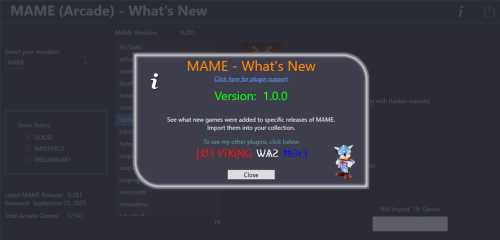 What a great addition/plugin for Arcade lovers and mame users. Was a pleasure to test this. I will be using this a great deal as i have to test mame nonags this makes it easier for me to test actual games direct from LB. No more full reinstalls just add a handful of new titles. @JoeViking245 you knocked it out the park yet again, i tip my hat to you sir.
 -
You to be a bit a little more descriptive on what is showing up on your screen, or a screenshot, this will help narrow down somethings. (are you running mame as a standalone emulator, or are you using the Launchbox installation, as these require two different approaches.) Some times people mistake what this actually does and removes, we will try to help you as much as we can, but as you are the only one reporting an error, it must be a simple error, that can probably be remedied easily. Most times just replacing the exe file in you mame setup will result in it working, if you run a standalone version that you installed manually (not using Launchbox's install option) you need to edit the mame.ini and just make sure 'Skip_gameinfo 1' is set. Thats all there is to it, you will know if its working as when you run a game that has a yellow/red warning will show a Warning Information option in the Tab menu when you are in the game.
-
Sorry, but as this is a modified mame, the dat set would be incomplete as there are 2 games that are re added by me, so no unfortunately i cant add the dats, and i no longer use dats. As for normal dats just search 'pleasuredome git' in your fave search engine, you will find them on there fairly easily, or you could create the dats with clrmamepro and the mame.exe (this last one does have some draw backs though)
-
You might want to use the waspi mode though, as the sound quality is so much better, and its one of the main features of mame 0.278
-
edit your mame.ini file, find 'sound auto' (around line 329'ish) and change the auto to xaudio2, save and retry. (you need to have DX9 runtimes installed) If you want to use waspi you may need to turn off exclusive mode. Press WIN+R and type control.exe mmsys.cpl sounds press enter. select your sound output device and in the bottom right click properties then the advanced tab. In the exclusive mode settings turn off the 2nd option




