
KRI$85
-
Posts
119 -
Joined
-
Last visited
Content Type
Profiles
Forums
Articles
Downloads
Gallery
Blogs
Everything posted by KRI$85
-
All in all, the category serves its purpose, but I was surprised that I couldn't set the rest of the games to be visible. I spent too much time in Hyperspin, Attraction, etc., where it wasn't a problem to do something like that, but other things weren't possible that could be done here, hehe. Well, that's how it is + the fact that when I add a given game to Favorites on a given platform, the game is not only added to Favorites on the platform, but also to the main Favorites in the Main Menu, so that's nice. It's a pity that you can't add an All Games playlist quite quickly, like in Attraction, etc., but as you say, it would probably be one big mess + BB wouldn't work and would make such a list of games cluttered. I'm a bit surprised that the engine is newer than Attraction, and BB can clog the edges of a very large number of games, whereas in Attraction I could have a dozen or so thousand games and only occasionally it had a crunch. The biggest problem was and is the modules for RL, something always didn't work, etc. and in LB BB the games run without any problems, unfortunately at the expense of the terribly poor Fade screen setting, which I miss ;( I think I've come to the conclusion that I will add Favorites from the Auto child playlist level, it will be a bit more clicking, but it will be tidy, I think. You don't have to apologize, you wanted to find out as much as possible about the problem and it turned out that there wasn't really a problem, that's just how it works, it's just a pity that your time was wasted I'm a newbie in LB BB, so it's different, I teach what to eat with it, as I see some people practice BB so much that it's magic I'm just going to sit down and test it, but I think I'll stick to what I wrote above, i.e. Auto child Playlist + maybe genre (it works a little differently than in Hs) I like to keep my collections in order. There used to be no way out, you had to sit on the playlist view, but now it's all about choosing a color Yes, yes, I know, let's see what will come of it
-
There is no way there are 65 favorite Wii games If I go to the Wii wheel, it looks like in the picture, i.e. Favorites, and I can enter it normally and then there are my favorites, i.e. 65 games, but the rest of the games, as you can see, are not there. I tried to do it the same on another gamecube wheel and the same problem. As I mentioned earlier, the only option where everything works is to do Auto generate child, select All Games (otherwise there is the same problem oO) and playlists, but then, as you probably know, the games are even more buried, so-called under the All Game list from that platform and Favorites, and I guess that's it I'm left ;( I also don't want to take up more of your time and you spent so much time on it💪
-
Yes this is platform categories. This photo shows the image after entering the Wii platform after adding Favorites to the Console, Nintendo Wii wheels, when I remove my Favorites, Favorites, whatever you call it from this wheel, the list of games is displayed normally hmm
-

-
So the 2nd photo above is the same as the 3rd one, except that I changed the view to make it clearer what is what Regarding the double view of Favorites in the list: 1.Top Favorites so-called all games that I add to my favorites are added there 2. This is what I write about and cause problems, i.e. My Favorites. I entered the platform category, parents as you wrote and checked it anyway In 1 I only have root selected. 2. I only have Nintendo Wii selected, if I uncheck root in the main Favorites, for example, it disappears (which is logical) but the problem still occurs the same when I uncheck Nintendo Wii, so hmm
-
I'm not sure if this is what you mean, but I have 2: Favorites,and My Favorites the main ones and My Favorites as in the picture
-
-
I know this. I tried different ones and still the same
-
I did it just like in your photo. In my photo below, if I enter unique name and Nested Favorites or favorite, it says that the name must be unique because such a name already exists. As you can see on the left, in my list under All I have Favorite for all games in the main menu I've tried different names but it's always the same, i.e. what's in the photo above Unfortunately, I think I'll have to do it via auto generate child playlist and select all games and favorites, then everything works, except it's even more buried, but it turns out I have no choice 😕
-
I was happy too soon after adding, as you showed, in BB I have something like this instead of games
-
This is exactly what I wanted because the main Favorite becomes a mess after adding a large number of games, and now I will be able to quickly find my favorite game from a given platform THANK YOU🤩
-
Hello, is it possible to add favorites for a given system in a circle, e.g.: Wii Favorite, Psx etc. favorite or, unfortunately, there is only the option as in the photos, i.e. everything in one circle?
-
Is there a way to get Platform Category because I can't decide which video to choose hehe ??
-
It's a pity that Instruction card only works with Mame and is not available natively in BB, only through Rocket Launcher 😕
-
ghoulsu.thumb.png.da61d2c6b6541902e25d67e18acc5096.png) Very interesting settings Thank you. I have a question about the settings, I don't know what to call it: glow, aka smudge, I would like to eliminate it to make the image smoother without this glow (this is most visible when jumping, e.g. in Ghost and Goblin) ?
Very interesting settings Thank you. I have a question about the settings, I don't know what to call it: glow, aka smudge, I would like to eliminate it to make the image smoother without this glow (this is most visible when jumping, e.g. in Ghost and Goblin) ? -
I understand that can't add more than one video so that a different one starts each time?
-

CPWizBiz - Game Controls Display
KRI$85 replied to stigzler's topic in Third-Party Applications and Plugins (Released)
Damn the links are dead, on mago the link disappeared oO -
OMG RLY damn I'm blind oh yes, problem solved😍 1x SSD Win + LB-BB media, Second the rest media and finally more HDD drives, preferably 1 Peta and Ultra Hiper Monster Collection ready after setting everything, of course hehe. THERE WILL BE POWER muahaha huh 😈 Thank you for this great news💪
-
LB-BB Media video folder etc., games on other HDDs First of all, I would like LB-BB to work on an SSD drive so that it would be smooth and fast, that's why I'm asking and now I have some determinant, 9K games is 330gb. It's strange that can't separate the media paths, then 2X SSD and the problem is solved, unless I'm wrong? This is the problem, I would like to have a VERY LARGE one, I am aiming for at least 64+TB hdd and in the future I will switch to full SSD when large SSDs become available (it's a dream to have 1Peta but I probably won't be able to live up to it As know, modern games take up a lot and can run better on SSD, just like some arcade games on PC, not to mention there will always be little space
-
Thanks for the quick answer, so 3TB SSD is the minimum🤔
-
Could someone who has a large, very large collection tell me how long the LB-BB folder takes up? I'm in the process of building my LB-BB and I would like to buy an SSD drive and move the entire folder without games to SSD, but I don't know what SSD to buy to fit everything and speed up BB 🤔
-
Is it possible to refresh the link? I'm looking for something similar because I'm tired of looking for discrepancies between the games folder and what's on the LB list manually, and the game lists are getting longer and longer Maybe a new solution has already come out?
-
Help with RocketLauncher Fade
KRI$85 replied to dbinott's topic in Third-Party Applications and Plugins (Released)
Hello, I have a question: is it possible to make such a fade in LB BB as in RL or am I forced to use RL? If only by RL, I understand that if I add RL as emu, I have to remove all other emulators that I added from the list so that only RL remains. Well, after removing this damn index error after starting and trying to update RL, my blood boils (nothing works on the RL forum) -
MAME Hi-Score Display - A plugin for BigBox
KRI$85 commented on JoeViking245's file in Third-party Apps and Plugins
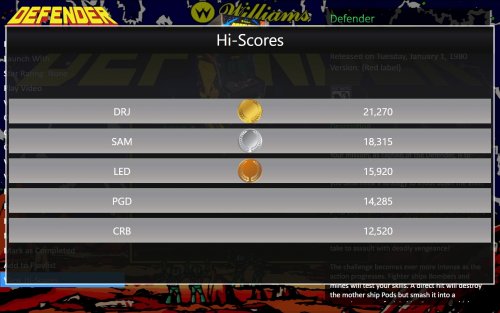 Ah, I think I understand. Check what and how. I see. Thanks
- 50 comments
-
- 1
-

-
- mame
- high scores
- (and 2 more)
-
MAME Hi-Score Display - A plugin for BigBox
KRI$85 commented on JoeViking245's file in Third-party Apps and Plugins
oO cool, cool, but probably limited only to mom, but it's better than nothing Damn, I'm blind, I was looking through plugins and didn't see it, I'm just adding useful plugins that are still available because you never know when they'll disappear, so I'll check it out and THANK YOU And one more question - is it possible to customize the games and, most importantly, put them on a separate screen, tablet, monitor?



ghoulsu.thumb.png.da61d2c6b6541902e25d67e18acc5096.png)
