

Heartless1Riku
-
Posts
30 -
Joined
-
Last visited
Heartless1Riku's Achievements

8-Bit Processor (3/7)
8
Reputation
-
Theme Videos and Video Snaps for Sony Playstation 4
Heartless1Riku commented on Suhrvivor's file in Sony Playstation 4
 Humbly requesting a Demon Souls theme crafted by your amazing skills for the PS5 ❤️ your theme making skills are the gift that keeps on giving.
 -
Not sure if it is intended but 16:9 videos in LB do not fill the entire video section in the game details section (small black bars on the left and right) and this is also the case when maximizing the video despite the aspect ratio of the video and monitor matching. This is using the default theme in LB 14.0.1 The video in the game details section will also sometimes loose the rounding corners effect on the right size resulting in one side rounded and side with sharp corners when maximizing and minimizing the video.

-
I 2nd this, I have noticed that in LB playing videos in the game details section has them not take up the entire screen with small black lines to the left and right of the video. This still occurs when the video is maximized. The issue does not occur in BB which uses the entire screen. In my case this is happening with 16:9 1920x1080p videos on a 16:9 display.
-
Smaller bug but the way text snaps to game art just is not as clean and streamlined as it used to be in prior releases. Especially when two boxes with different sizing are in the same row the text will not be flush against any of them and layout settings can not fix it only works well when all boxes are the same size and orientation otherwise it distorts sizing between different box formats. Not sure if it is possible but could lunchbox automatically place text flush against box art on its own again? 13.19 LB All category (Text snaps close to bigger box and stays aligned with text of smaller box) 14.0 LB All Category (Text is not snapped close with small or big box) 13.19 14.0 (using override to make text closer to box to match 13.19 causes vertically oriented boxes to become tiny which can not be fixed with other settings)
-
A lot of things are running great in 14.00, especially in LB. However, the video playback using VLC continues to be choppy and not running at full fps the way running the videos through an external video player does. This happens regardless of using the experimental setting or using my rendering pc with beefy specs. The videos in BB still cut off a small portion of the beginning of the video and audio (less than a second), this behavior is not present in LB where videos cut off zero audio and video frames.
-
I have noticed that the 13.28 Beta 6 causes the text in LB to be misaligned and far away from the box art when using the show text on all games option. This also causes less game box art to be displayed on screen as the wasted space makes the gap between rows larger. Here are the log files for the text issue:Logs.7z LB 13.27 Text alignment when using show all text option 13.27 LB Text Alignment.mp4 LB 13.28 Beta 6 Text alignment (No longer flush against box art) 13.28 LB Text Alignment.mp4 I would also like to briefly comment on the fps stuttering, the experimental feature did not make my experience better in BB. I have attached 13.19 VLC vs 13.28 Beta 6 VLC for comparison in how much smoother videos played (pokemon characters come in from the right much smoother and the xenoblade video has the character slide to the left without hitches/stuttering) 13.19 BB VLC FPS Test (Criticalzone theme) 13.19 VLC fps smoothness.mp4 13.28 Beta 6 BB VLC FPS Test (Criticalzone theme) 13.28 Beta 6 VLC fps smoothness.mp4
-
Might be a bit of a long post I got to try the beta 6 and here is my feedback on resolved, partially resolved and withstanding issues I have noticed. Pros -Transitions are working great and are smooth using VLC. -Videos are correctly centered in themes that had issues before using VLC (colorful-dark in my case) . -Thumbnail flashing before starting videos is gone in both LB and BB using VLC. Cons and Partially unresolved bugs/issues - Video sound fades in quicker than before but on my repeated test still cuts off about one word (Fraction of a second) from the beginning of the video audio such as the Pokémon scarlet and violet video themes. The lyrics "you make me feel" have the "you" portion still cut off. Still an improvement over Beta 5 which cut off serval more lyrics. 13.19 VLC audio test 13.19 VLC.mp4 13.28 Beta 6 VLC audio test (lyric cut from beginning of audio) 13.28 Beta 6 VLC.mp4 - Using VLC in BB still has the video start over when going from game view to game details along with not continuing the video from the same time stamp when going between game details and game view (critical zonev2). There are rare instances where it does correctly continue the video going from game view to details view but the majority of the time it will restart the video and not have the correct timestamp continuation the way it does in LB. Videos also restart when using the view video in Fullscreen option in the game details view. 13.28 Beta 6 VLC (Video does not continue from same timestamp swapping between game view and game details) 13.28 Beta 6 video starting over (not continuing timestamp playback).mp4 - Alphabet scroll wheel no longer showing in BB using VLC and critical zone theme. 13.28 Beta 6 (No alphabet scroll wheel at bottom) 13.28 Beta 6 Alphabet scroll not showing.mp4 Thank you for the effort the team puts into these updates and squashing bugs. Let me know if you need any further tests or logs for specific tests. Logs.7z
-
Here you go, let me know if you need anything else. Debug 2026-07-27 08-31-06 PM.log Debug 2026-07-27 08-31-27 PM.log Debug 2026-07-27 08-32-01 PM.log
-
Following up on my earlier report that transitions no longer play using VLC in big box (critical zonev2 theme). It also appears the the video stutters initially and the audio is cut off or does not come in fast enough causing some of the beginning audio of videos to be lost. Here is a comparison of 13.9 VLC vs Beta 5 VLC showing the lack of sliding transitions and the loss of sound (2 less words at the start of the video) and stuttering at the beginning of the video themes. Also using the VLC player causes the video to restart when going from the game view to the game details view in big box compared to when going from game details and backing out to game view in which case the player continues the video from the same point smoothly. Not sure if that is by design. Big Box 13.9 VLC 13.9 VLC.mp4 Big Box 13.28 Beta 5 VLC Beta 5 VLC.mp4
-
I would also like to report that using vlc media player in launchbox does not allow dolby acess to boost sound like it does with ffmpeg and windows media player. Might be a sound setting that is off but spatial sound does not seem to work with vlc in launchbox mode. Another small bug is that windows media player has noticeable stutter/video pause when maximizing the video or minimizing in launchbox.
-
Beta 5 has broken VLC big box video transitions (not playing) for me using the critical zone theme, windows 11. I have attached files showing VLC big box on beta 5 and then on my stable 13.19. Beta 4 did not break video transitions from when I had tested it. Big Box no transitions.mp4 Beta 5^ Big Box transitions.mp4 13.19^ Launchbox also still exhibits the behavior of showing a static image briefly before starting the video when using auto play and browsing the library with VLC as the media player. Lauchbox video shows image and then starts video.mp4
-
Using VLC in big box causes the video to be choppy/stutter for the first 1-2 seconds which degrades the use of video themes with animations such as video themes made by Suhrvivor when compared to how smooth videos played in 13.19 using VLC. Also in launchbox using VLC and browsing between games causes the video section to briefly display a static image of the video before starting the video compared to windows media player which correctly fades in the video from the start without displaying a static image or the play button.
-
Castlevania playlist theme videos
Heartless1Riku commented on Klopjero's file in Playlist Theme Videos
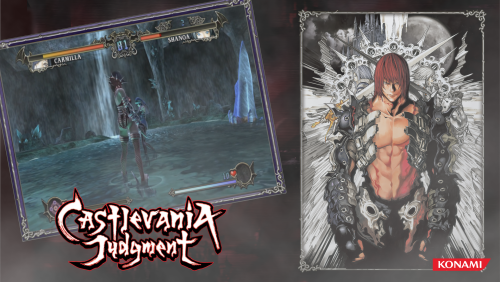 These are peak! Would you consider making themes for the Nintendo switch castlevania collections?
 -
 Just a heads up I don't see Mina the Hollower in either the M folder or the New folder donwload links. Thanks you for the amazing work you do ❤️
 -
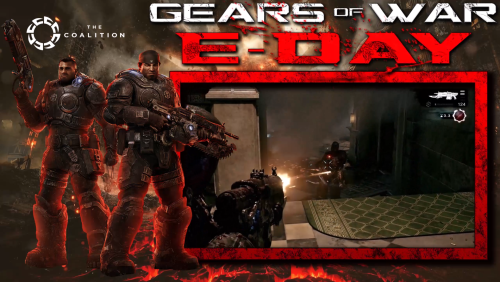 You just made my day! ❤️



.png.a9d9413bc9514fe91e014be561258399.png)
.png.5a8b11eec498bc28e39a2c1e9b3147b5.png)
.png.dbfe30a8762068c75a1b8eb8b9784cf8.png)
.png.37543f046b5c45a53469482d32148929.png)

